NFC Card Reader Type M27 (M502-10)
SM 2-55 D0AP/D0C4/D0C5/D0C6/M0BQ/M0D1
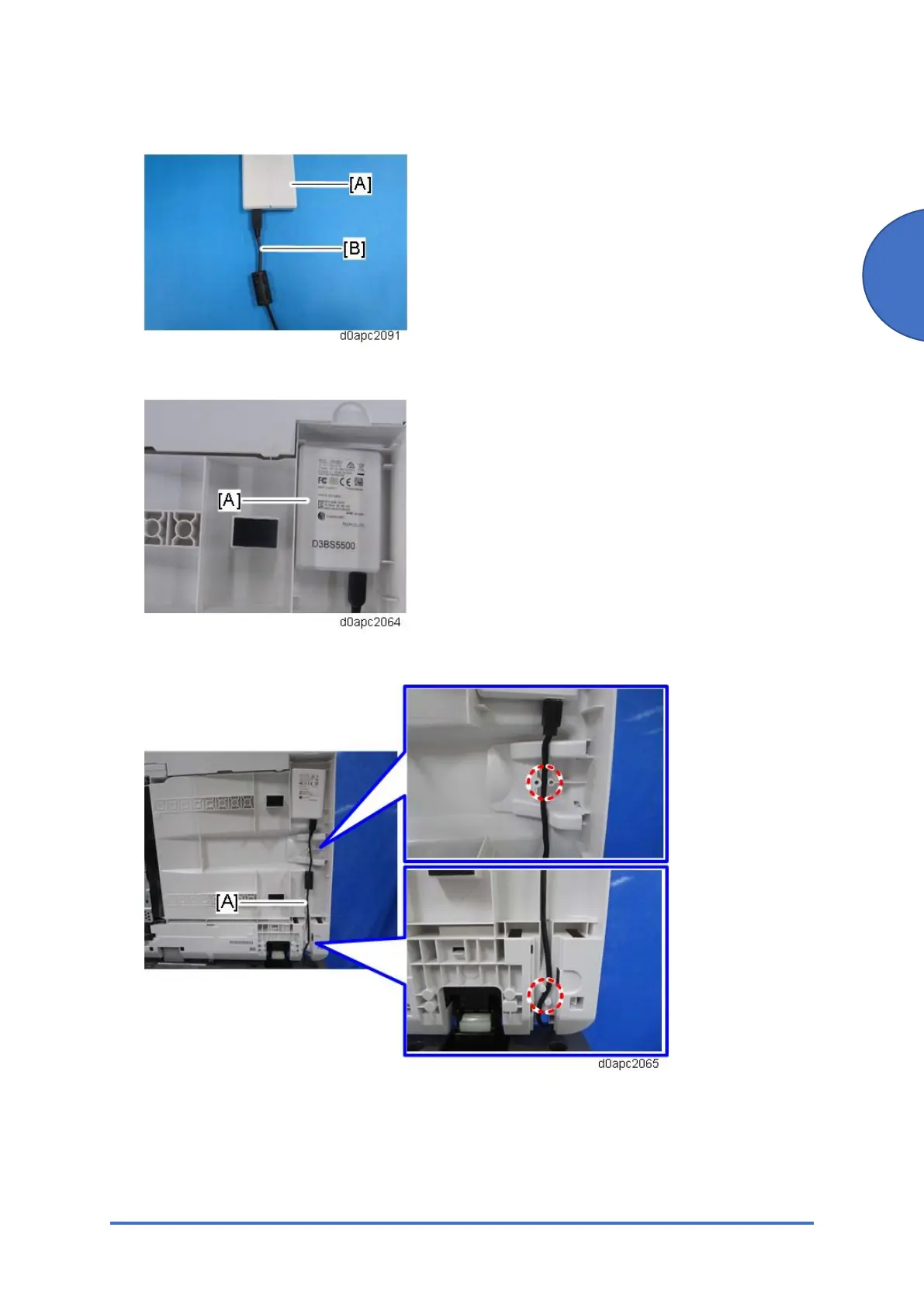
9. Connect the USB cable [B] with the ferrite core to the NFC card reader [A].
10. Firmly fasten the NFC card reader [A] to the SPDF.
11. Route the USB cable [A] between the tabs as shown below.
12. Attach the SPDF bottom cover to the SPDF.
13. Attach the harness cover to the SPDF.



 To Next Page