NFC Card Reader Type M27 (M502-10)
SM 2-57 D0AP/D0C4/D0C5/D0C6/M0BQ/M0D1
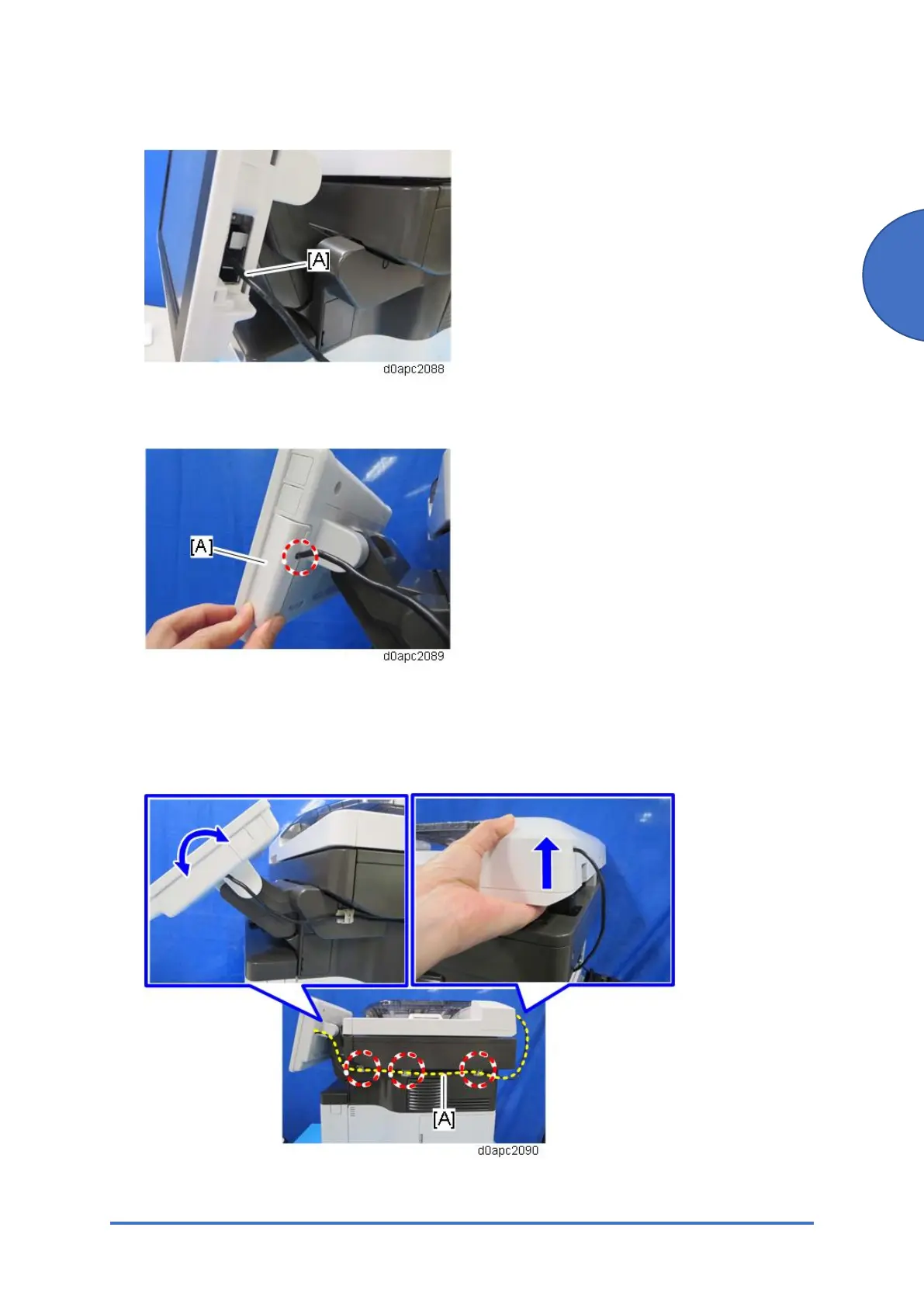
19. Connect the USB cable [A] to the operation panel.
20. Pass the USB cable through the hole, and then attach the side cover [A] of the operation
panel.
21. Put the three clamps on the right cover, and then fasten the USB cable [A] with them as
shown below.
22. Carefully, move the operation panel slowly up and down, and then lift the scanner at the
rear, to make sure there is no tension on the USB cable.



 To Next Page