10-17
Chapter 10. PLC Link Communication
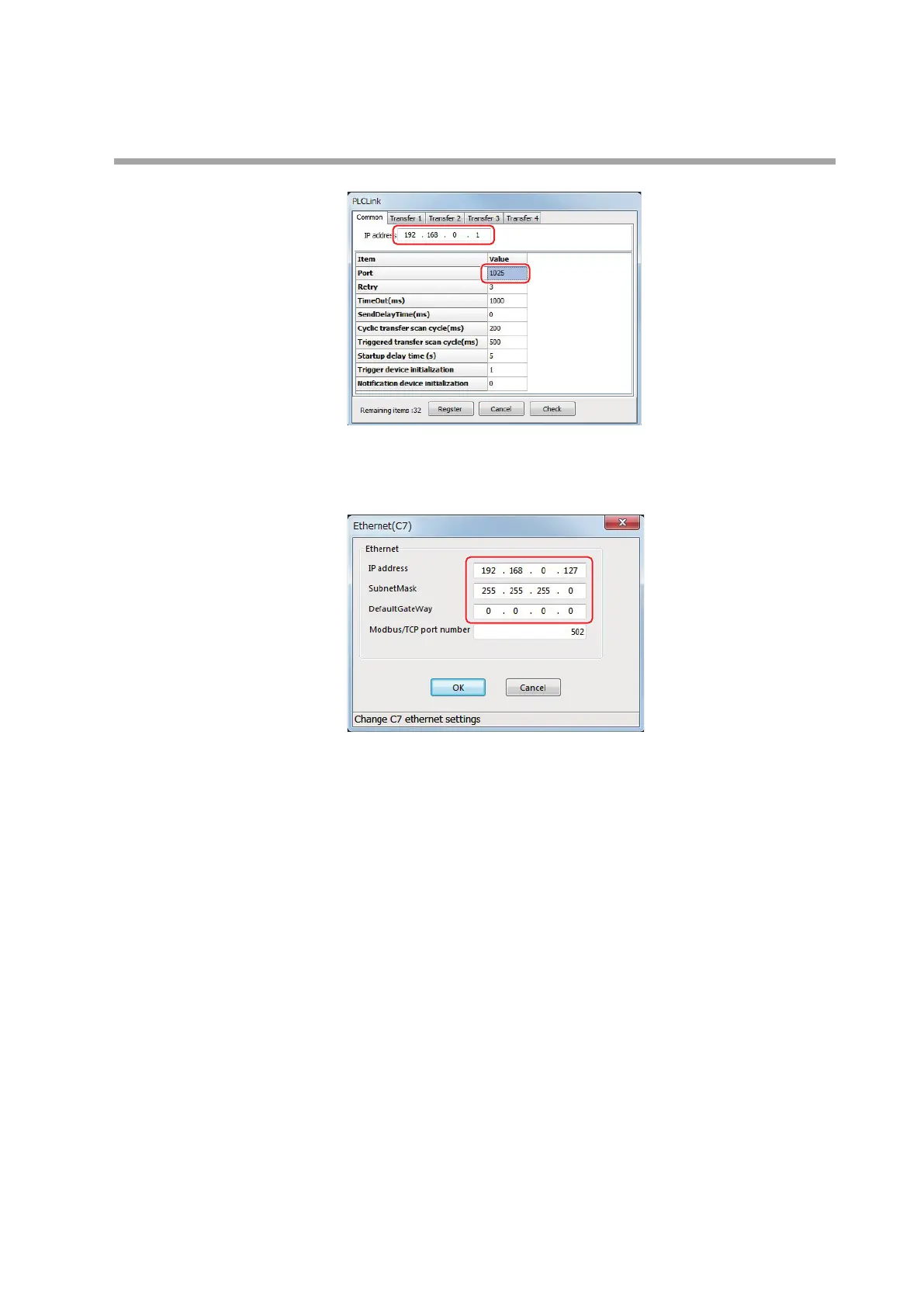
IP address: 192.168.0.1
Port number: 1025
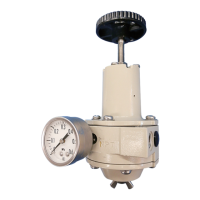
(2) Configure the Ethernet settings for the C7G.
IP address: 192.168.0.127
Subnet mask: 255.255.255.0
Default gateway: 0.0.0.0
PLC settings
Configure the settings as shown below in GX-Developer.
(1) Go to "Project" > "New" and create a new project, with "Q04UDEHCPU" set
for the CPU type.
(2) Double-click the PC parameter.
>> The Q Parameter Setting window appears.
(3) Select the [Built-in Ethernet Port Setting] tab and set each item.



 To Next Page