Utility Stitches
Various Stitches
99
3
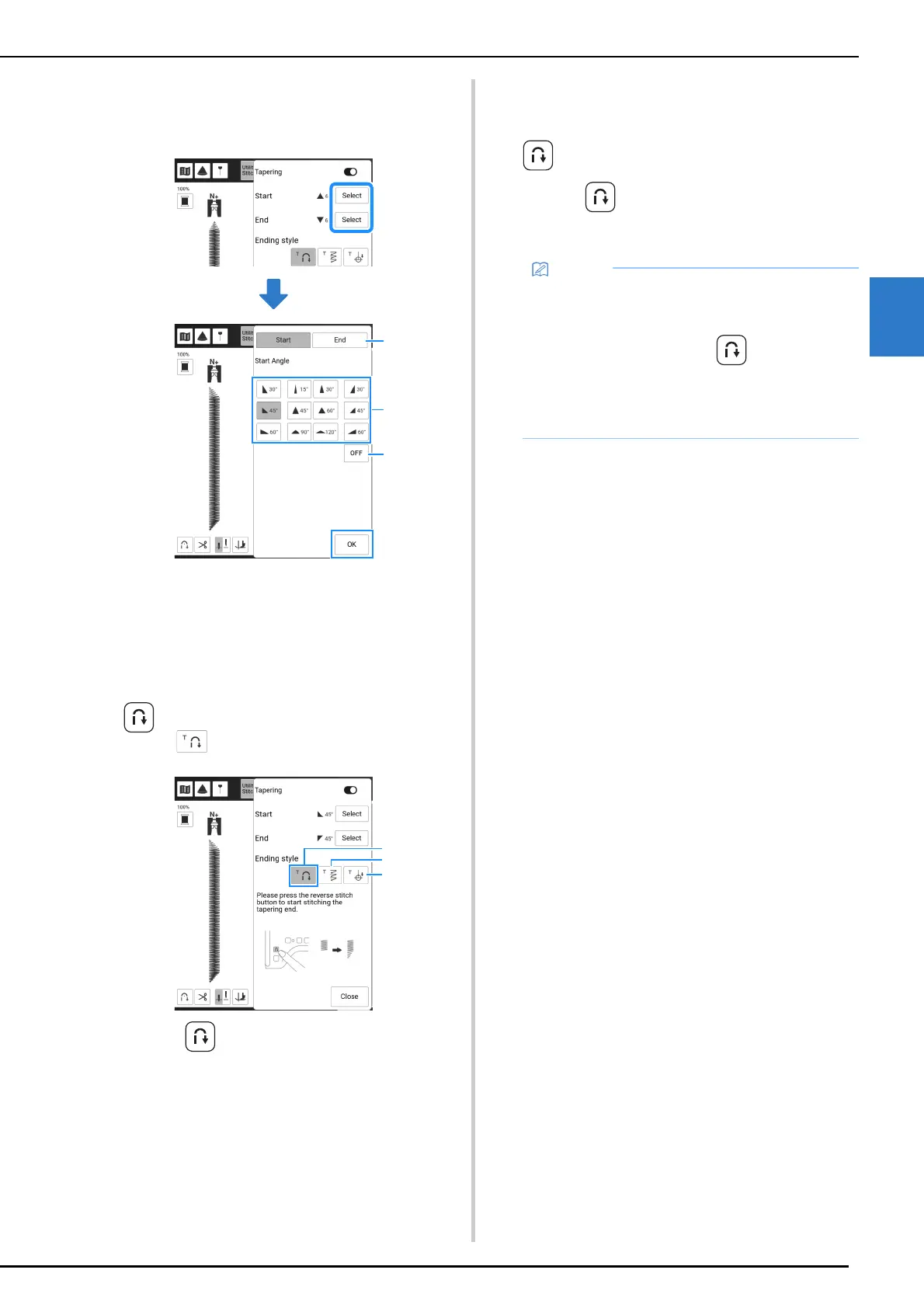
4 Touch [Select], select the angle settings
for the start and end of sewing, and then
touch [OK].
a Select the start or end of sewing.
b Select an angle.
c Specify that the angle does not change.
5 Select the method for finishing sewing.
For this example, since the angle at the
end of sewing will begin changing when
(Reverse stitch button) is pressed,
select .
a Press (Reverse stitch button) for the angle at
the end of sewing to start changing; the machine
stops when sewing is finished.
b The machine stops when the specified number of
stitch patterns have been sewn. The number of
patterns that are specified includes the number of
patterns used to change the angle. (page 100)
c The machine stops at the position where the end
point sticker is affixed. (page 100)
6 If necessary, use a chalk pencil to draw a
line at the location to be sewn.
7 Start sewing.
8 After sewing the desired length, press
(Reverse stitch button).
When (Reverse stitch button) is pressed, the
angle at the end of sewing begins to change, and
the machine stops when sewing is finished.
9 When finished sewing, set [Tapering] to
off, and then touch [Close].
• If you stop sewing at the point where end
tapering should begin (either by pressing the
“Start/Stop” button or by lifting your foot from
the foot controller), press (Reverse stitch
button) and resume sewing by either pressing
the “Start/Stop” button or pressing on the foot
controller. End tapering will begin as soon as
sewing resumes.



 To Next Page