Embroidering Quilting
196
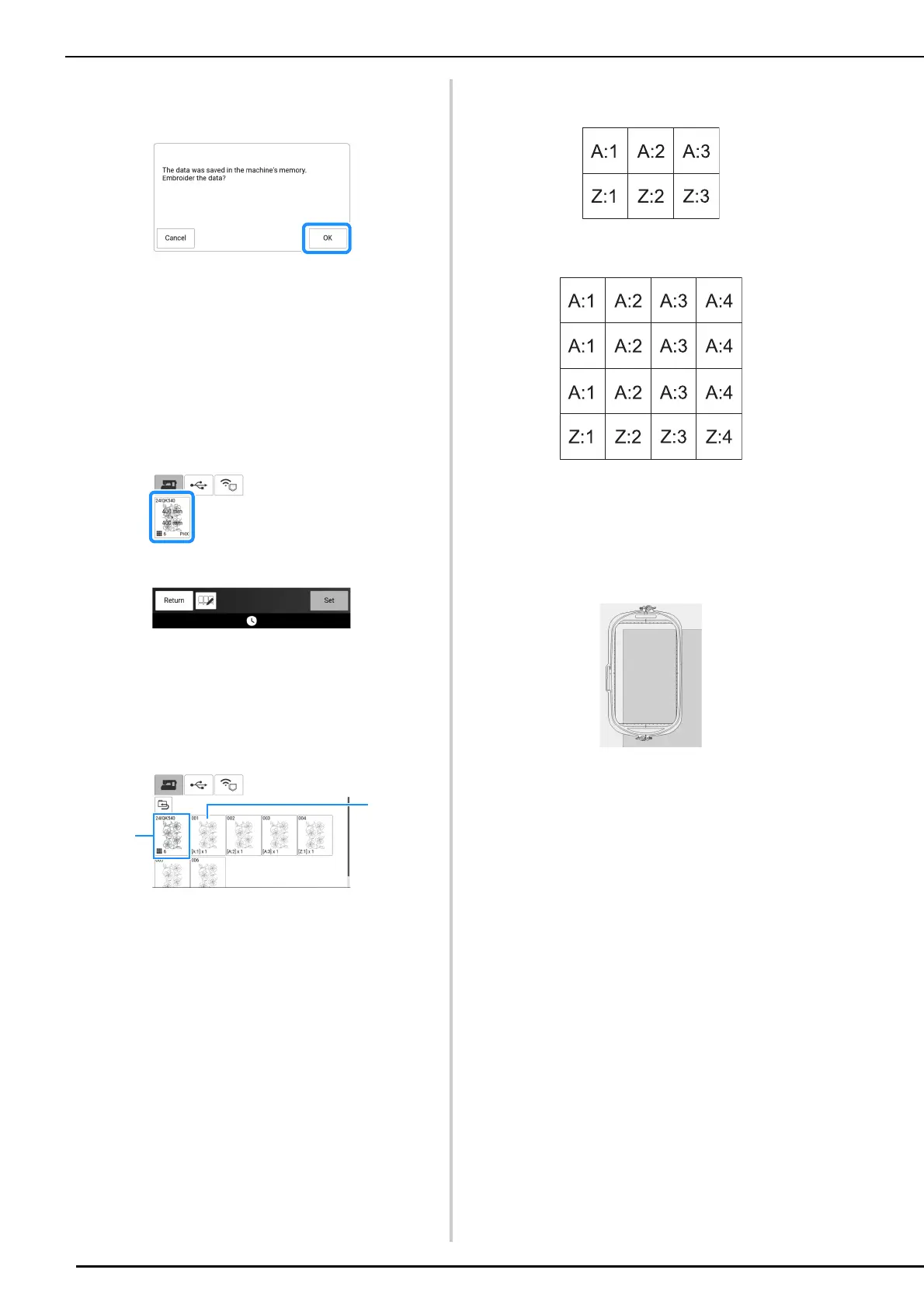
6 After the following message appears,
touch [OK].
A screen appears so that a pattern from the
machine’s memory can be selected.
Embroidering the Edge-to-Edge
Quilt Pattern
1
In the screen for selecting a pattern from
the machine’s memory, select the saved
data.
2 For this example, since we will embroider
the edge-to-edge quilt pattern according
to the on-screen instructions, select the
thumbnail for the entire edge-to-edge
quilt pattern. And then touch [Set].
a Touch this key to embroider the edge-to-edge quilt
pattern according to the on-screen instructions.
The number in the lower-left corner indicates the
total number of segments for the edge-to-edge
quilt pattern.
b To embroider by visually aligning the pattern
sections, touch each pattern section to be
embroidered.
You can check where and how many times the part
will be embroidered with the codes written on each
key.
“A” refers to rows other than the last one, “Z” refers
to the last row, and the numbers indicate the order
in which the patterns are to be connected.
Example: When connecting patterns in 2 rows and
3 columns
Example: When connecting patterns in 4 rows and
4 columns
3 Hoop the quilt in the embroidery frame so
that the marked upper-left corner of the
edge-to-edge quilt pattern is in the
embroidering area, and then attach the
embroidery frame.



 To Next Page