Embroidering Quilting
197
Advanced Embroidery
5
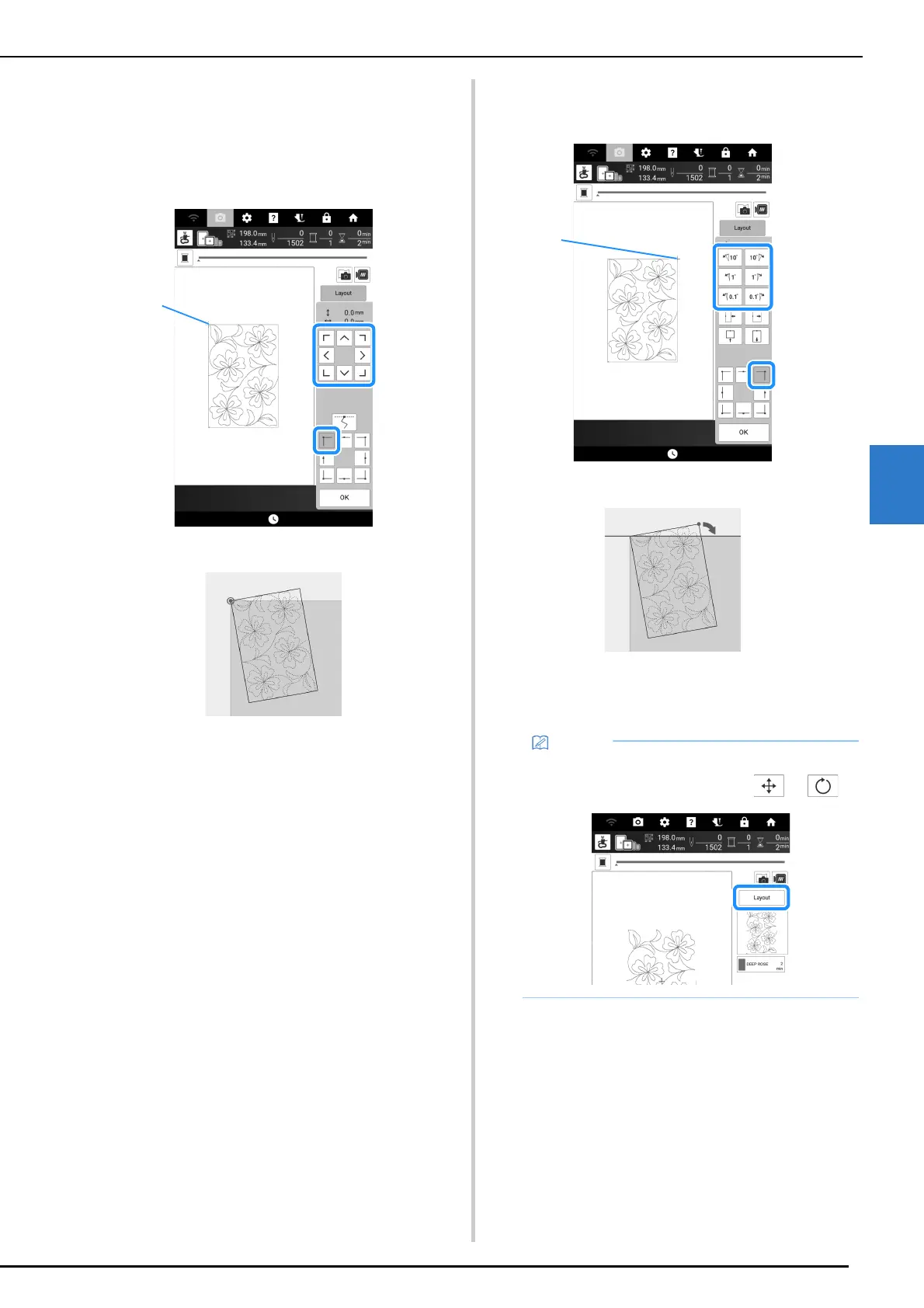
4 Use the move pattern keys to align the
upper-left corner of the chalk reference
lines previously drawn on the quilt with
the upper-left corner of the part projected
by the projector. Then, touch [OK].
a Upper-left corner
5 Rotate the pattern to align the upper-right
corner with the chalk reference line.
a Upper-right corner
6 Touch [OK] to display the embroidery
screen.
7 Press the “Start/Stop” button to
embroider the first part.
• To readjust the position or angle of the pattern,
touch [Layout], and then touch or .



 To Next Page