Embroidering Quilting
198
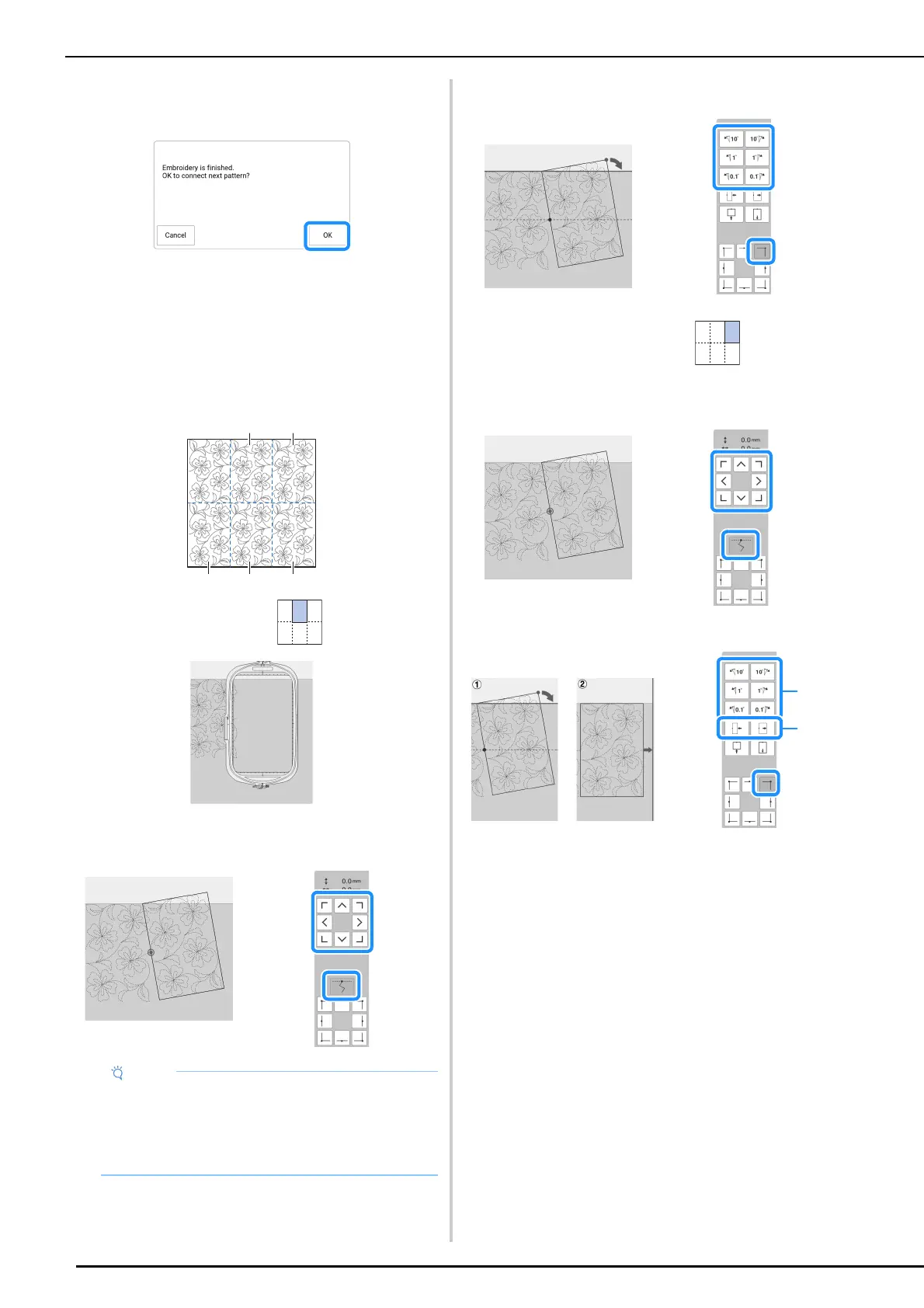
8 When embroidering is finished and the
following message appears, touch [OK].
The next part to be embroidered appears.
9 Position each part and embroider it
according to the on-screen instructions.
You will be prompted to align the starting
point and to rehoop the quilt when
necessary.
a Second column of first row ( )
Use the move pattern keys to align the start point with the end
point of the previous pattern.
Rotate the pattern to align the upper-right corner with the chalk
reference line.
b Rightmost column of first row ( )
Use the move pattern keys to align the start point with the end
point of the previous pattern.
To align the upper-right corner with the chalk reference lines,
adjust the angle and width of the pattern.
*1
Touch to change the angle of the pattern.
*2
Touch to change the width of the pattern.
• For precise positioning of the start point, rotate
the handwheel toward you to check the exact
needle drop point. After checking the needle
position, be sure to use the needle up/down
key to return the needle to its highest position.



 To Next Page