Embroidering Quilting
207
Advanced Embroidery
5
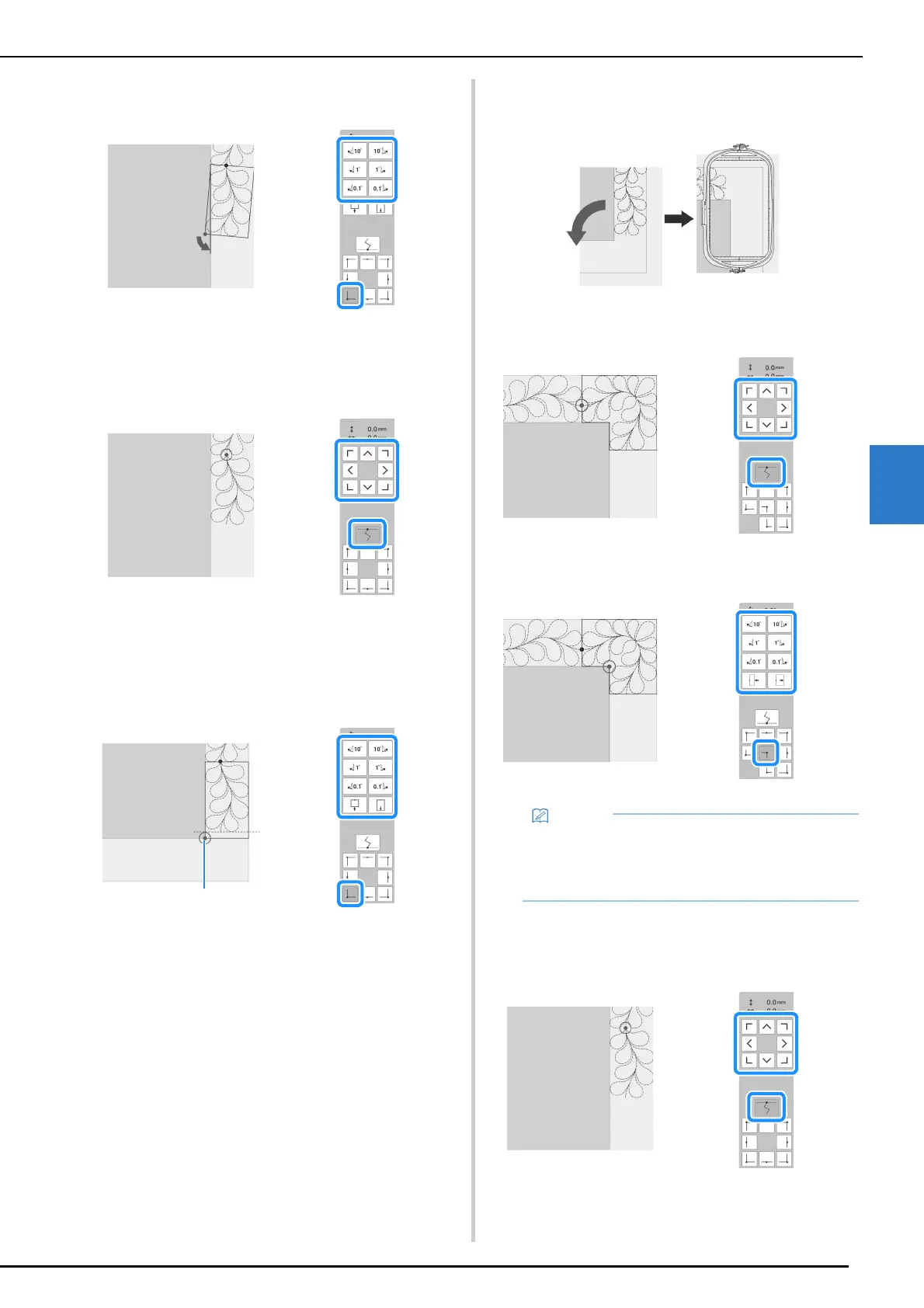
Rotate the pattern to align the corner with the reference line,
and then touch [OK].
b When embroidering the edge part immediately
before a corner
Use the move pattern keys to align the start point projected by
the projector with the end point of the previous pattern, and then
touch [OK].
Then, align the lower-left point (inner corner of the next pattern
to be embroidered) with the lower-left corner of the reference
lines. If the pattern is not angled correctly, rotate it. If the length
of the pattern does not match, enlarge or reduce the pattern so
that the lower-left point is at the lower-left corner of the
reference lines.
After making adjustments, touch [OK].
*1
Inner corner of next pattern to be embroidered
c When embroidering the corner part
Rotate the quilt 90 degrees counterclockwise, rehoop it, and
then attach the embroidery frame to the machine.
Use the move pattern keys to align the start point projected by
the projector with the end point of the previous pattern, and then
touch [OK].
Then, align the inner corner of the pattern with the corner of the
reference lines.
d When embroidering the last edge part
Use the move pattern keys to align the start point projected by
the projector with the end point of the previous pattern, and then
touch [OK].
• The width of the corner segment can be
adjusted to best fit the inner corner. However,
make adjustments so that the shape is not
deformed.



 To Next Page