Embroidering Quilting
209
Advanced Embroidery
5
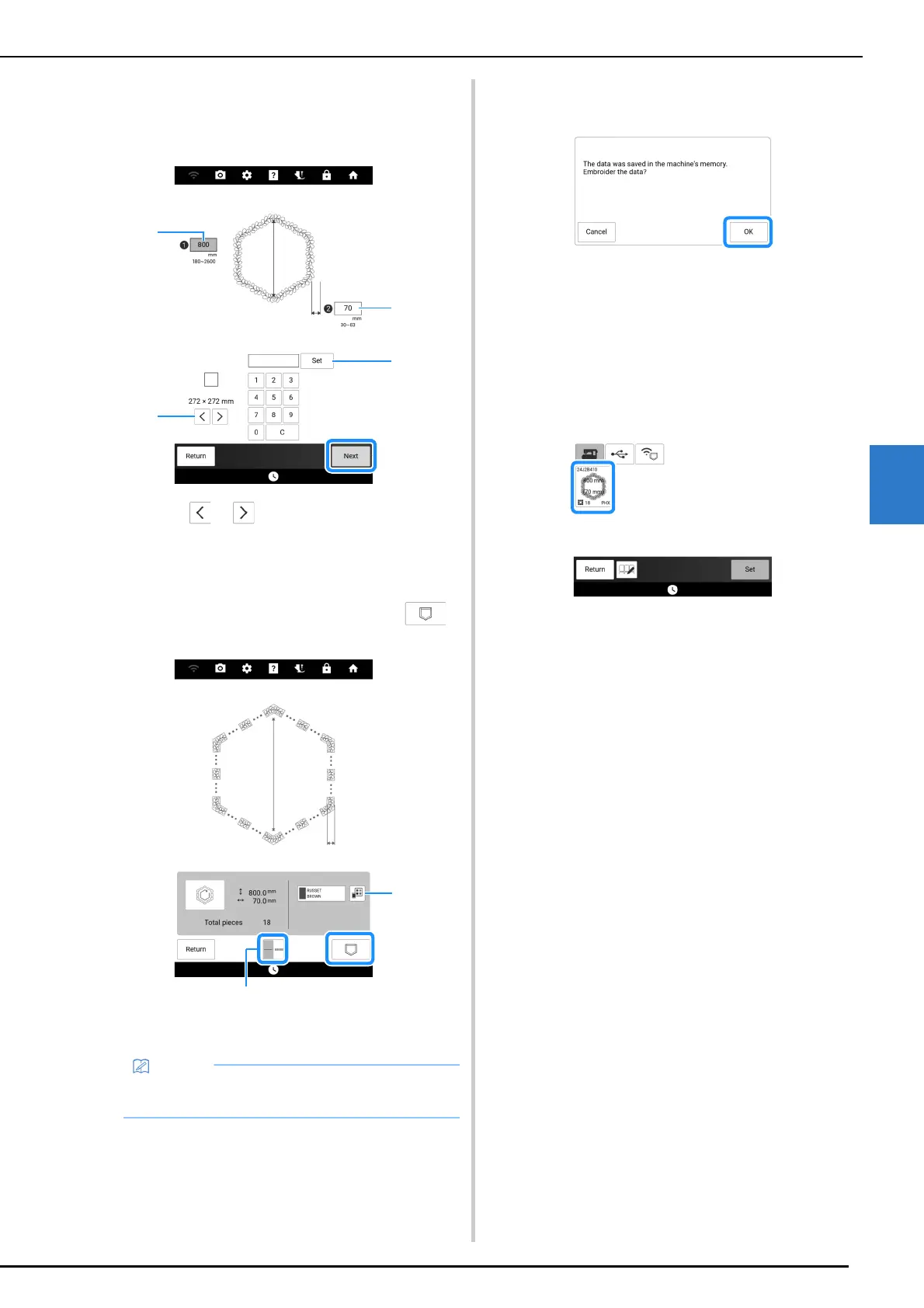
5 Specify the size of embroidery frame to
be used and the measurements for the
quilting border, and then touch [Next].
a Touch or to select the embroidery frame
size.
b Specify the length of the longest diagonal for the
inner outline (A) and the quilting border width (B),
and then touch [Set].
6 Check the pattern, and then touch
to save it.
a The thread colors can be changed.
b Select single stitching or triple stitching.
7 After the following message appears,
touch [OK].
A screen appears so that a pattern from the
machine’s memory can be selected.
Embroidering a Quilting Border
1
In the screen for selecting a pattern from
the machine’s memory, select the saved
data.
A thumbnail of the entire quilting border and
thumbnails of the parts in each section appear.
• The edges of the pattern may be shortened
when they are displayed.



 To Next Page