Using the Camera to Connect Patterns
213
Advanced Embroidery
5
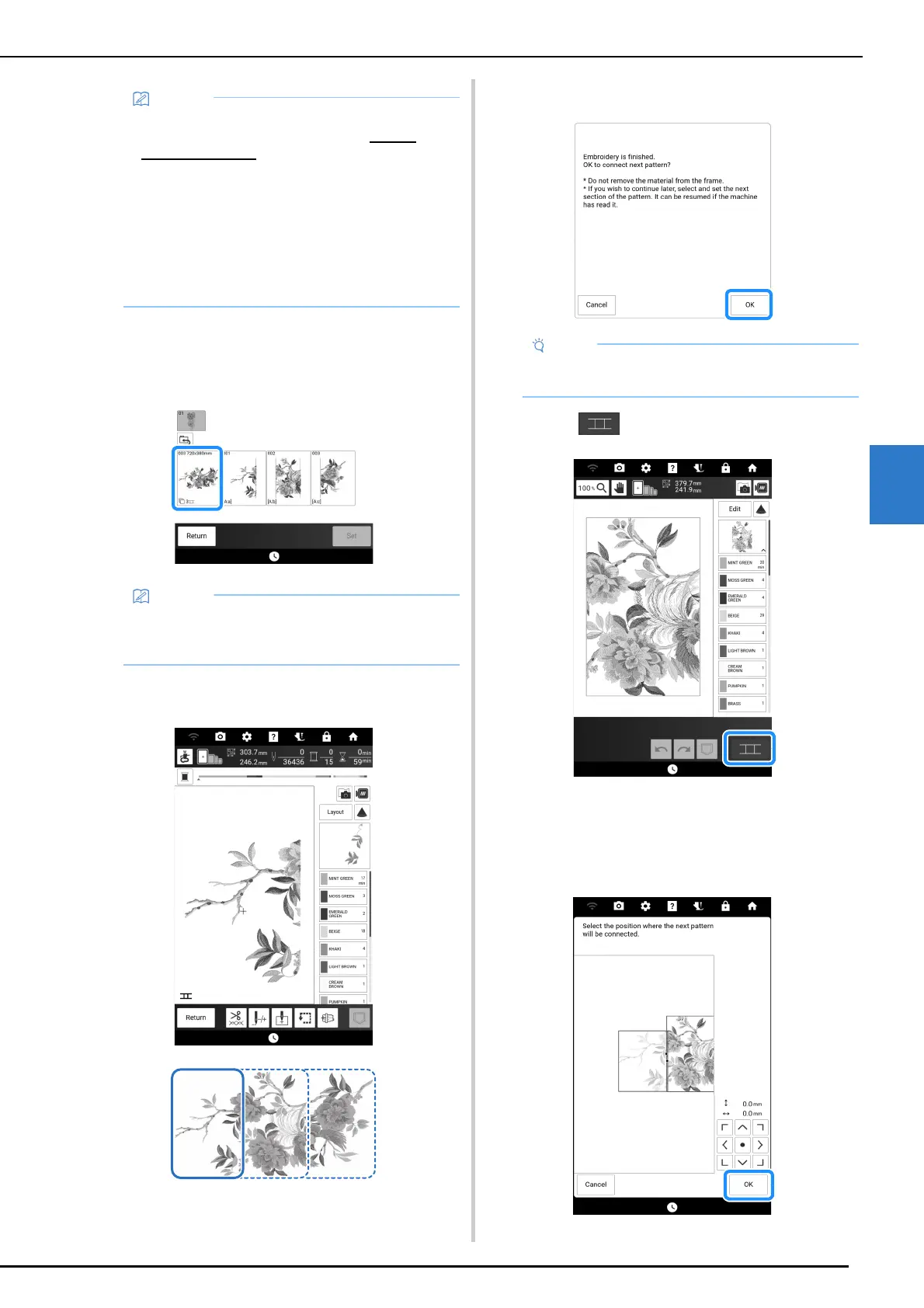
2 Touch the whole pattern icon to connect
the pattern sections with the camera. And
then touch [Set].
3 Embroider the first pattern.
4 Touch [OK].
5 Touch .
6 Check the pattern arrangement, and then
touch [OK].
* Since each built-in pattern has been properly
arranged, there is no need to move it.
• Printable templates of each large-connect
design can be downloaded from https://
s.brother/cmdkd/ . These templates will assist
with positioning the patterns. Do not enlarge or
shrink the page.
• To embroider split embroidery patterns
created with PE-DESIGN, retrieve the pattern
from USB media and so on. For details on
recalling patterns, refer to “Retrieving
Embroidery Patterns” on page 168. Check the
entire pattern size with PE-DESIGN.
• To connect the pattern sections without using
the camera, refer to “Connecting the Pattern
Sections Manually” on page 215.
• Do not remove the fabric from the embroidery
frame.



 To Next Page