DGS-3000 Series Layer 2 Managed Gigabit Ethernet Switch CLI Reference Guide
291
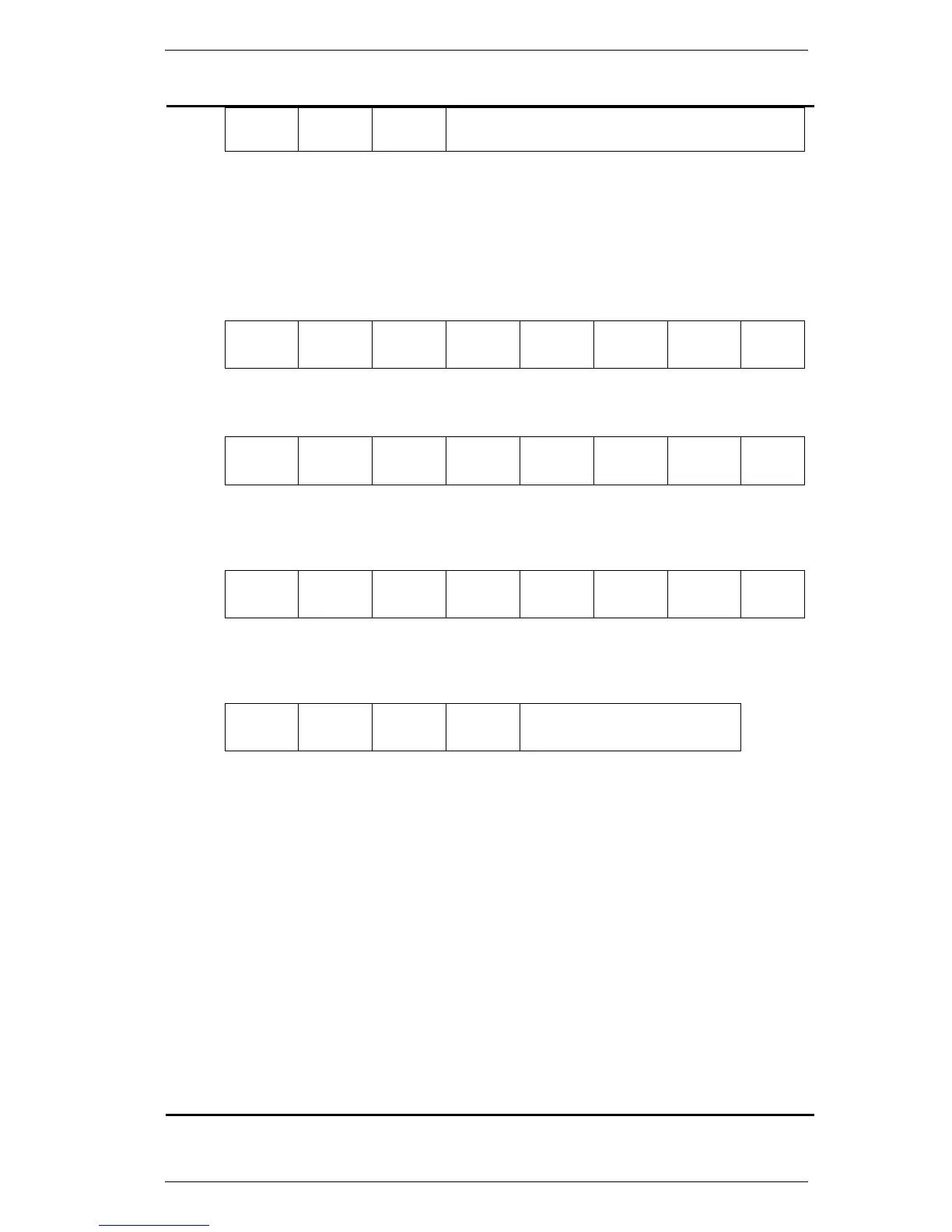
Sub
Type
VLAN ID Module
ID
Port ID
1 byte 2 byte 1 byte 1 byte
F01: Sub-option type 2.
F02: VLAN ID. The VLAN ID of the incoming DHCP client packet.
F03: Module ID. For a stand-alone switch, it is 0. For a stacked switch, it is the box ID of
that switch.
F04: Port ID. The port number of the incoming DHCP client packet. The port number
starts from 1.
vendor1 - Specify to use the Vendor 1 format for the Interface ID.
F01 F02 F03 F04 F05 F06 F07 F08
E
(0x45)
t
(0x74)
h
(0x68)
e
(0x65)
r
(0x72)
n
(0x65)
e
(0x65)
t
(0x74)
1 byte 1 byte 1 byte 1 byte 1 byte 1 byte 1 byte 1 byte
F09 F10 F11 F12 F13 F14 F15 F16
Chassis
ID
/
(0x2F)
0
(0x30)
/
(0x2F)
Port
Number
:
(0x3A)
cvlan .
(0x2E)
1~2
bytes
1 byte 1 byte 1 byte 1~2
bytes
1 byte 1~4
bytes
1 byte
F17 F18 F19 F20 F21 F22 F23 F24
0
(0x30)
Space
(0x20)
System
Name
/
(0x2F)
0
(0x30)
/
(0x2F)
0
(0x30)
/
(0x2F)
1 byte 1 byte 1~128
bytes
1 byte 1 byte 1 byte 1 byte 1 byte
F25 F26 F27 F28 F29
Chassis
ID
/
(0x2F)
0
(0x30)
/
(0x2F)
Port Number
1~2
bytes
1 byte 1 byte 1 byte 1~2 bytes
F01: Character ‘E’.
F02: Character ‘t’.
F03: Character ‘h’.
F04: Character ‘e’.
F05: Character ‘r’.
F06: Character ‘n’.
F07: Character ‘e’.
F08: Character ‘t’.
F09: Chassis ID. The number of the chassis. The format is ASCII string.
1. For a stand-alone switch, it is 0.
2. For a stacked switch, it is the box ID of that switch.
F10: Slash (/).
F11: ASCII format string ‘0’.
F12: Slash (/).
F13: Port number. The incoming port number DHCP client packets. ASCII format string.
F14: Colon (:)
F15: ‘cvlan’ is the client’s VLAN ID. The value ranges from 1 to 4094. ASCII format string.













 To Next Page