SV-EMS-220/221 Installation and Configuration
7-86 SkyView System Installation Guide - Revision AA
Press REMOVE to remove the chosen widget from the screen. Press CANCEL to return to the
EMS Setup Menu without saving any changes.
Example widget configuration
This example configures an oil temperature widget using the instructions mentioned above.
This is the same oil temperature sensor that was configured earlier (see Example Oil
Temperature Sensor Setup).
Open the Screen Layout Editor for the 100% page (SETUP MENU > EMS SETUP > SCREEN
LAYOUT EDITOR > 100% PAGE…). Now press SENSOR, scroll to the OIL TEMPERATURE sensor,
and press ACCEPT. The following widget shows up on the middle on the screen:
Figure 85 – Oil Temperature Widget
The white box around the widget denotes that that widget is the one that is currently being
configured.
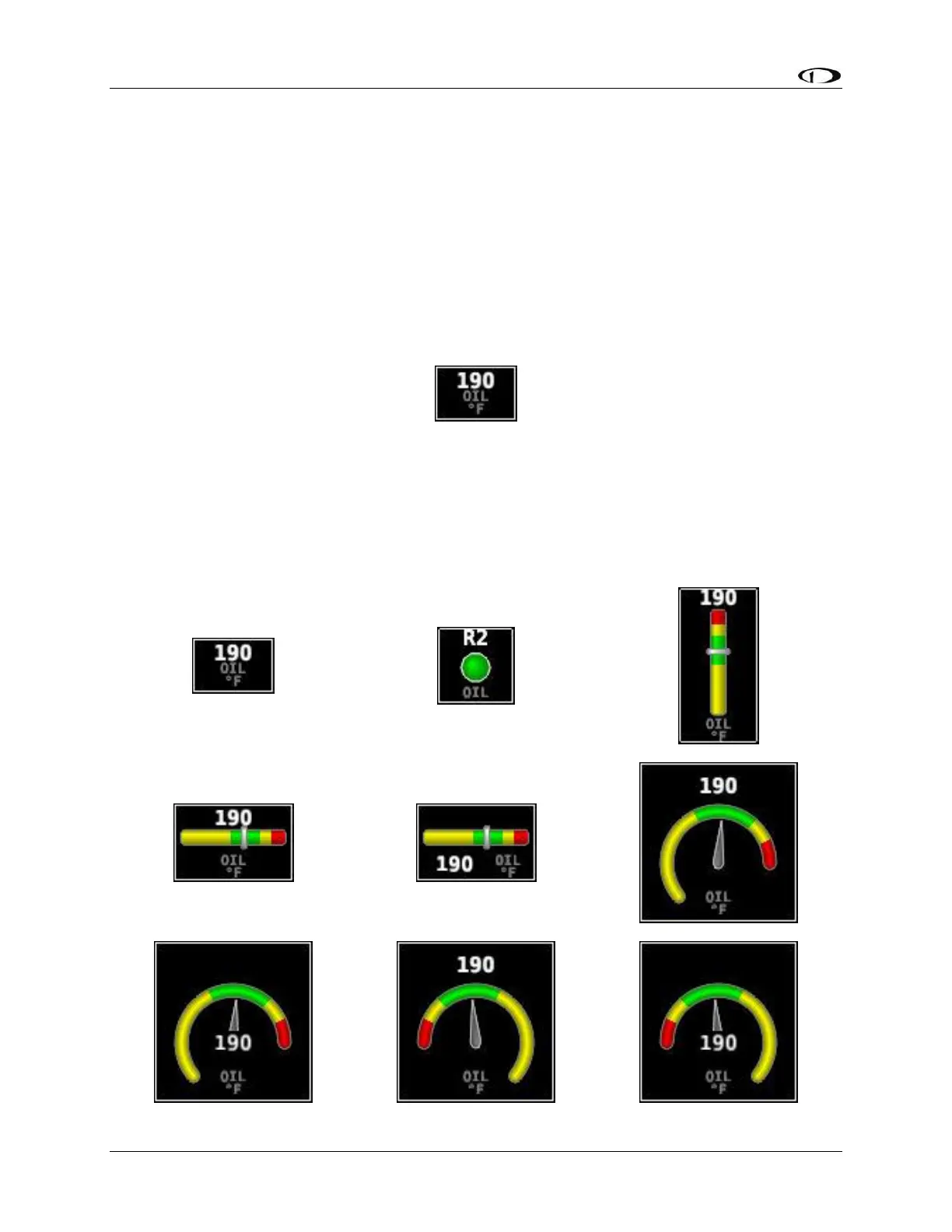
You can scroll through the available styles of the widget by pressing STYLE or by turning either
joystick. The following widgets illustrate different styles for oil temperature:










 To Next Page