SV-COM-X83 Installation and Configuration
SkyView System Installation Guide - Revision AA 17-15
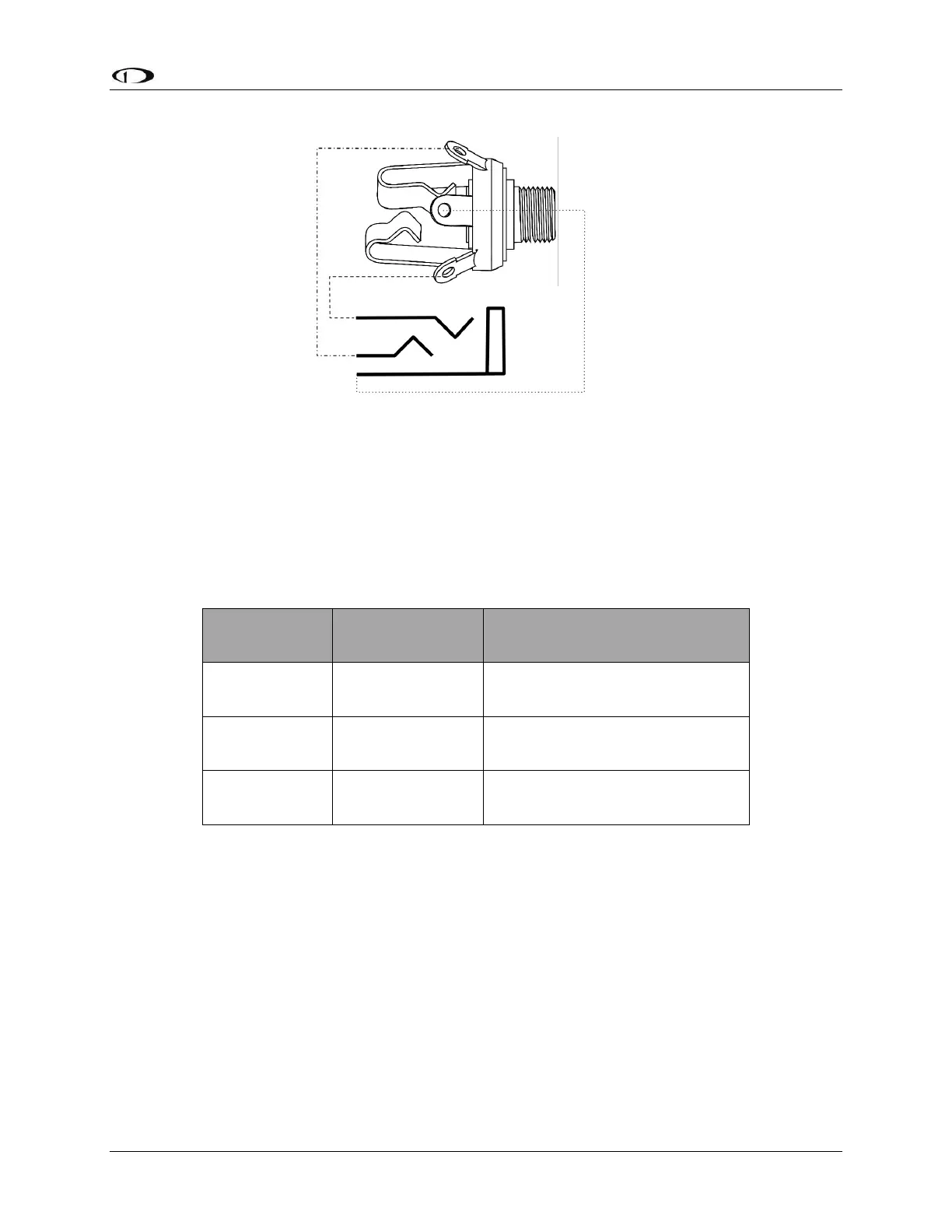
Figure 191 – Headset Jack Schematic Interpretation
Power/Ground Input
The SV-COM-T8 and SV-COM-PANEL require 10-30V DC. 20 AWG wire is recommended for
power and ground wires for the SV-COM-T8. For all other connections, 22 AWG wire is
recommended.
ENABLE
SV-COM-T8 -> SV-COM-PANEL
DATA OUT
SV-COM-PANEL -> SV-COM-T8)
DATA IN
SV-COM-T8 -> SV-COM-PANEL
Table 96 – SV-COM-PANEL to SV-COM-T8 Interconnections
Optional Flip / Flop Button
Pin 7 of the SV-COM-PANEL can be connected to a Push Button Normally Open (PBNO) and
GROUND. Pushing this button “flip flops” the ACTIVE and STANDBY frequency selection - the
same function as pressing in the TUNE knob on the SV-COM-PANEL. Typically, this signal is used
with a button on the stick.










 To Next Page