SkyView Display Installation and Configuration
4-16 SkyView System Installation Guide - Revision AA
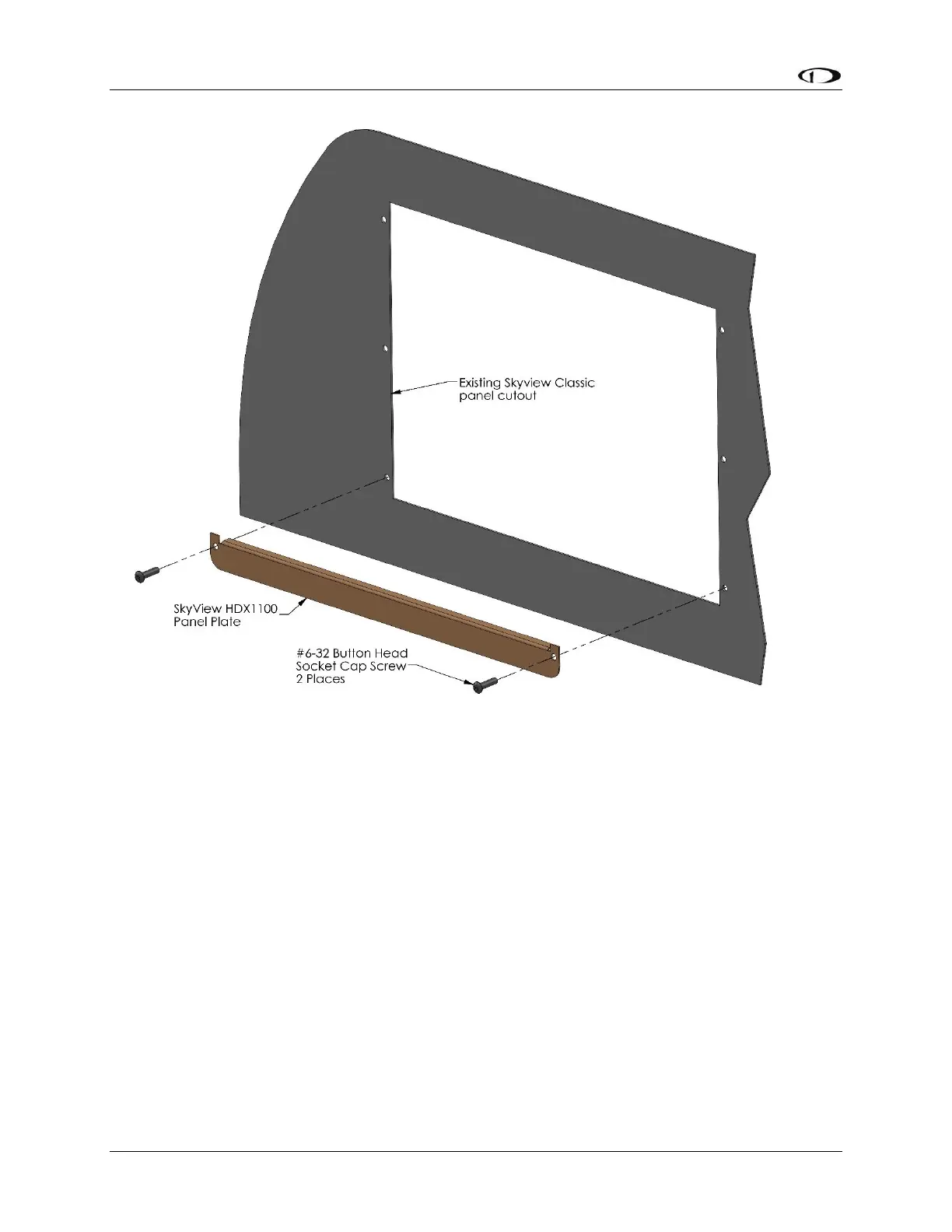
Figure 32 – HDX1100 Panel Plate
If the SkyView SV-HDX1100 display will be installed into a panel with existing (larger) cutouts
and screw holes for a SkyView SV-D900, SkyView SV-D1000, or SkyView SV-D1000 Touch display
(initial installation or upgrade), a “filler” Panel Plate, and two SkyView Classic / Panel Unit (black
button-head) screws are included with each SkyView SV-HDX1100.
As Figure 32 illustrates, the Panel Plate should be installed from the front of the panel, at the
bottom of the panel cutout where it will be largely covered by the “chin” of the SV-HDX1100.
The Panel Plate is included with SV-HDX1100 units shipped during the first year of production of
the SV-HDX1100 (approximately through year end 2017). If a Panel Plate was not included with
your SV-HDX1100, you can request one from Dynon Avionics Sales – P/N 102897-000.










 To Next Page