CX2550/60/70 M4 Upgrade and Maintenance Manual 425
Figure 315: Connecting the SAS cable to the system board
Ê Connect the single end of the SAS cable to the SAS COM2 connector on the
system board (see circle).
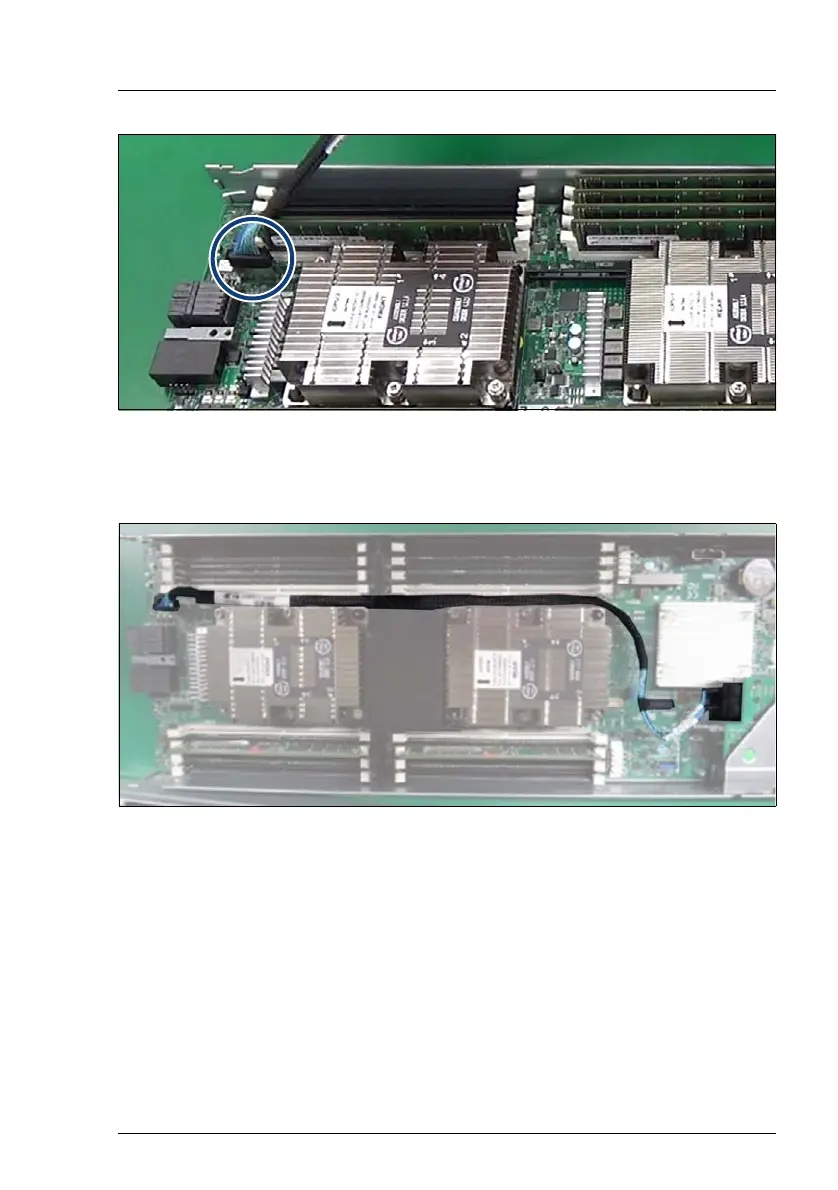
Figure 316: Routing the SAS cable
Ê Route the SAS cable as shown.
Ê Push the SAS cable near the connector of the RAID card and route the SAS
cable so that it does not stick out of the top of the chassis.


 To Next Page
 Loading...