215184 132 Revision A
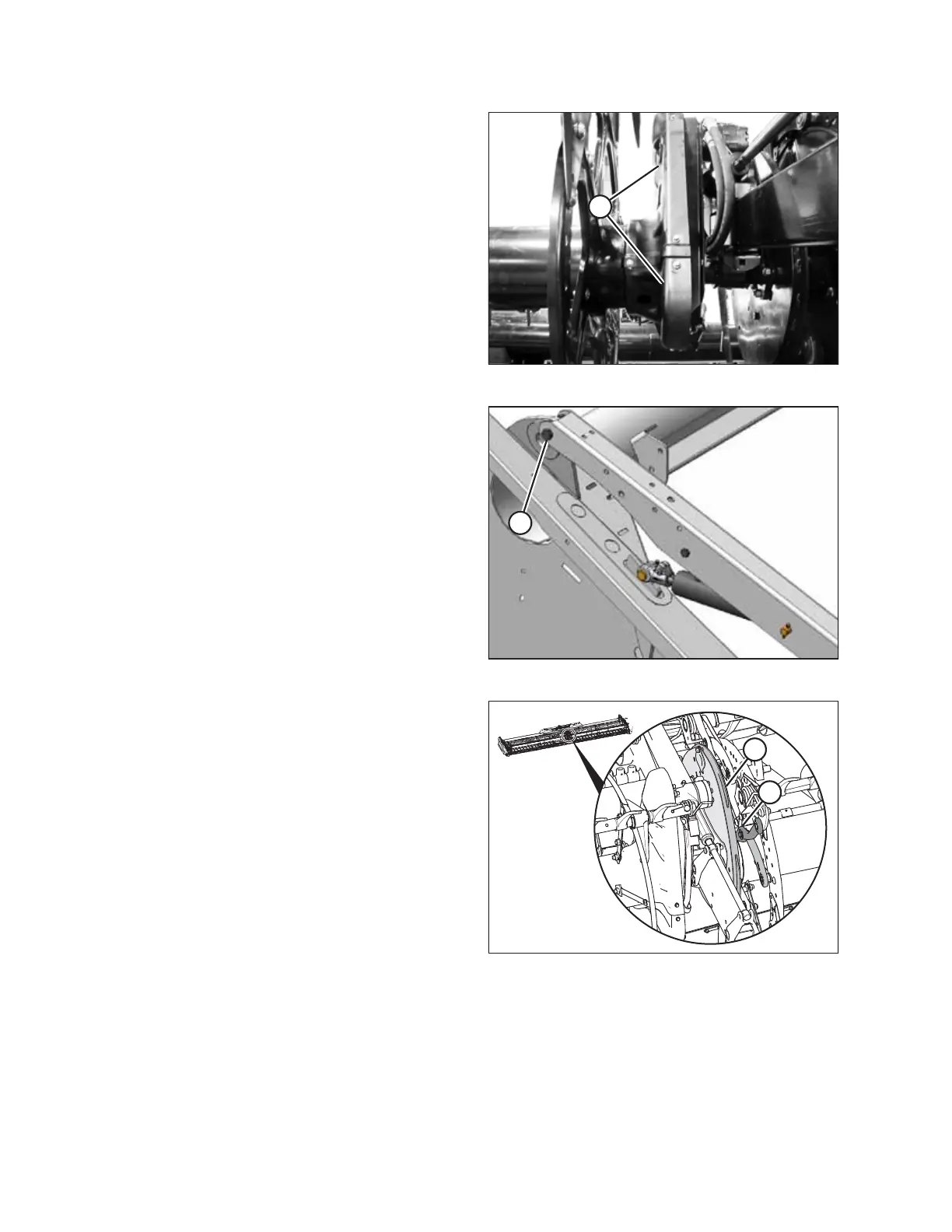
Figure 3.281: Reel Drive Cover
14. Reinstall reel drive cover (A) at the center of header.
Figure 3.282: Right Reel Arm Pivot
15. Tighten nut (A) at right reel arm pivot until threads run out,
or when nut contacts reel arm.
Figure 3.283: Clearance of Control Linkages to
Cam Edge
16. Manually rotate reel one revolution to check clearance of
control linkages to cam edge. The gap between the cam
edge (A) and the linkage (B) should be 5 mm (1/4 in.)
nominal with a minimum gap of 0.25 mm (0.010 in.).
IMPORTANT:
If reel locks up at a certain position, the cam linkage may
have been attached to the reel disc at the wrong location.
Refer to Step 3, page 128 for proper linkage attachment
points on disc.
17. If linkages bind on cam, realign the cam track. Refer to
Checking Cam Track Alignment, page 124.
18. Proceed to 3.4 Attaching Reel Height Sensor, page 133.
ASSEMBLING THE HEADER AND FLOAT MODULE



 To Next Page