215184 208 Revision A
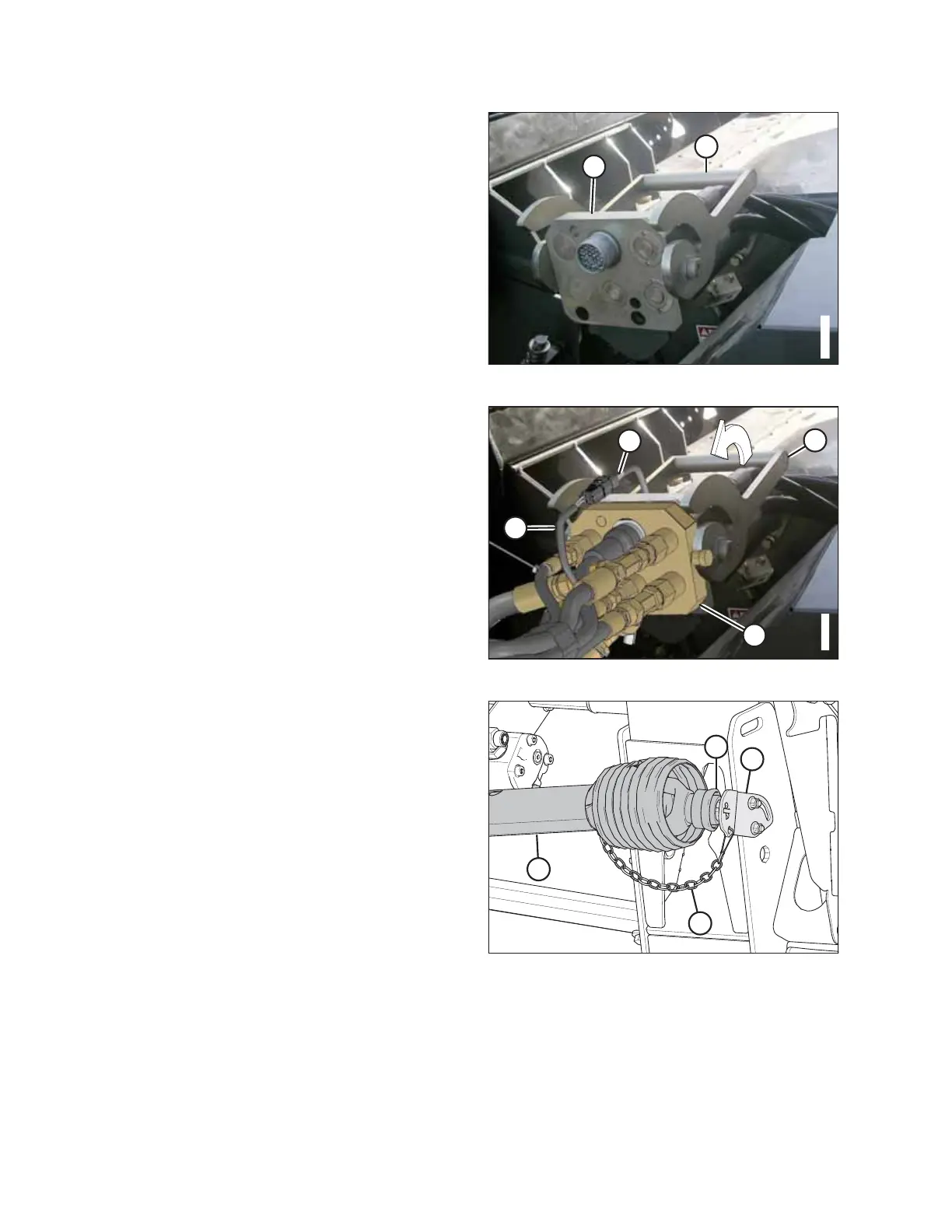
Figure 7.7: Combine Receptacle
10. Push handle (A) on the combine to the fully-open position.
11. Clean the mating surfaces of multicoupler (B) and
receptacle if necessary.
Figure 7.8: Multicoupler
12. Position multicoupler (A) onto the combine receptacle, and
pull handle (B) to fully engage the multicoupler into the
receptacle.
13. Connect reel fore-aft/header tilt selector harness (C) to
combine harness (D).
Figure 7.9: Driveline
14. Detach safety chain (C) from support bracket (B).
15. Pull collar (D) back to release driveline (A) from support
bracket. Remove the driveline from support bracket.
ATTACHING HEADER TO COMBINE



 To Next Page