215184 275 Revision A
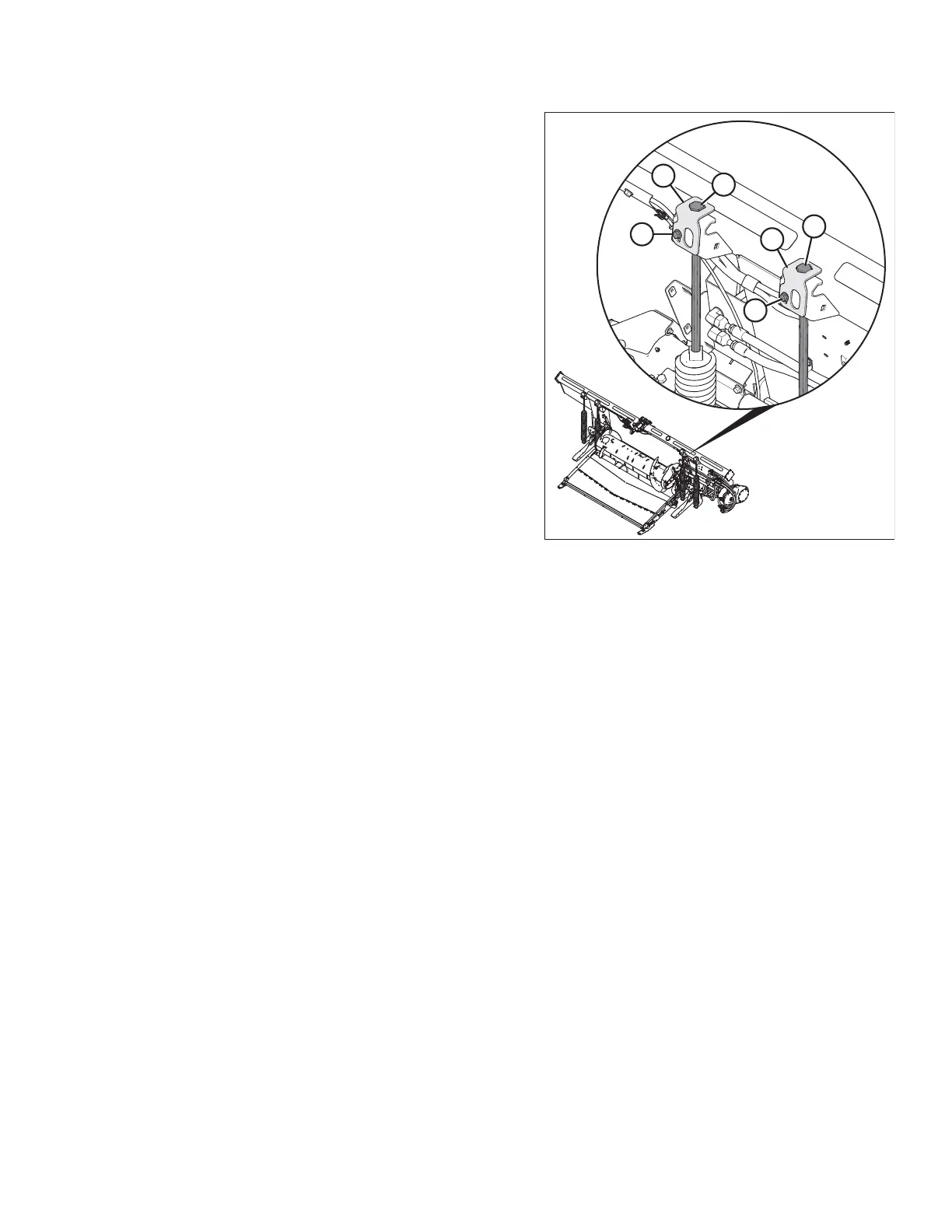
Figure 8.28: Float Adjustment – Left Side
15. To access float spring adjustment bolts (A), loosen bolts (C)
and rotate spring locks (B).
16. To increase float (decrease header weight), turn both
adjustment bolts (A) on the left side clockwise. Repeat
adjustment at opposite side.
To decrease float (increase header weight), turn left side
adjustment bolts (A) counterclockwise. Repeat at
opposite side.
NOTE:
Turn each bolt pair equally.
17. Adjust the float so the wrench readings are equal on both
sides of the header.
18. Lock adjustment bolts (A) with spring locks (B). Ensure bolt
heads (A) are engaged in the spring lock cutouts. Tighten
bolts (C) to secure spring locks in place.
PERFORMING PREDELIVERY CHECKS



 To Next Page