215184 350 Revision A
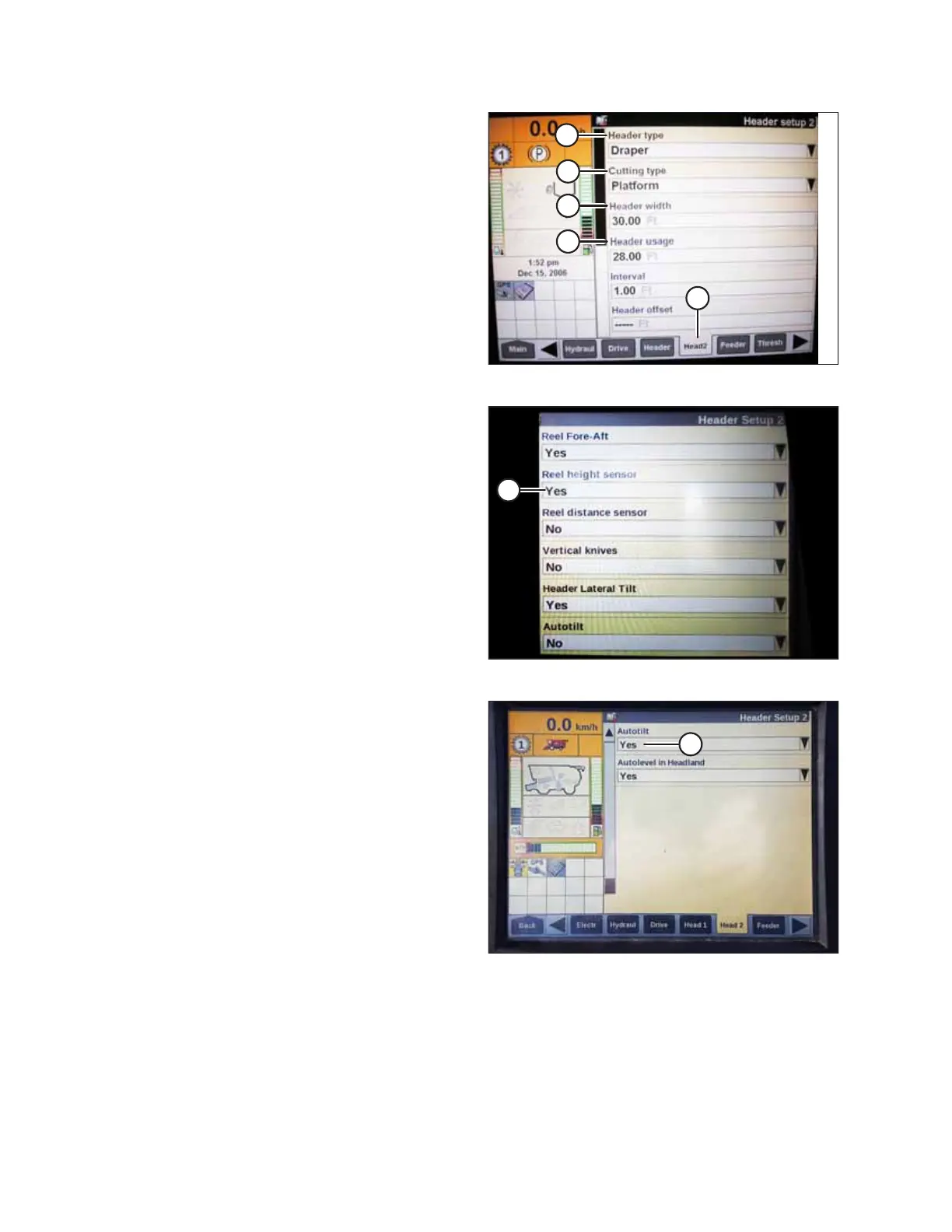
Figure 9.100: Case IH Combine Display
12. Press HEAD2 (A) at bottom of page.
13. Ensure HEADER TYPE (B) is DRAPER.
NOTE:
If recognition resistor is plugged in to header harness, you
will not be able to change this.
14. Set CUTTING TYPE (C) to PLATFORM.
15. Set appropriate HEADER WIDTH (D) and HEADER USAGE (E).
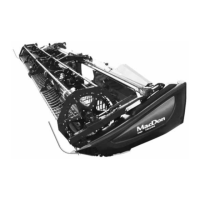
Figure 9.101: Case IH Combine Display
16. From the REEL HEIGHT SENSOR menu, select YES (A).
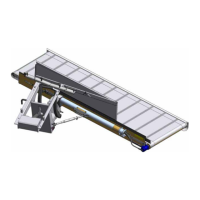
Figure 9.102: Case IH Combine Display
17. Locate AUTOTILT field (A).
• If using a two-sensor system: Select YES in the
AUTOTILT field.
• If using a single-sensor system: Select NO in the
AUTOTILT field.
NOTE:
If float was set heavier to complete the AHHC calibration
procedure, adjust to recommended operating float after
the calibration is complete.
SETTING UP AUTO HEADER HEIGHT CONTROL


 To Next Page