215184 434 Revision A
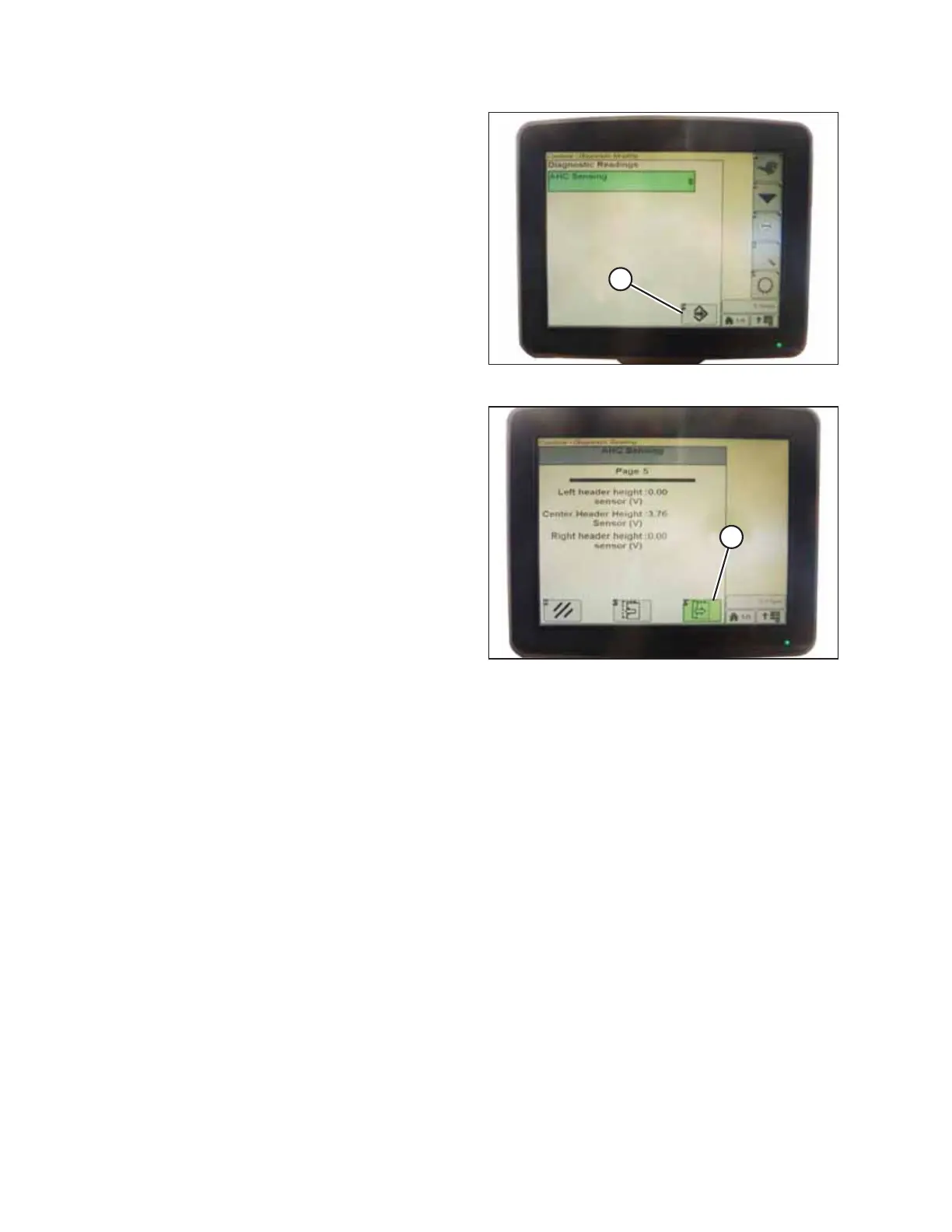
Figure 9.280: John Deere Combine Display
7. Select the AHHC SENSING option.
8. Press icon (A) displayed on screen. The AHHC SENSING
menu appears and five screens of information are
displayed.
Figure 9.281: John Deere Combine Display
9. Press icon (A) until it reads Page 5 near the top of the
screen and the following sensor readings appear:
• LEFT HEADER HEIGHT
• CENTER HEADER HEIGHT
• RIGHT HEADER HEIGHT
A reading is displayed for both left and right sensors. On
the MacDon header, there may be one sensor located in
the float indicator box (standard) or two sensors located at
the back of the float module side frame (optional).
10. Ensure header float is unlocked.
11. Start the combine and fully lower feeder house to the ground.
NOTE:
You may need to hold the HEADER DOWN switch for a few seconds to ensure the feeder house is fully lowered.
12. Check the sensor reading on the monitor.
13. If the sensor voltage is not within the low and high limits or if the range between the low and high limits is insufficient,
refer to Adjusting Voltage Limits – One-Sensor System, page 314.
SETTING UP AUTO HEADER HEIGHT CONTROL



 To Next Page