215184 452 Revision A
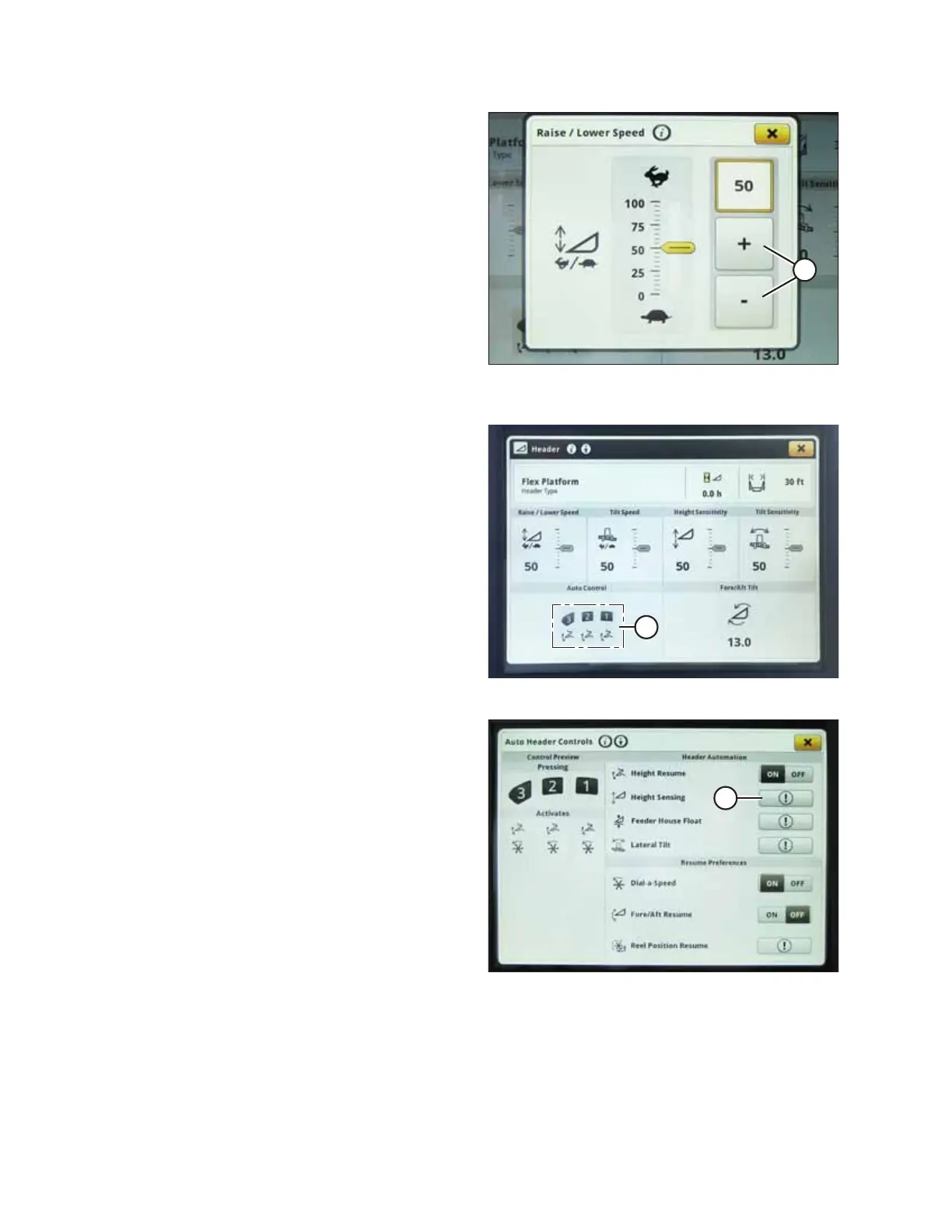
Figure 9.328: John Deere S7 Display – Raise/Lower
Speed Adjustment
8. Use + and – buttons (A) to adjust the setting.
9. Press window close button in top right corner of the
window to return to the HEADER page.
Figure 9.329: John Deere S7 Display – Header Page
10. Select AUTO CONTROL icons (A). The AUTO HEADER
CONTROLS page opens.
Figure 9.330: John Deere S7 Display – Auto Header
Controls
11. If the header has not been calibrated yet, an error icon will
appear on HEIGHT SENSING button (A). Select button (A) to
view error message.
SETTING UP AUTO HEADER HEIGHT CONTROL



 To Next Page