EasyManua.ls Logo

Omron Q2V Series - User Manual

Omron Q2V Series
734 pages
Print Icon
To Next Page IconTo Next Page
Loading...
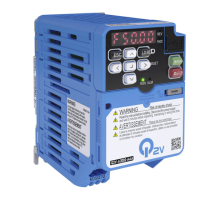
Q2V
Driving Quality
Technical Manual
Item code: Q2V-Axxxx-xxx
200 V Class, Three-Phase: 0.1 to 22 kW
200 V Class, Single-Phase: 0.1 to 4.0 kW
400 V Class, Three-Phase: 0.37 to 30 kW

Table of Contents

Questions and Answers

  • T
    Tanya WilliamsSep 1, 2025
    What does Current Offset Fault mean on Omron Q2V?
    • T
      Timothy WilsonSep 1, 2025
      A Current Offset Fault on an Omron Inverter indicates that the drive is starting operation while induced voltage remains in the motor, such as during coasting to a stop or after rapid deceleration. To address this, create a sequence that prevents restarting operation when induced voltage is present in the motor. Alternatively, set b3-01 = 1. You can also use Speed Search from Fmax or Fref to perform a speed search via one of the external terminals. If these steps don't resolve the issue, it could indicate a drive hardware problem, necessitating a drive replacement.
  • T
    Tammy ColemanSep 5, 2025
    Why is my Omron Inverter showing Braking Transistor Overload Fault?
    • A
      Alexandra ThompsonSep 5, 2025
      A Braking Transistor Overload Fault on your Omron Inverter can occur for a few reasons. It could be due to a high duty cycle of the braking transistor, indicating high regeneration power or repetition frequency. To resolve this, consider installing a regenerative converter or increasing the deceleration time. Another cause might be enabling the protective function for the braking transistor when you have a regenerative converter; in this case, set L8-55 = 0. If the braking transistor in the drive is broken, the drive will need to be replaced.
  • S
    schaefercalebSep 9, 2025
    What to do if Omron Q2V Inverter has Bluetooth Communication Fault?
    • C
      Charles HaleySep 9, 2025
      If you're experiencing a Bluetooth Communication Fault with your Omron Inverter, it could be due to a couple of reasons. If you're using a smartphone or tablet with Q2dev Mobile installed, make sure it's within 10 meters (32.8 ft) of the keypad. Also, radio interference from other devices could be disrupting the communication. Ensure that no nearby devices are using the same radio bandwidth (2400 MHz to 2480 MHz) to prevent radio interference.
  • L
    Lauren ClarkNov 12, 2025
    What to do if Omron Inverter shows Overcurrent?
    • R
      Robert RichardsonNov 12, 2025
      If your Omron Inverter displays an overcurrent error, it could be due to several reasons. The load might be too heavy, requiring you to measure the current flowing into the motor and potentially replace the drive with a larger capacity model or decrease the load. The acceleration time could be too short; in this case, calculate the necessary torque and increase the acceleration times (C1-01, C1-03, C1-05, or C1-07) or S-Curve Characteristics (C2-01 to C2-04). Also, check if the drive is operating a specialized motor or one that exceeds its capacity, and ensure the drive's rated current is larger than the motor's. Make sure that a magnetic contactor was not switched at the output. Incorrect V/f pattern settings might also be the cause, so examine the ratios between frequency and voltage, ad...
  • M
    Michelle DavisNov 16, 2025
    Why does my Omron Q2V Inverter show Overvoltage?
    • C
      courtneyreyesNov 16, 2025
      An overvoltage error on your Omron Inverter can stem from several causes. It may be that the deceleration time is too short, causing excessive regenerative energy to flow back into the drive. To resolve this, increase the values set in C1-02, C1-04, C1-06, or C1-08. The acceleration time might also be too short, so make sure that sudden drive acceleration does not cause the fault and increase the values set in C1-01, C1-03, C1-05, or C1-07 and C2-02. Another potential cause is an excessive braking load. Surge voltages in the input power supply can also trigger this error, so connect a DC reactor to the drive. Check for short circuits to ground in the motor output cable or motor, and rectify any faults found. Lastly, ensure the power supply voltage matches the drive's rated voltage; if it's...
  • L
    Lisa CooperNov 20, 2025
    What to do if Omron Q2V Inverter displays Control Fault?
    • W
      William JonesNov 20, 2025
      If your Omron Inverter is showing a Control Fault, several factors could be responsible. First, incorrect motor parameter settings could be the issue, so correct them and perform Auto-Tuning again. Another potential cause is a torque limit setting that's too low; adjust L7-01 to L7-04. If the load inertia is too large, adjust C1-02, C1-04, C1-06, and C1-08 and set the frequency reference to the minimum output frequency, and stop the Run command when the drive stops deceleration. Also, the drive may be incorrectly set for the stopping method, so correctly set b1-03. Ensure the motor and drive are wired correctly, correcting any errors. If Line-to-line Resistance Tuning hasn't been done, perform Stationary Auto-Tuning for Line-to-Line Resistance. Finally, if the drive received a Run command ...
  • M
    Ms. Elizabeth MartinezNov 23, 2025
    How to fix Option Communication Error on Omron Inverter?
    • W
      wrightkatrinaNov 24, 2025
      An Option Communication Error on your Omron Inverter can arise from several reasons. Start by checking the communications cable wiring for any errors and correct them. Ensure there are no short circuits in the cable and that it's properly connected; repair any short circuits or replace the cable if defective. Electrical interference can also cause this error, so examine the control circuit lines, main circuit lines, and ground wiring to mitigate interference. Make sure that a magnetic contactor is not the source of the electrical interference, then use a Surge Protective Device if necessary. Use only the recommended cables or other shielded line and ground the shield on the controller side or the drive input power side. Separate the communication wiring from drive power lines, and install ...
  • N
    Nicholas LeeNov 27, 2025
    What causes Modbus Communication Error in Omron Inverter and how to solve it?
    • K
      Kenneth BrownNov 27, 2025
      A Modbus Communication Error on your Omron Inverter can be caused by several factors. Begin by inspecting the communications cable wiring for any mistakes and correct them. Check for short circuits or disconnections in the cable; repair any shorts or replace the cable if necessary. Electrical interference can also lead to communication errors, so examine the control circuit lines, main circuit lines, and ground wiring to reduce the effects of interference. Make sure that a magnetic contactor is not the source of the electrical interference, then use a Surge Protective Device if necessary. Use only the recommended cables or other shielded line and ground the shield on the controller side or the drive input power side. Separate the communication wiring from drive power lines, and install a n...

Summary

Q2 V Driving Quality Technical Manual

Model Number and Nameplate Check

Examines the drive model number and nameplate for correct model verification.

i. Preface and General Precautions

i.1 Safety Information

Provides crucial safety information for installing, operating, and maintaining the drive, emphasizing hazards and precautions.

1. Receiving

1.1 Model Number and Nameplate Check

Examines the drive model number and nameplate for correct model verification.

2. Mechanical Installation

2.1 Safety Precautions

Outlines critical safety measures for mechanical installation, including electrical shock, fire, and crush hazards.

3. Electrical Installation

3.1 Safety Precautions

Details safety precautions for electrical installation, including electrical shock, fire, and general safety measures.

3.3 Main Circuit Wiring

Provides information on wiring the main circuit terminals, motor connections, and wire selection.

3.16 Wiring Checklist

Provides a checklist of items to examine before test run for main circuit and control circuit wiring.

4. Startup Procedure and Test Run

4.1 Safety Precautions

Outlines crucial safety measures before starting up the drive, including electrical shock and sudden movement hazards.

4.5 Start-up Procedures

Provides basic steps and flowcharts for starting up the drive, including minimal setting changes and auto-tuning.

4.6 Items to Check before Starting Up the Drive

Lists items to check before energizing the drive and after energizing the drive, including power supply voltage and control circuit status.

4.9 Auto-Tuning

Details Auto-Tuning for induction motors and PM motors, including input data and precautions.

4.10 Test Run

Guides through performing no-load and actual-load test runs, including precautions and checks.

4.12 Test Run Checklist

Offers a checklist of items to examine and check before test run for main circuit and control circuit wiring.

5. Standards Compliance

5.1 Safety Precautions

Outlines safety precautions related to electrical shock, fire hazards, and general handling.

5.2 European Standards

Details CE mark identification and harmonized standards for Low Voltage Directive, EMC Directive, and Machinery Directive.

5.3 UL Standards

Explains UL/cUL mark significance and conditions for compliance with UL standards, including area of use and wiring.

6. Network Communications

6.1 Safety Precautions

Emphasizes the importance of safety messages in the manual for preventing serious injury or death.

6.3 Modbus Communications

Provides detailed information on parameters, error codes, and communication procedures for Modbus communications.

7. Troubleshooting

7.1 Safety Precautions

Outlines critical safety measures for troubleshooting, including electrical shock, fire hazards, and proper handling.

7.2 Types of Faults, Minor Faults, Alarms, and Errors

Categorizes faults, minor faults, alarms, and errors, describing drive responses for each.

7.3 List of Fault, Minor Fault, Alarm, and Error Codes

Provides a comprehensive list of fault, minor fault, alarm, and error codes with their causes, types, and references.

7.4 Faults

Details causes and possible solutions for various faults, including electrical interference, parameter errors, and hardware issues.

7.5 Minor Faults;Alarms

Lists minor faults and alarms with their causes and possible solutions for easy identification and resolution.

7.9 Diagnosing and Resetting Faults

Provides procedures for diagnosing and resetting faults, including fault occurs without power loss and fault reset procedure.

8. Periodic Inspection and Maintenance

8.1 Safety Precautions

Outlines critical safety precautions for performing periodic inspection and maintenance, including electrical shock and burn hazards.

9. Disposal

9.1 Safety Precautions

Emphasizes safety precautions for disposal, including electrical shock, crush hazards, and proper handling.

10. Specifications

10.1 Safety Precautions

Reiterates safety messages to prevent serious injury or death from ignoring manual instructions.

10.3 Model Specifications (Three-Phase 200 V Class)

Provides detailed ratings for Three-Phase 200 V Class models, including applicable motor output, input current, and carrier frequency.

11. Parameter List

11.15 T: AUTOTUNING

Explains Auto-Tuning modes, including Induction Motor, PM Motor, and EZ Open Loop Vector Control.

12. Parameter Details

12.11 T: AUTOTUNING

Explains Auto-Tuning modes, including Induction Motor, PM Motor, and EZ Open Loop Vector Control.

Omron Q2V Series Specifications

General IconGeneral
BrandOmron
ModelQ2V Series
CategoryInverter
LanguageEnglish

Related product manuals