Plockmatic BM3050 system 27 August 2019 3. Repairs and adjustments (REP and ADJ)
3-66
REP 10.0 Front and Rear Cover
Parts List on PL 11.0 and 11.1
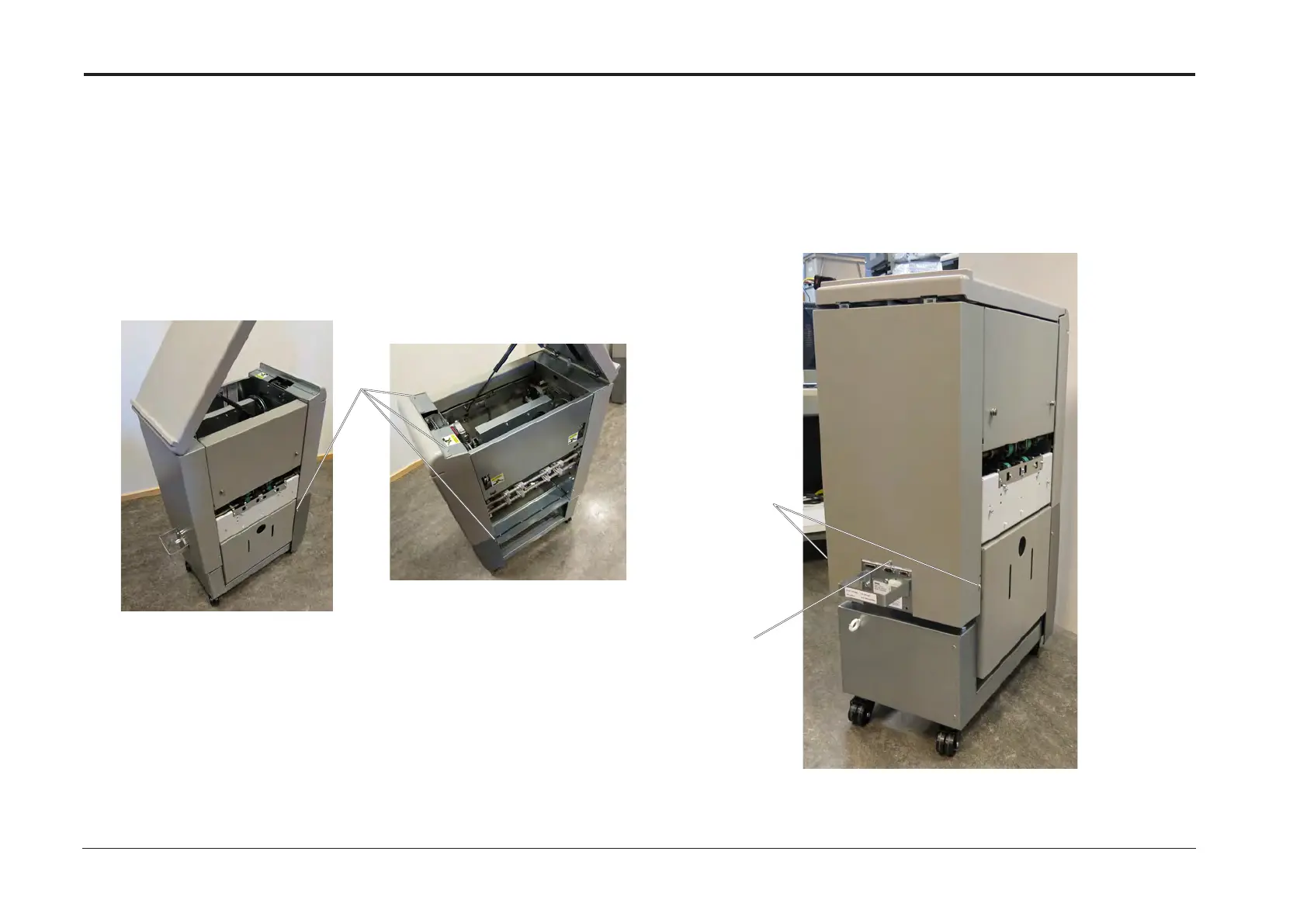
Removal Front Cover
1. Turn off the main power and disconnect the power cord.
2. Open the Top Cover.
3. Remove screws [A] (x4).
4. Remove front cover.
Replacement
1. Reverse removal procedure.
Removal Rear Cover
1. Turn off the main power and disconnect the power cord.
2. Undock from BM and SQF (REP 1.0 Undocking BM / TR / SQF).
3. Loosen screws [B] (x2).
4. Remove screw [C] (x1).
5. Remove rear cover.
Replacement
1. Reverse removal procedure.
[B]
[C]
[A]


 To Next Page