Plockmatic BM3050 system 27 August 2019 3. Repairs and adjustments (REP and ADJ)
3-227
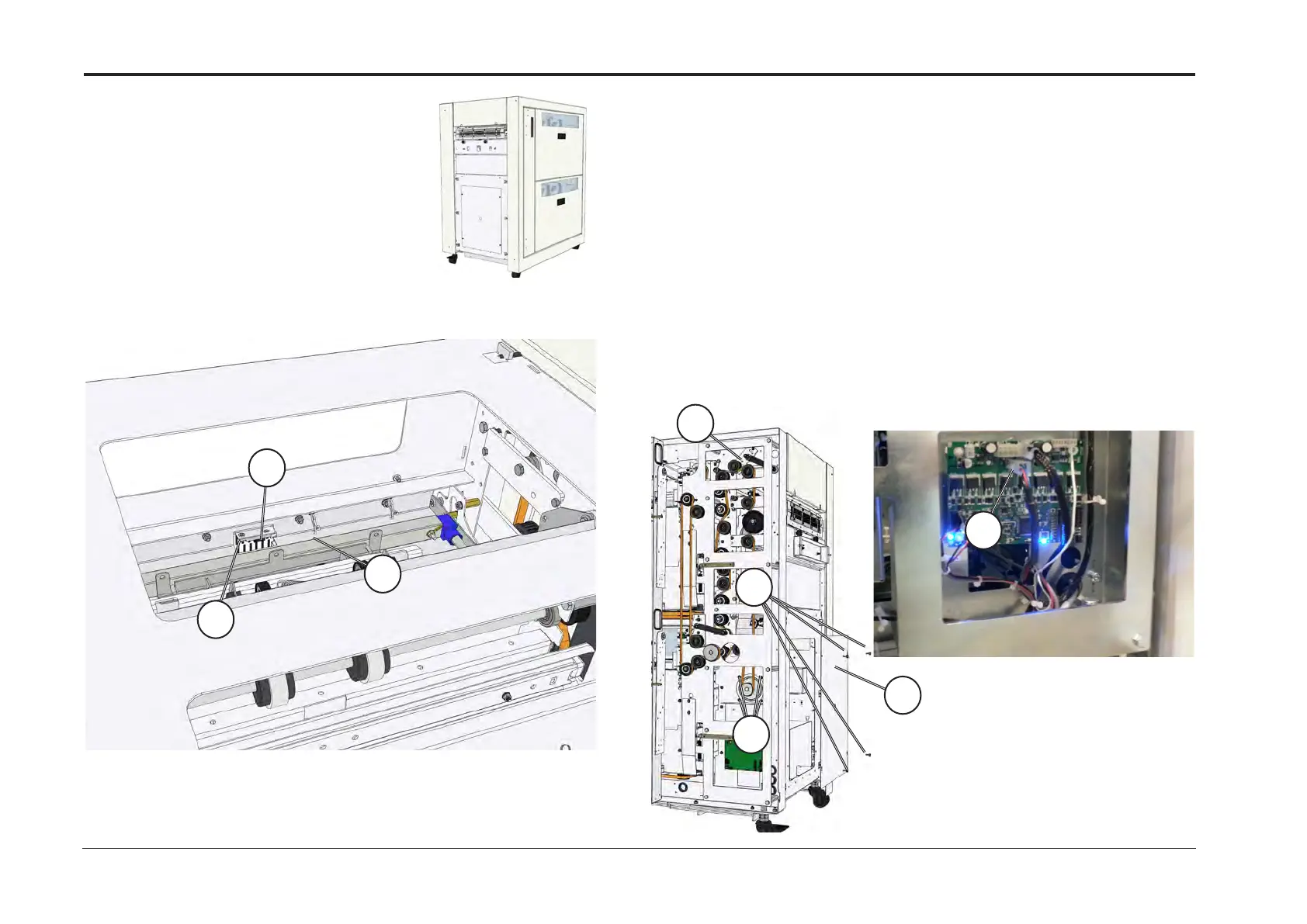
1. Remove Cover, Top (REP 14.5)
2. Disconnect connector [A]
3. Remove screw [B] and remove sensor [C]
C
A
B
Replacement
Reverse removal procedure
A
C
B
D
E
Check
1. Enter service mode and run motor
2. Check that set screw is rmly torqued in sprocket and against the D-
surface of the shaft
Continued on next page....
(AF602 Spare Parts Manual, PL3.1 Item 3)
(AF602 Spare Parts Manual, PL3.1 Item 6)
Replace
1. Remove Cover, Rear (REP 14.0)
2. Remove Cover, Top (REP 14.5)
3. Disconnect connector [A]
4. Remove screws [B] and remove cover frame [C] to gain access to
motor
5. Loosen screw [D] on belt tensioner
6. Loosen tension on belt and unhook belt from motor
REP 14.27 Exit Sensor
REP 14.28 Exit Feed Stepper Motor (M301)



 To Next Page