Plockmatic BM3050 system 27 August 2019 5. Service tables (GP)
5-49
GP 49 CST Controller PCB CPU “A“
CAUTION
ESD Hazard! ESD (Electrostatic Discharge) can cause software crashes,
data and/or communications problems. Failure to use proper ESD proce-
dures will cause damage to electronic components (example: PCBs). ESD
problems can be minimized by maintaining all machine ground connec-
tions, ensuring the proper handling of circuit boards and sensors. Use ESD
protection when working near PCBs. Failure to use ESD protection is likely
to result in a PCB failure.
1. Switch Off the Main Power Switch.
2. Remove Rear Cover.
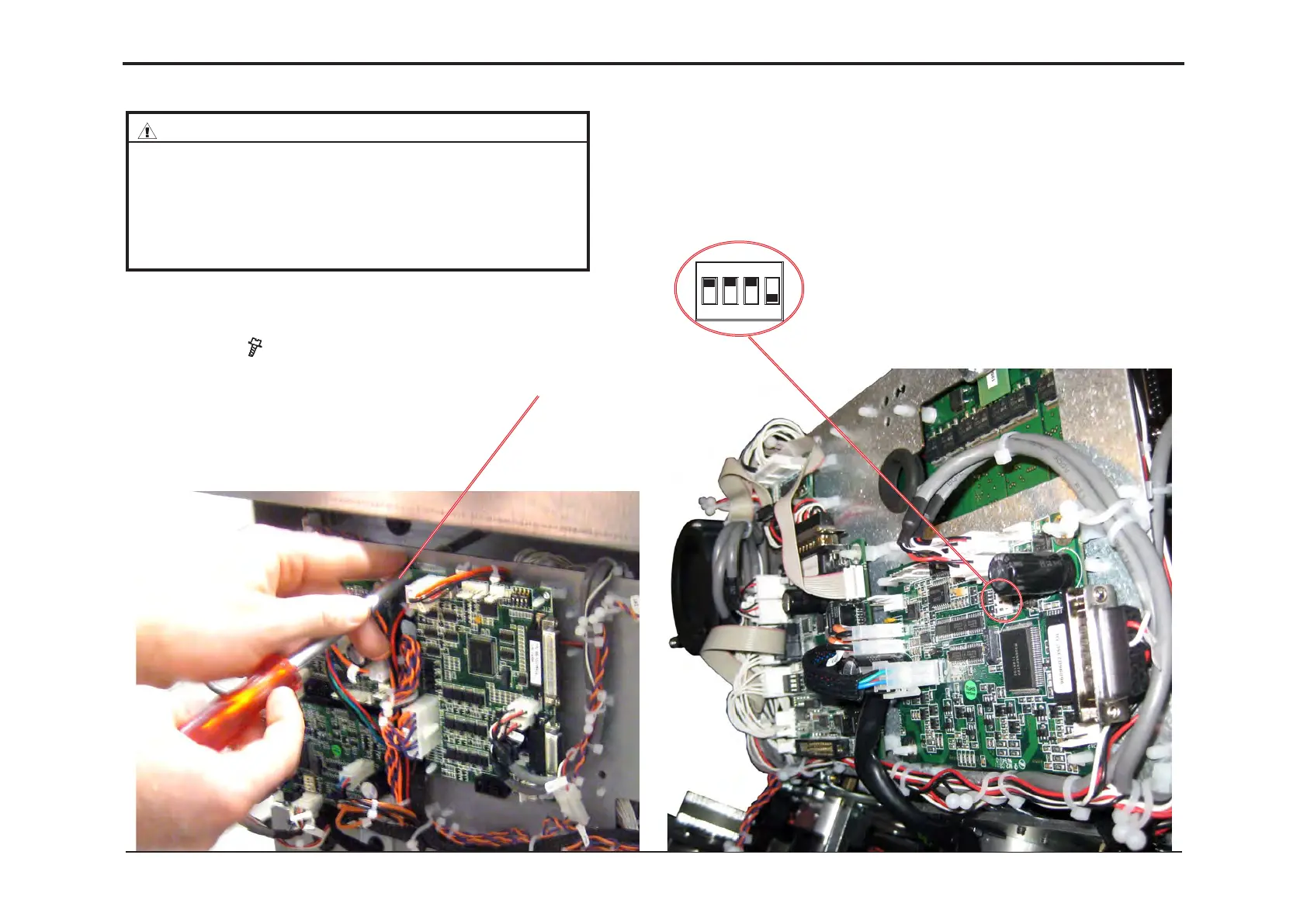
3. Remove screw ( x 1) and fold out PCB [A].
1. Switch Off the Main Power Switch.
2. Remove Rear Cover.
3. Remove screw ( x 1) and fold out PCB [A].
4. Make sure DIP-switches 1, 2 and 3 is set to ON (up) position.
Make sure DIP-switches 4 is set to OFF (down) position.
5. Run the CST MD1SM lower v1.00.exe* le (* v1.00 is an example - use
latest version) and follow the instruction in the program, or according to the
latest bulletin.
[A]
ON
1 2 3 4



 To Next Page