Plockmatic BM3050 system 27 August 2019 1. Installation Procedure
1-59
1.14.1 SYSTEM ALIGNMENT
WARNING:
To avoid hazardous situations, please read and follow the safety informa-
tion in section 1.3 in this manual.
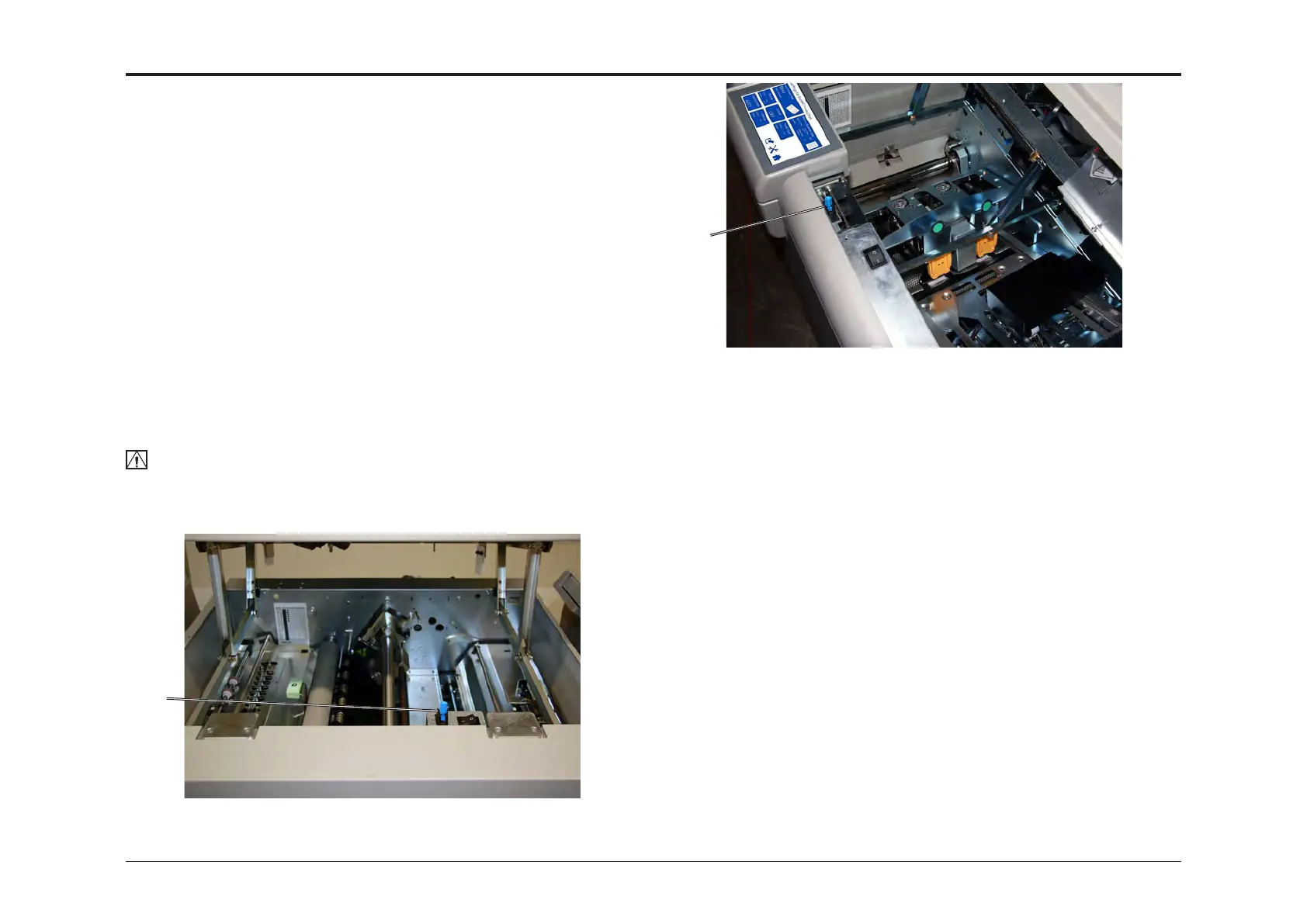
1. Open the CST top cover and install an interlock cheater [A] to be able
to run the CST with the top cover open.
2. Open the Booklet maker top cover and install an interlock cheater [B] to
be able to run the Booklet maker with the top cover open.
Set up the Booklet maker to:
Input Sheet Size: SRA3 or 12x18”
Face Trim: 0,0mm or 0.000”
Bleed Trim: 0,0mm or 0.000”
Staple: ON
Cover: OFF
Book Fold: OFF
Fold position: AUTO
Crease: Status: OFF, Offset: -
3. Using 80 gsm/20 lb Bond sheets, send ve sets of 2 sheets of
SRA3/12x18” 80 gsm/20 lb Bond (2 sheets of SRA3/12x18” equals a
booklet containing 8 pages of SRA4/12x9”) to the Booklet Maker system.
4. Check for the correct feeding of the sheets in the CST and the Booklet
Maker.
NOTE:
It is critical that you use SRA3/12x18” sheets during alignment.
Use of smaller paper sizes during alignment can cause SRA3/12x18”
to have infeed issues.
[A]
[B]
1.14 CHECKING THE INSTALLATION
This section describes how to perform tests to verify that the system is
properly installed and that the output from the system equals to the speci-
cations. If booklet quality issues should be found, a trained service techni-
cian and a service manual is needed. Make a note of this issue and pass it
on to a trained service technician.
Depending on how you system is congurated, some settings may not be
applicable and tests may be ignored. For example - if you do not have a
CST installed, setting bleed trim is not possible and test involving the CST
can be ignored. Continue with the next section.
• System alignment
• Checking CST bleed trim
• Checking CST crease
• Checking Booklet Maker
• Checking Square Fold
• Checking Trimmer



 To Next Page