Plockmatic BM3050 system 27 August 2019 4. Troubleshooting (RAP)
4-174
BM-501 Staples, Low Stapler Right BM-Q46
This Fault Code indicates that the Right Stapler has a low level of staples.
Possible failure:
• Staples in Cartridge low
• Staple Cartridge is not mounted correctly
• Low staple sensor is broken/broken stapler
• Harness to stapler is broken
• PCB failure
Initial Actions
Change Staple cartridge.
Enter Service Mode and select Right Staples low sensor in check sensors.
Procedures
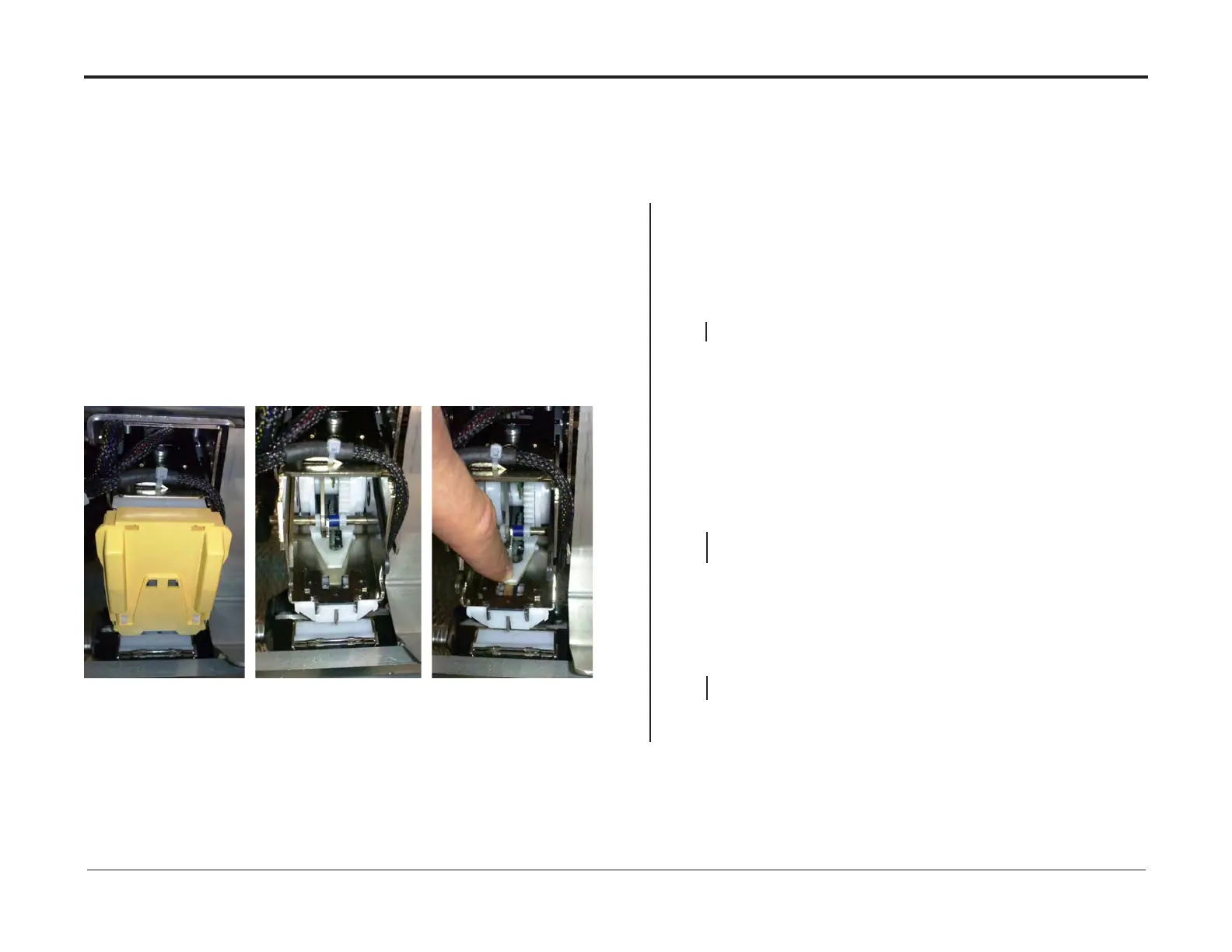
The Staples Right Low Sensor (Q46) indicates :
Low Staple Right. 1=Staples low. 0=Staples inside the cartridge.
Staples press the plastic tongue down, inside the stapler.
Y N
• Disconnect plug C.P16 and from PCB “C” (PL 4.0).
• Measure between J.16-2 and J.13-9 (5V and GND).
• Measure between J.13-24 and J.13-9 (Signal and GND).
The voltage is 5 VDC ± 10%.
Y N
Replace MD6DC PCB “C(PL 4.0).
• Disconnect plug P44 from Stapler.
• Check continuity for the red wire at plug J44-9 to C.P16-2
• Check continuity for the grey wire at plug J44-1 to C.P13-24
• Check continuity for the black wire at plug J44-10 to C.P13-9
• Check wire for Short circuit between red/grey/black wires
• Check for short circuit between red/grey/black wires and chassis/GND
There is continuity for all wires and no short circuit
Y N
Replace/Repair Wire Harness.
• Connect plug C.P13 and C.P16 to MD6DC PCB “C”.
• Measure between the red wire J44-9 and the black wire J44-10 (5V and GND).
• Measure between the grey wire J44-1 and the black wire J44-10 (Signal and GND).
The voltage is 5 VDC ± 10%.
Y N
Replace/Repair Wire Harness.
• Replace Stapler Right.
• Replace MD6DC PCB “C(PL 4.0).
• Replace Stapler Right.
• Replace MD6DC PCB “C(PL 4.0).
• Replace/Repair Wire Harness.


 To Next Page