Plockmatic BM3050 system 27 August 2019 9. Booklet Quality (BQ)
9-31
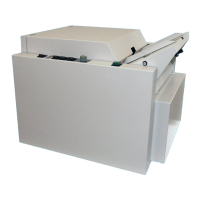
[A]
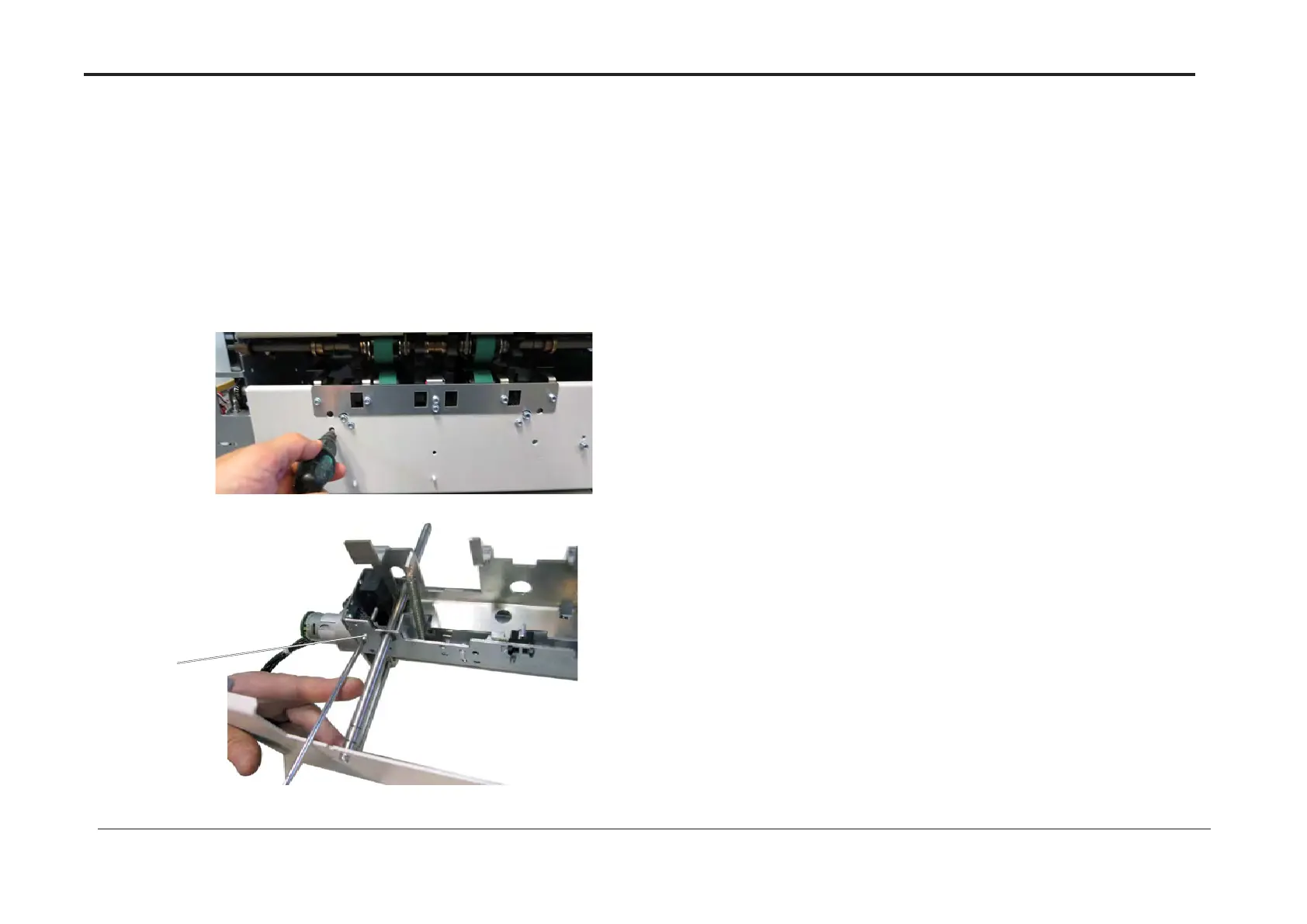
Fig 1.
Fig 2.
BQ 19 Face Trim skew
Purpose
To set trim skew within tolerance.
Procedure
1. Set Size A3 / 11 x 17”
2. Select Trim auto
3. Run 3 Sets of 4 Sheets (A3 / 11 x 17”, 80 gsm or similar) and
check that the Booklets skew are within 0.2 mm. If not, adjust
4. Insert a screwdriver per gure 1.
5. Turn the screw [A], until alignment is obtained (see gure 2).
BQ 20 Face Trim length
Purpose
To ensure that the dimension of the trimmed booklet is the same as those entered in the UI.
Adjustment
1. Check that Trim zero value written on inside sticker of Trimmer module is noted as NVM
#11
2. Set Size A3 / 11 x 17”
3. Select a nished book length.
4. Run 3 Sets of 4 Sheets (A3 / 11 x 17” 80 gsm or similar) and
check that the Booklet is per selected nished size within 0.2 mm.
5. Enter Service Mode and change NVM Value #11 so that the Booklet Width corresponds
with the selected nished size.
6. Enter new trim zero value on sticker inside Trimmer module.



 To Previous Page