Plockmatic BM3050 system 27 August 2019 3. Repairs and adjustments (REP and ADJ)
3-265
PCB M21H (PCB “G”) M301 Feed Motor
1. Perform NVM reset according to Service Manual System BM3050 sec-
tion 5
PCB M21H (PCB “K”) M101 Lift Motor Upper Bin
1. Perform NVM reset according to Service Manual System BM3050 sec-
tion 5
PCB M21H (PCB “O”) M201 Lift Motor Upper Bin
1. Perform NVM reset according to Service Manual System BM3050 sec-
tion 5
g.
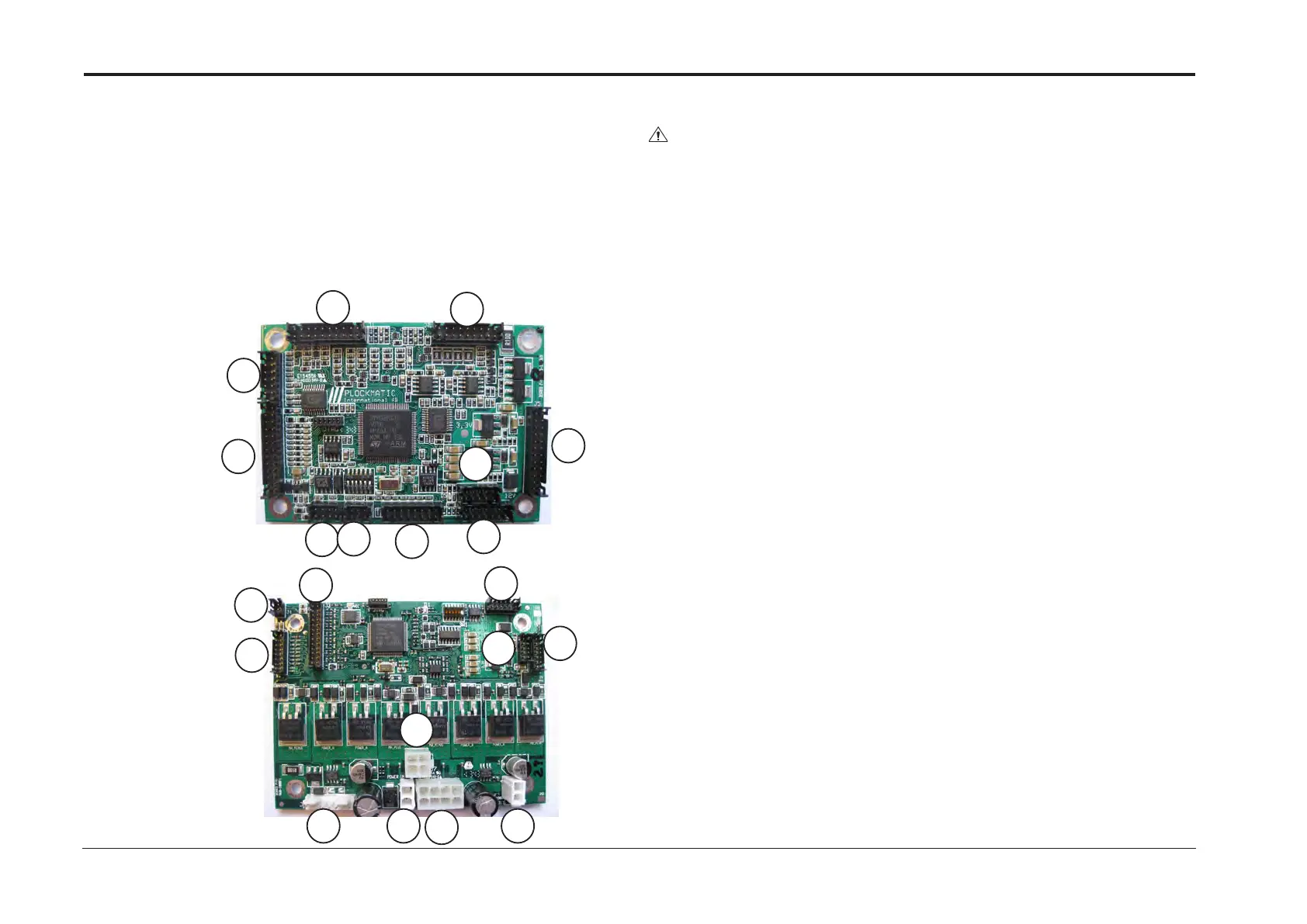
PCB CPU APP 32
g.
PCB M21H
REP15.40 Continued
CAUTION
ESD Hazard! ESD (Electrostatic Discharge) can cause software crashes, data and/or
communications problems. Failure to use proper ESD procedures will cause dam-
age to electronic components (example: PCBs). ESD problems can be minimized by
maintaining all machine ground connections, ensuring the proper handling of circuit
boards/ sensors, refer to the general caution description at the beginning of section 3.
- Use ESD protection when working near PCBs. Failure to use ESD protection is likely
to result in a PCB failure.
General:
1. Remove connectors
2. Remove PCB
3. Mount new PCB
4. Replace connectors
5. Make sure the DIP switches are in the correct position (see either sec-
tion 4 or section 8 of the Service Manual)
J1
J1
J2
J2
J3
J3
J4
J4
J5
J5
J6
J6
J7
J7
J8
J8
J9
J9
J10
J10
J11
REP 15.43 Support PCBs



 To Next Page