Plockmatic BM3050 system 27 August 2019 3. Repairs and adjustments (REP and ADJ)
3-13
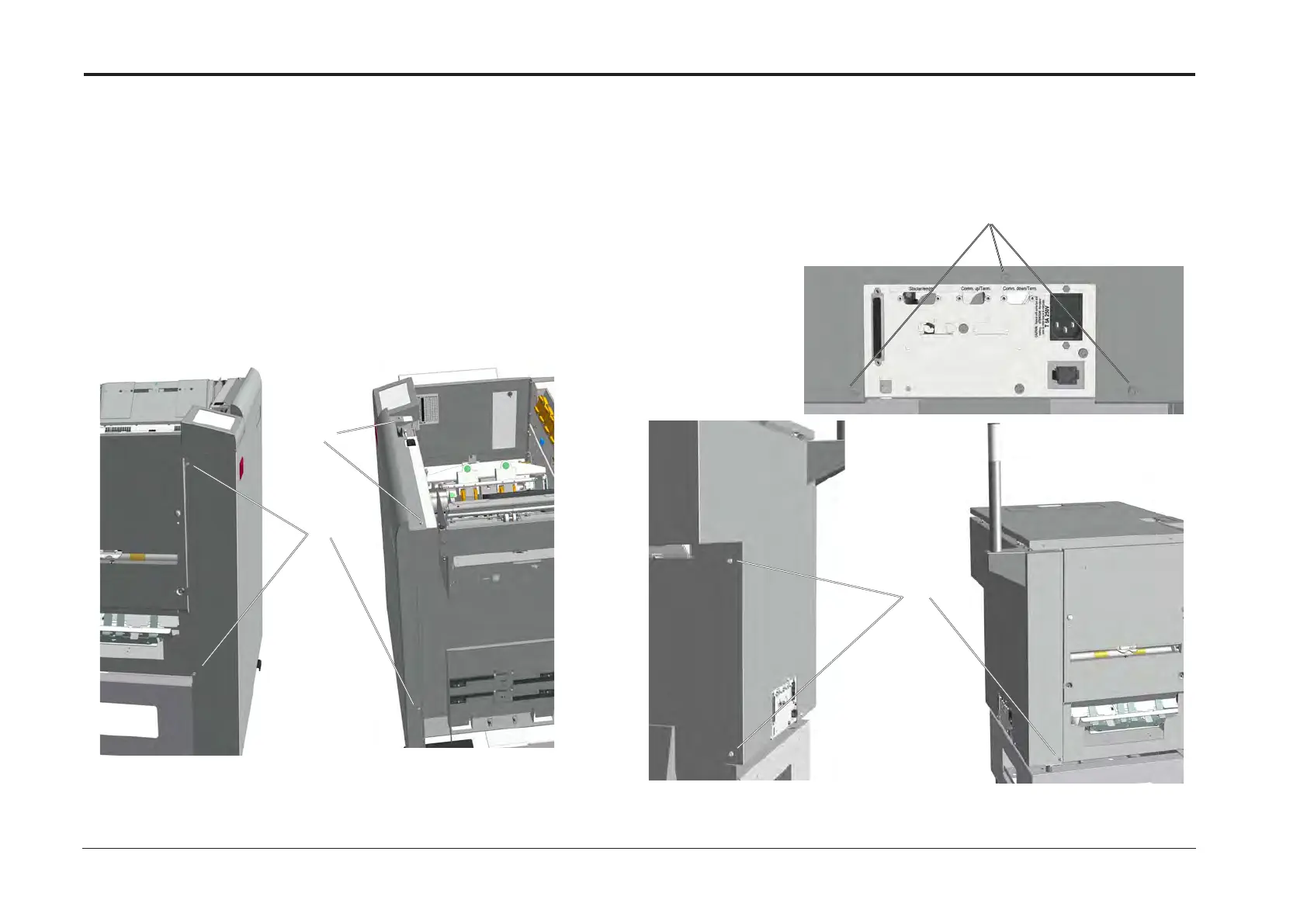
REP 1.1 Front and Rear Cover
Replacement
1. Reverse removal procedure.
[A]
Removal Rear cover
1. Turn off the main power and disconnect the power cord.
2. Undock the Booklet Maker and Trimmer/ Square folder
(REP 1.0 Undocking BM / TR / SQF).
3. Open top cover.
4. Remove screws (x3) [A].
5. Loosen screws (x3) [B].
6. Pull out the lower part and unhook the rear cover.
Replacement
1. Reverse removal procedure.
[B]
[B]
[A]
Parts List on PL 2.0 and 2.1
Removal Front cover
1. Turn off the main power and disconnect the power cord.
2. Loosen screws (x3) [A].
3. Remove screws (x2) [B].
4. Remove the front cover.



 To Next Page