Plockmatic BM3050 system 27 August 2019 1. Installation Procedure
1-43
1.9.3 INSTALLATION PROCEDURE, TRIMMER TO BOOKLET MAKER
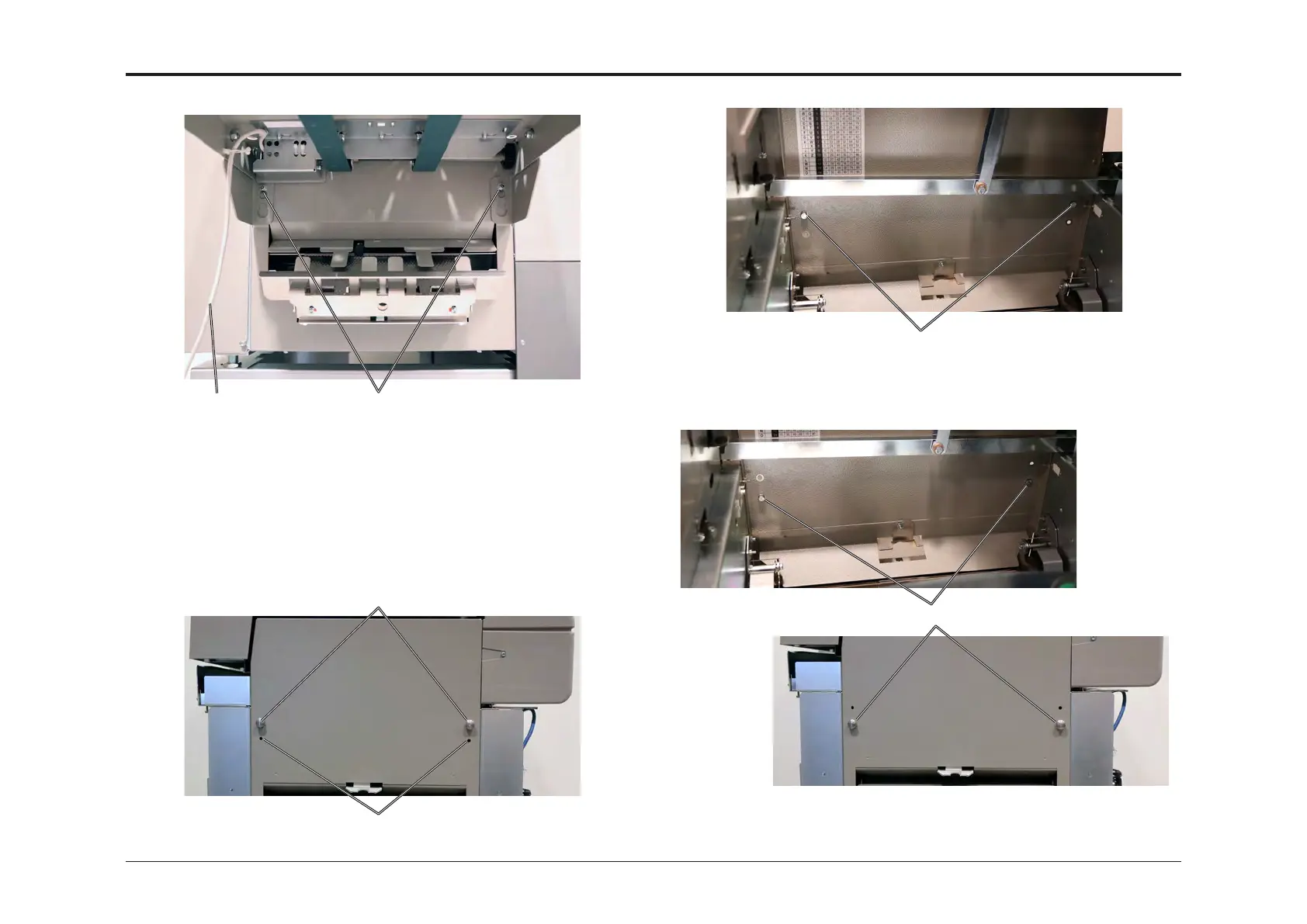
[A][B]
1. Loosen two nuts [A] on the Booklet Maker.
2. Disconnect the Belt Stacker cable [B] from Booklet Maker.
3. Remove Belt Stacker from the Booklet Maker.
4. Tighten nuts [A].
In order to dock a Trimmer to the Booklet Maker, the docking studs [C] on
the Booklet Maker have to be relocated to the lower holes [D] in the exit
cover.
[D]
[C]
5. Open the Top Cover and remove the two screws holding the docking
studs.
6. Relocate docking studs to the lower holes [D] and tighten the screws.
[E]
[D]



 To Next Page