Plockmatic BM3050 system 27 August 2019 5. Service tables (GP)
5-31
GP 20 NVM Reset
Purpose
The NVM Reset procedure is used to recover booklet quality base NVM values for side
guides, staple stop gate, fold stop gate, staple position, back jogger and trim knife zero.
The NVM Reset procedure is used after updating software, replacing the PCB Control-
ler, PCB A, PCB E (BM) or F (CST), or when a part affecting the booklet quality has been
replaced.
The NVM reset procedure can also be initiated to resolve minor logic problems.
Procedure
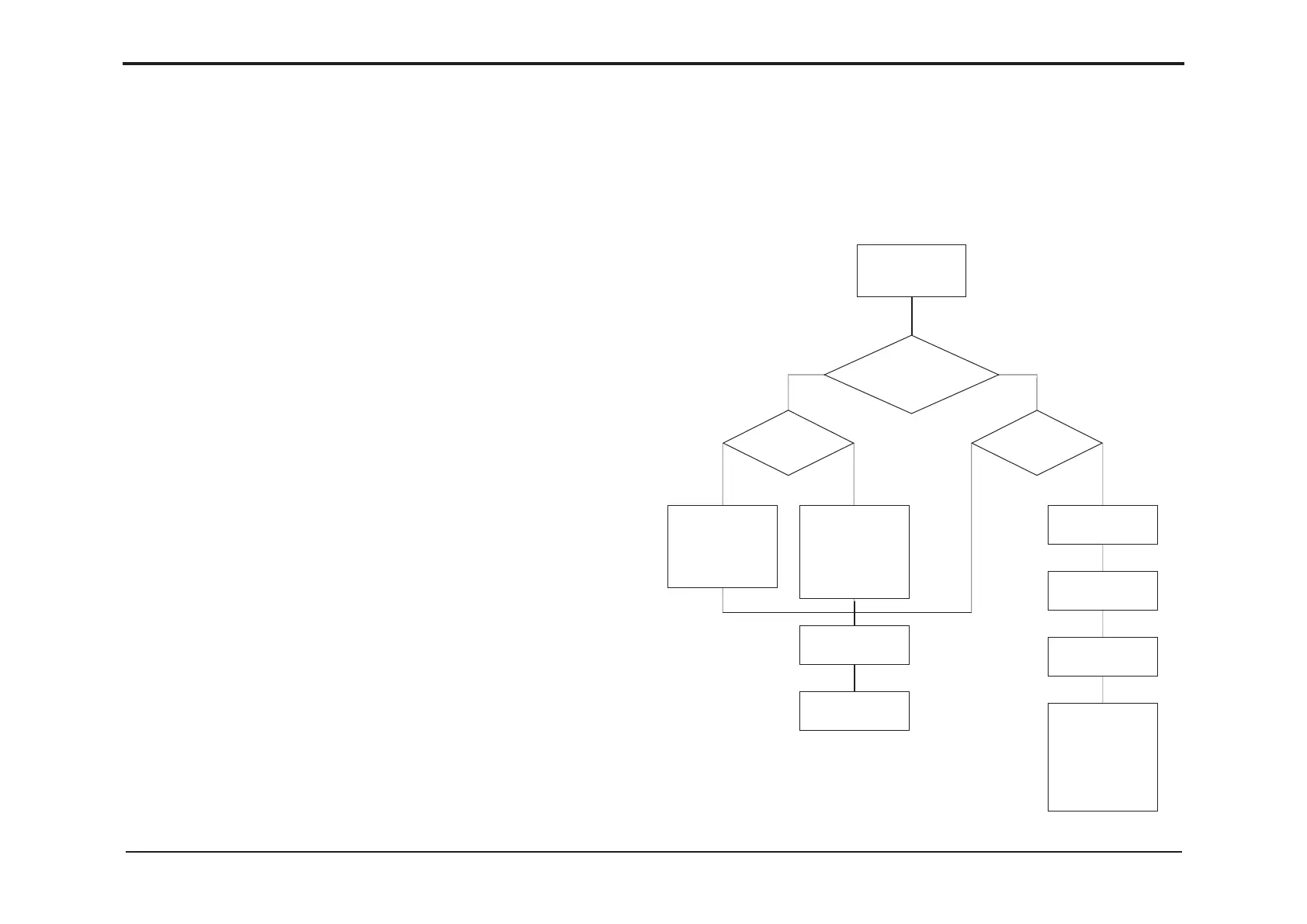
General procedure to perform NVM reset is described below. Depending on circumstances,
exact procedure to retieve NVM values may vary, see owcharts further below.
NOTE: All data in the EEPROM will be cleared including jobs, jam history etc.
The only data not cleared are the Staple, Fold, Trim, Cover Feed, Rotator, Crease and Bleed
Trimmer counters.
1. Enter Service Mode (GP 1).
2. Select target (module) BM.
3. Select item [NVM].
4. Record NVM values: BM: Index 2-7 and 11.
5. Press [Home] to reach Target selection menu.
6. Select target (module) [CST].
7. Select item [NVM].
8. Record NVM values: CST: Index 2-4.
9. Press [Go back] to reach CST Service Components menu.
10. Select item [Reset NVM]. Follow on screen instruction.
11. Press [Reset]. Read/follow on screen instructions. Press [Go back] to reach CST Ser-
vice Components menu.
12. Select item [NVM].
13. Re-enter NVM values CST: Index 2-4 recorded in step 8.
14. Press [Home] to reach Target selection menu.
15. Select target (module) [BM].
16. Select item [Reset NVM]. Follow on screen instruction.
17. Press [Reset]. Read/follow on screen instructions. Press [Go back] to reach BM Service
Components menu.
18. Select item [NVM].
19. Re-enter NVM values BM: Index 2-7 and 11 recorded in step 4.
Need to update
software
Possible
to retrieve NVM
values?
NVM tag
available?
NVM tag
available?
Yes
Yes Yes
No
No No
Record critical
NVM values (see
GP 12 & 20) on
a piece of paper
and store in ma-
chine for future
reference
Perform NVM
reset GP 20.
Update software
GP 19.
Perform NVM
reset GP 20.
Download soft-
ware GP 19.
Perform Paper
size reset GP 12.
Compare values
with NVM tag and
if different note
the new values
on the tag.
Record critical
NVM values (see
GP 20) on a piece
of paper and
store in machine
for reference.
20. Press [Go back] to reach BM Service components menu.
21. Select [Printer] (GP 8).
22. If present, enable Cover Feeder Module (GP 14).
23. Press [Home] to reach Target selection menu.
24. Press [Exit service] when ready to exit service mode.
Flowcharts
continued on next page


 To Next Page