Plockmatic BM3050 system 27 August 2019 1. Installation Procedure
1-28
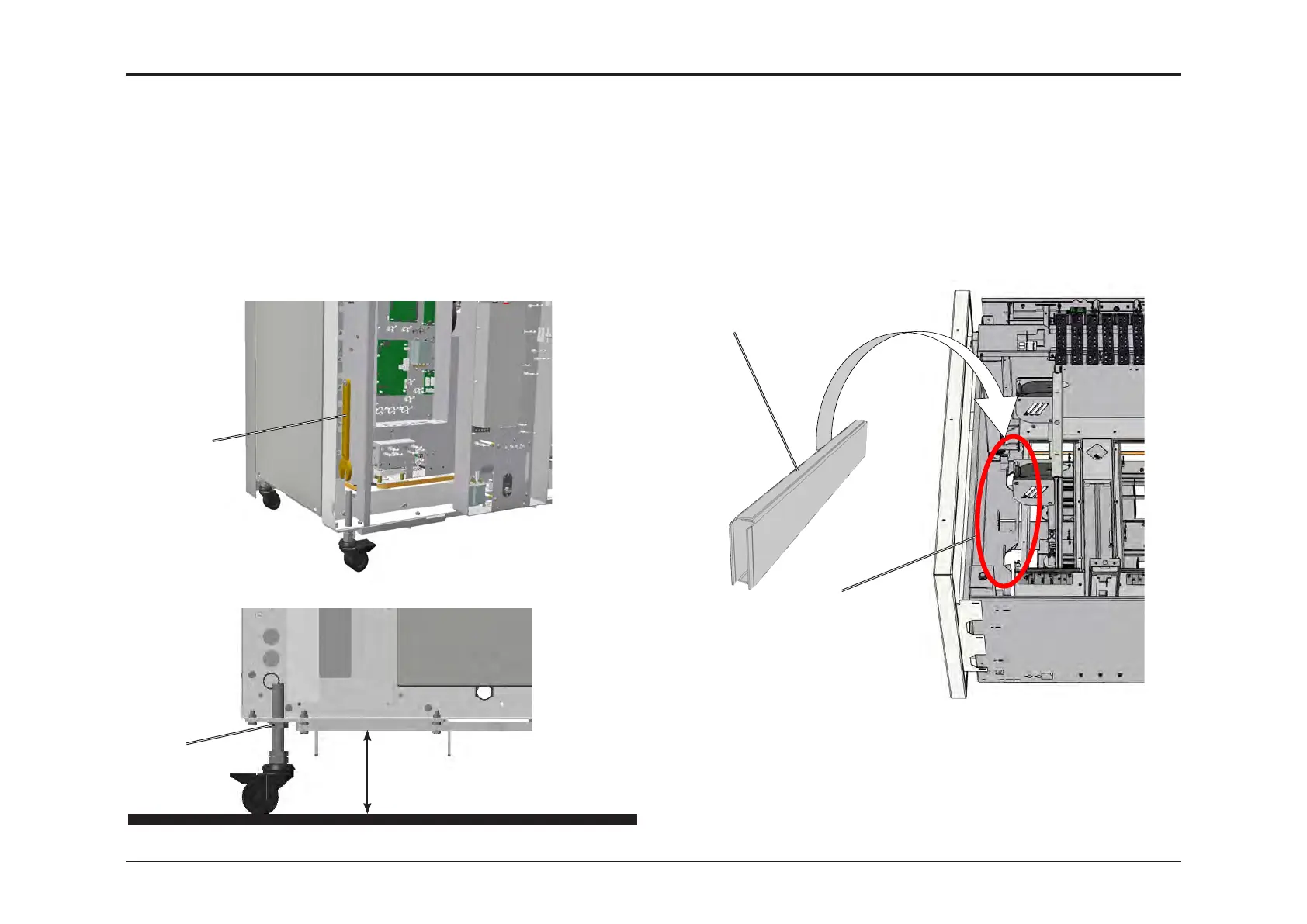
1.4.3 HEIGHT ADJUSTMENT
1. Place the machine where it will be operating.
2. Using the 24mm spanner [A] located inside the back cover, adjust
the height of the machine to 100 mm between chassis and oor.
Adjust the casters at an even rate, i.e. do not rotate a single caster
more than 2 full rotations without adjusting the other casters to
level the machine.
3. Keep the height of the left front wheel and adjust the other three to
level the machine, using a water level.
4. Lock the jam nuts [B] (x4) against the chassis.
[A]
100 mm
[B]
1.4.4 WIDE PAPER SUPPORTS (VF602 ONLY)
1. Open up upper tray
2. Push the side guide in to gain access to the Paper Support Holder [A]
3. Place the Paper Supports [B] in the Paper Support Holder
4. Repeat the procedure for the lower tray
[A]
[B]



 To Next Page