Plockmatic BM3050 system 27 August 2019 1. Installation Procedure
1-29
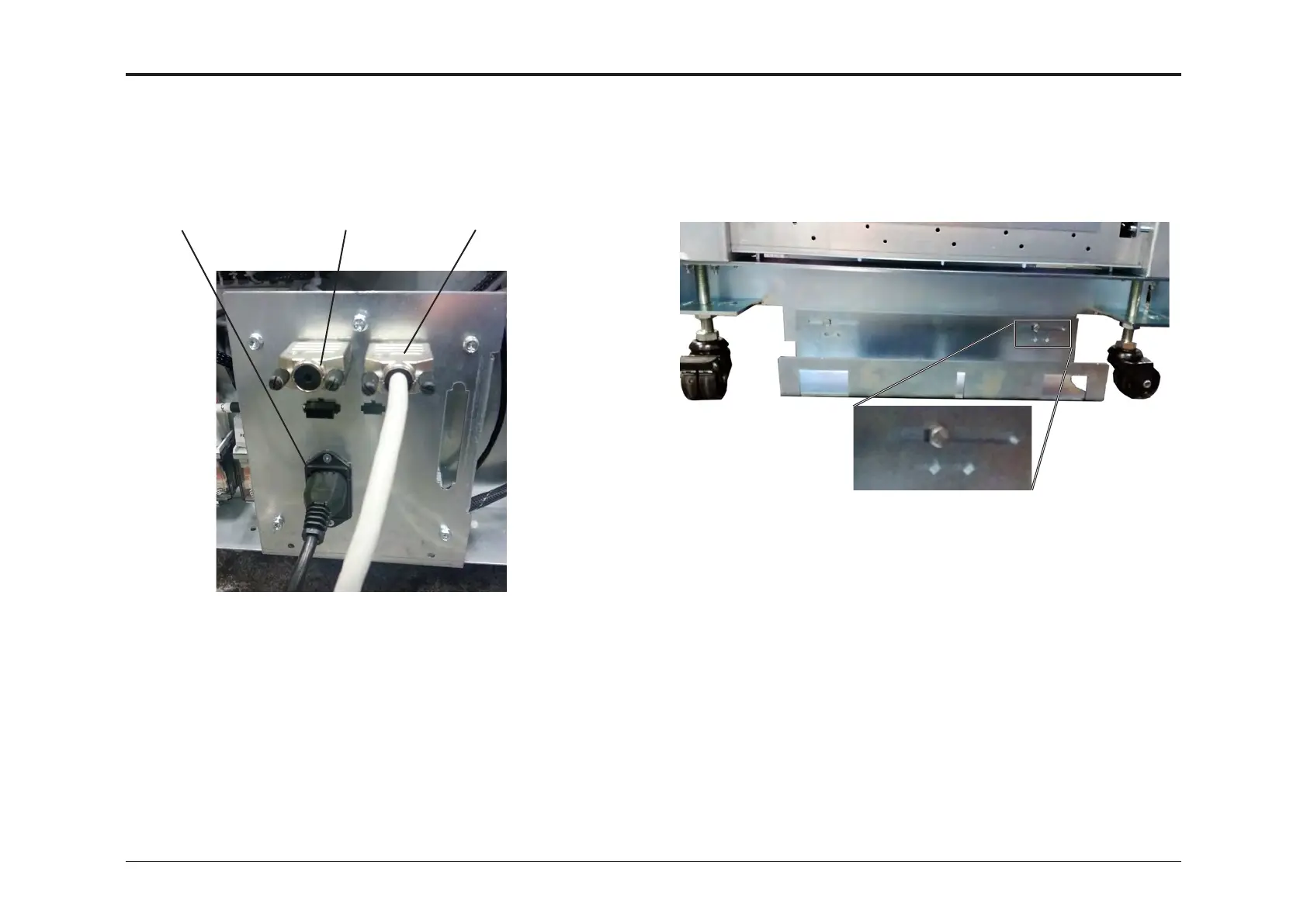
1.4.5 CONNECTORS 1.4.8 DOWNSTREAM DOCKING TO BM
1. Connect the power cord to connector [A]
2. Connect the termination plug to Connector [B]
3. Connect the COM-cable to connector [C]
[C]
[B]
[A]
1.4.6 RE-MOUNTING COVERS
Re-mount the covers by reversing the cover removal procedures.
1.4.7 CALIBRATION
After system integration, use accessory items 10 and 12 to calibrate
the AF602/VF602. For detailed calibration procedures, refer to the
AF602/VF602 Feeder Settings sections of the Operators Manual.
If the feeder is going to be installed directly to the Booklet maker, install
the female Docking Bracket on the downstream side of the feeder. Position
it sideways as shown in picture below.



 To Next Page