Plockmatic BM3050 system 27 August 2019 4. Troubleshooting (RAP)
4-283
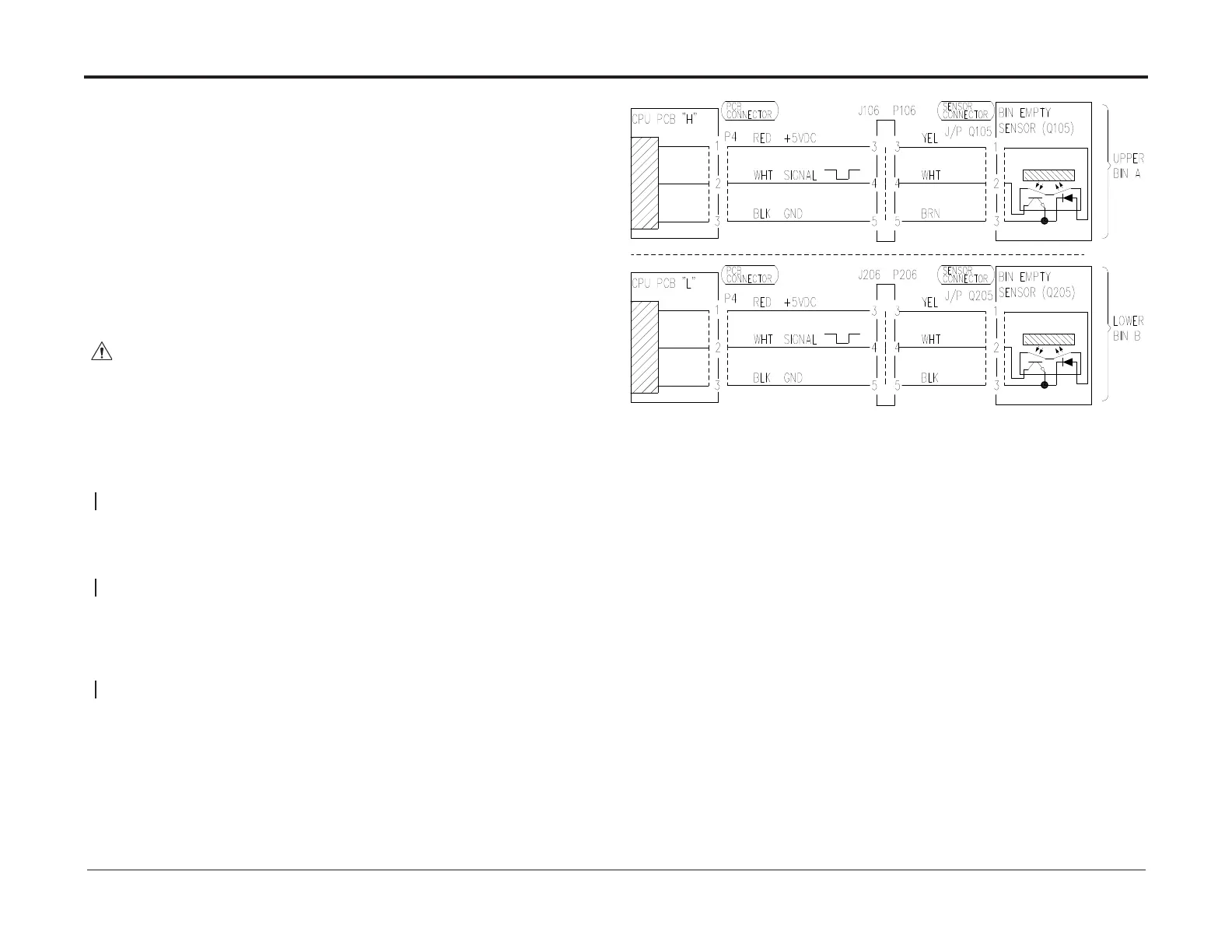
RAP 107/207 Bin Empty, Bin A/B
Bin Empty is a paper present detection. Bin Empty checks if sheets are present in the
activated bin during process. A Bin Empty condition is generated if sensor Q105/205 cannot
see any paper.
Initial Actions
• Enter service mode
• Check sensor according to GP 4
• Ensure that sensor is clean
• Ensure that all connectors at the sensor are properly connected
• Ensure that all connectors at PCB CPU App 32 (L / H) are properly connected.
NOTE!
For measuring references see BSD
Procedure
WARNING!
Turn off the AF602 Main Power Switch and disconnect the Main Power Cord before
disconnecting, removing or replacing any electrical components or measuring
resistance inside the machine.
Swap the faulty sensor with the sensor in the other bin. After swapping the sensors check
the Empty sensor functionality.
Sensor works at the new location
Y N
Replace the sensor
At the faulty location, disconnect sensor wire both from PCB and sensor. Check all wires
(red, white, black) for short circuit and continuity.
There is continuity and no short circuit
Y N
Repair/replace harness
Swap PCB (that the faulty Empty sensor is connected to) with the PCB in the other bin.
After swapping the PCB, set the address DIP switches to the settings shown in the circuit
diagram.
Empty sensor works at new PCB location
Y N
Replace the PCB
Exit



 To Next Page