Plockmatic BM3050 system 27 August 2019 1. Installation Procedure
1-34
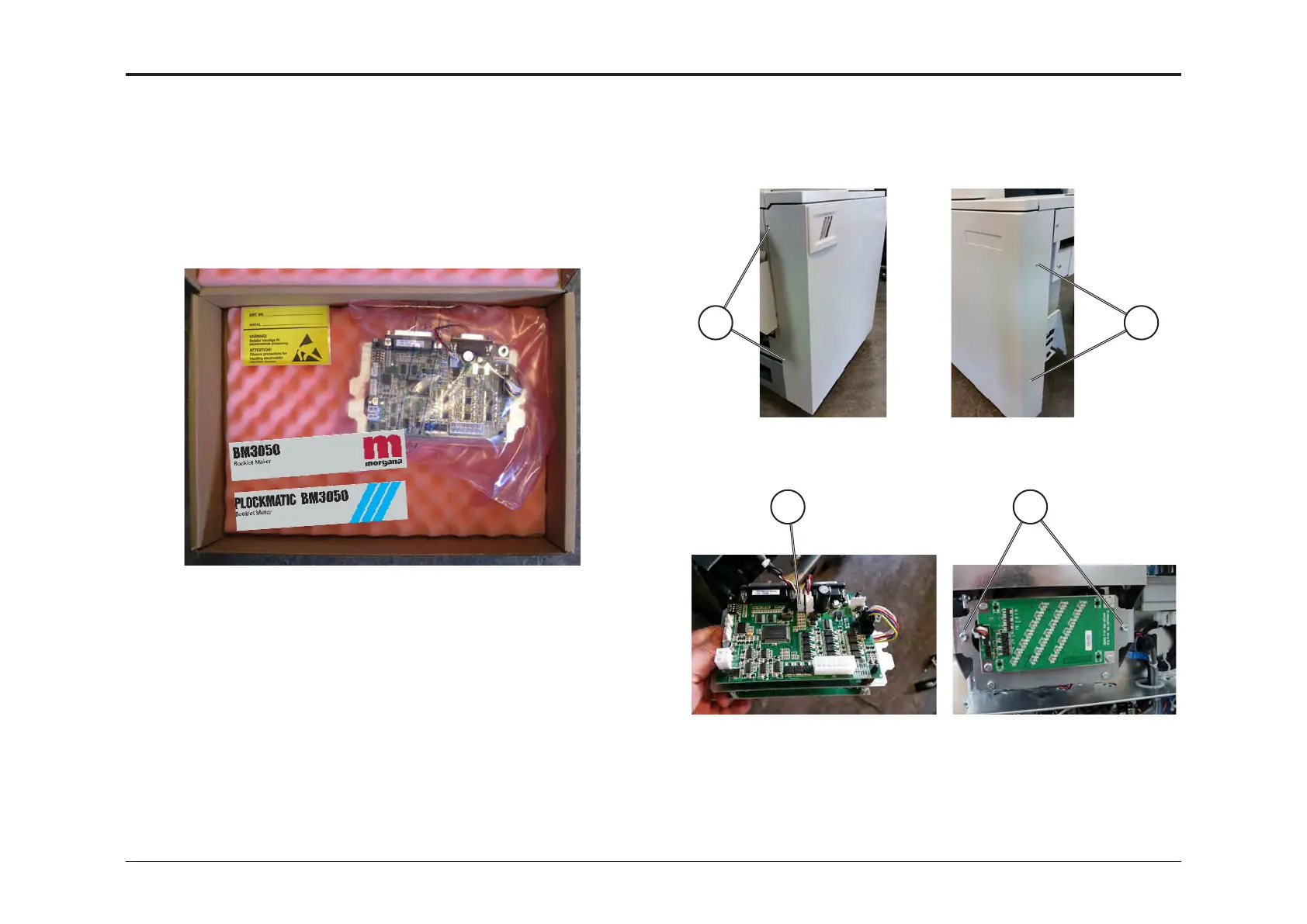
1.6 BM3050 UPGRADE KIT
• This section describes how to install the BM3050 Upgrade Kit to a
BM3035 Booklet Maker.
• If you don’t have this option, go to next section.
ACCESSORY CHECK
Check the quantity and condition of the accessories in the box against the
following list:
Description Q’ty
Machine logo, Plockmatic 1
Machine logo, Morgana 1
Active logo hardware 1
1.6.1 INSTALLATION PROCEDURE
1. Loosen screws [D].
2. Remove screws [E].
3. Tilt the front cover outward and then lift it off the stud on the right hand
side.
D E
GF
4. Plug in connector [F].
5. Install and fasten the PCB with screws [G].
6. Reinstall Front Cover.
7. Attach logotype.
8. The machine is now ready to use.



 To Next Page