Plockmatic BM3050 system 27 August 2019 1. Installation Procedure
1-57
1.13 AFTER SWITCHING ON THE POWER
This section describes settings and adjustments that could not be done
before the system was electrically connected and powered on.
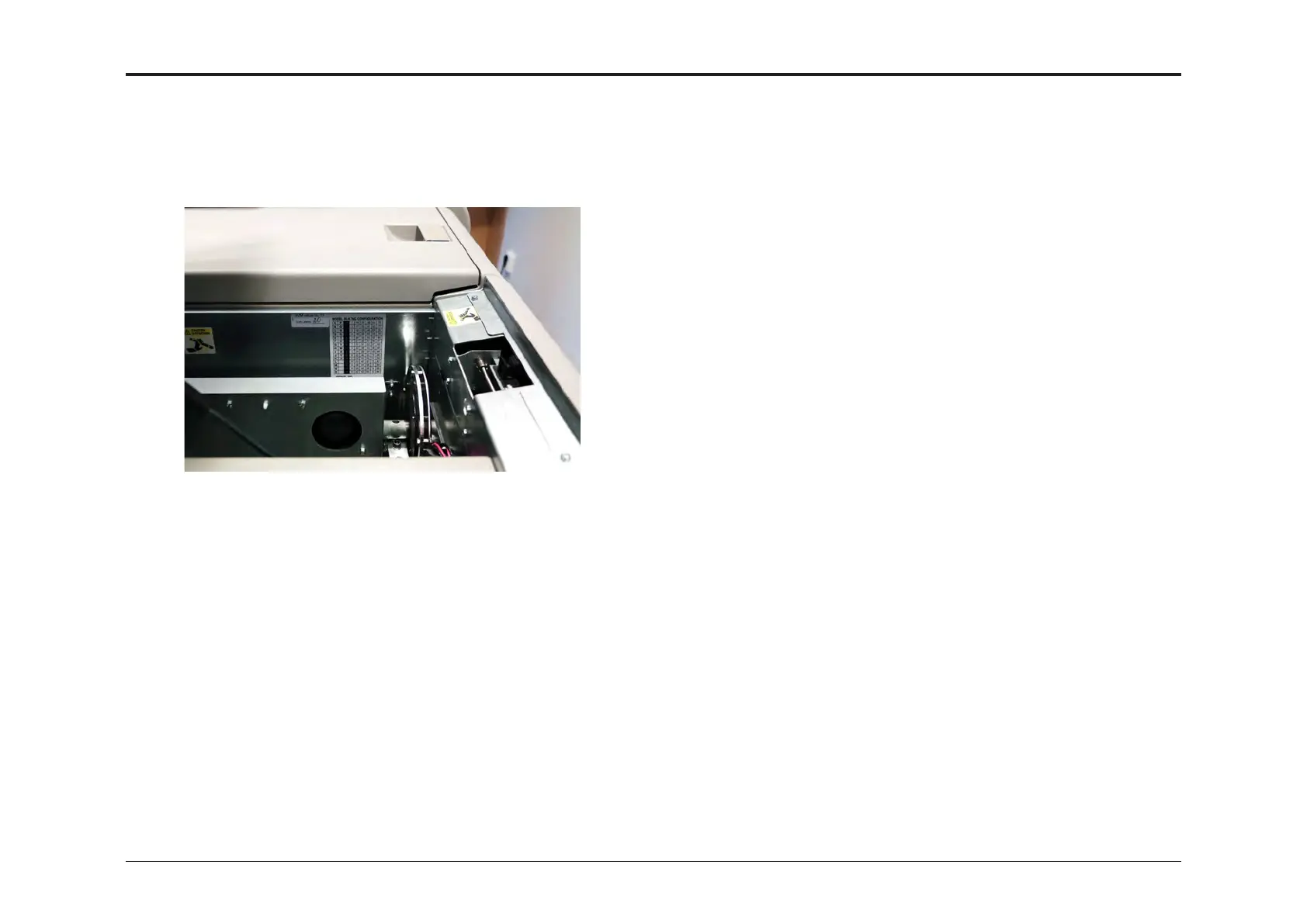
1.13.1 SETTING NVM VALUE FOR THE TRIMMER
1. Open Trimmer Top Cover and retrieve the hand written number from
the sticker “NVM value no. 11, Trim zero: XX”. Close Trimmer Top
Cover.
2. Press the [Tools] button and then the [Service mode] button.
3. Key in password 1974 and press the [OK] button.
4. Press the [BM] button.
5. Scroll to “NVM” and press that line.
6. Scroll to “11. BM Knife(Zero)” and press that line.
7. Press the [+] or [-] buttons to enter the value retrieved from the Trim-
mer.
8. Press the [OK] button.
9. Press [Home] button once to go back to Service mode.
10. Press [Exit Service] button to leave Service mode.
1.13.2 CHECKING SOFTWARE VERSIONS
1. Turn on the power for all units.
2. Press the [Tools] button.
3. Press the [Software version] button to to check installed software
version.
4. If needed, download and install latest software according to
procedure described in system service manual.



 To Next Page