Plockmatic BM3050 system 27 August 2019 5. Service tables (GP)
5-54
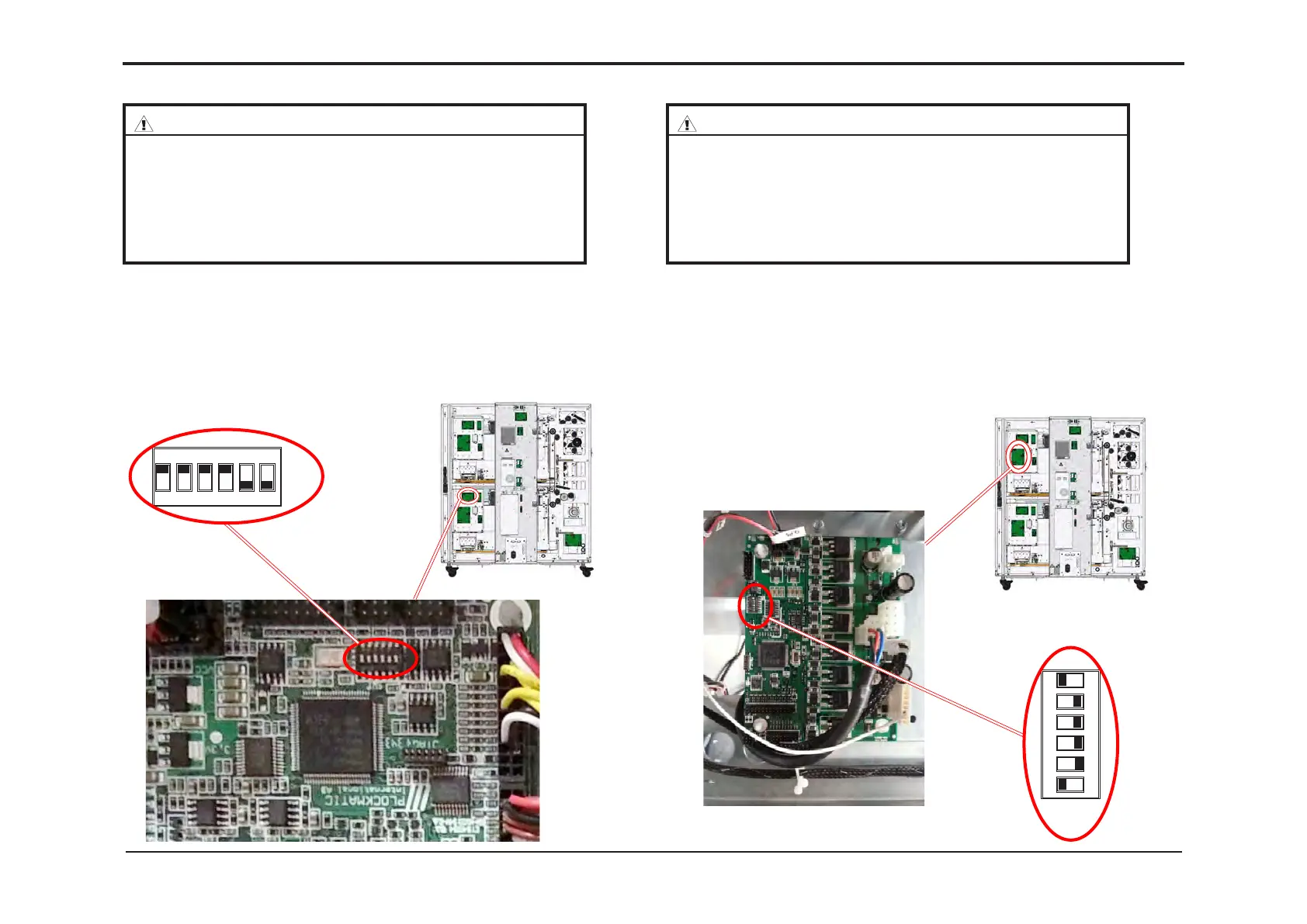
GP 57 PCB CPU APP 32 “L” AF602/VF602
GP 58 PCB M21 “K” (Upper Bin M101) AF602/VF602
CAUTION
ESD Hazard! ESD (Electrostatic Discharge) can cause software crashes,
data and/or communications problems. Failure to use proper ESD proce-
dures will cause damage to electronic components (example: PCBs). ESD
problems can be minimized by maintaining all machine ground connec-
tions, ensuring the proper handling of circuit boards and sensors. Use ESD
protection when working near PCBs. Failure to use ESD protection is likely
to result in a PCB failure.
CAUTION
ESD Hazard! ESD (Electrostatic Discharge) can cause software crashes,
data and/or communications problems. Failure to use proper ESD proce-
dures will cause damage to electronic components (example: PCBs). ESD
problems can be minimized by maintaining all machine ground connec-
tions, ensuring the proper handling of circuit boards and sensors. Use ESD
protection when working near PCBs. Failure to use ESD protection is likely
to result in a PCB failure.
1. Switch off the Main Power Switch and disconnect the Power Cord.
2. Remove the Rear Cover.
Make sure DIP-switches are in correct position.
3. Run the AF602/VF602 CPU v1.00.exe* le
(* v1.00 is an example - use latest version according to the latest bulletin)
and follow the instruction in the program.
1. Switch off the Main Power Switch and disconnect the Power Cord.
2. Remove the Rear Cover.
Make sure DIP-switches are in correct position.
3. Run the AF602/VF602 M21 H v1.00.exe* le
(* v1.00 is an example - use latest version according to the latest bulletin)
and follow the instruction in the program.
ON
OFF
1 2 3 4 5 6
ON
OFF
1 2 3 4 5 6



 To Next Page