Plockmatic BM3050 system 27 August 2019 4. Troubleshooting (RAP)
4-34
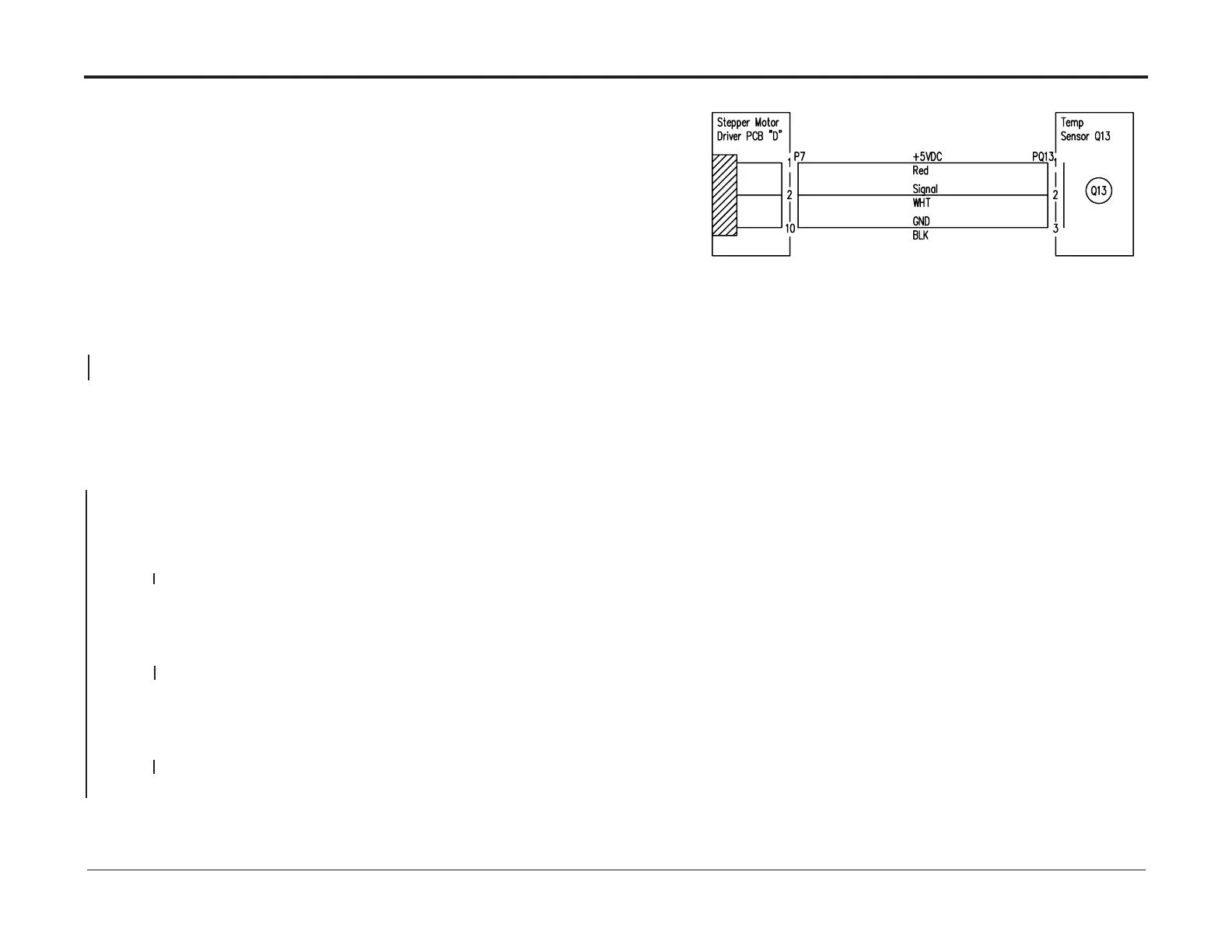
CT-171 Temp Sensor CT-Q13 overheated RAP
This RAP is for troubleshooting Temp Sensor (CT-Q13) Overheated.
Initial Actions
• Ensure that plugs/jacks P40/J40, Cooling Fan (PL 12.12) and CT-Q13 (PL 12.12) connec-
tor are properly connected. (REP 13.42 Cooling fan)
• Ensure that all connectors to “A”, “B”, “C”, “D”, “E”, “F”, “G”, “H”, “J”, “K”, “L”, “M”, “N” PCBs
are properly connected (See Section 8)
Procedure
Activate CT-FAN (cooling fan) in component control.
Ensure top cover and slide door interlocks are activated.
FAN1 is blowing.
Y N
Go to Cooling Fan ( CT-FAN) RAP
Turn OFF CT-FAN (cooling fan) in component control.
Measure the voltage between Q13-3 (black wire) and Q13-2 (white wire) on Q13 sensor.
The voltage is between 0.56– 1.52 VDC.
Y N
Power off the machine and disconnect Q13 connector and D.P7.
Measure resistance between Q13-1 and D.P7-1 (red wire).
There is continuity.
Y N
Repair harness
Measure resistance between Q13-2 and D.P7-2 (white wire).
There is continuity.
Y N
Repair harness
Measure resistance between Q13-3 and D.P7-10 (black wire).
There is continuity.
Y N
Repair harness
Replace CT-Q13 (REP 13.42)
Replace PCB “D” (PL 12.13) (REP 13.26 Stepper Motor Driver (M4) PCB “D”).



 To Next Page