Hard Disk Drive Option Type P18 (M543-01)
D0AP/D0C4/D0C5/D0C6/M0BQ/M0D1 2-46 SM
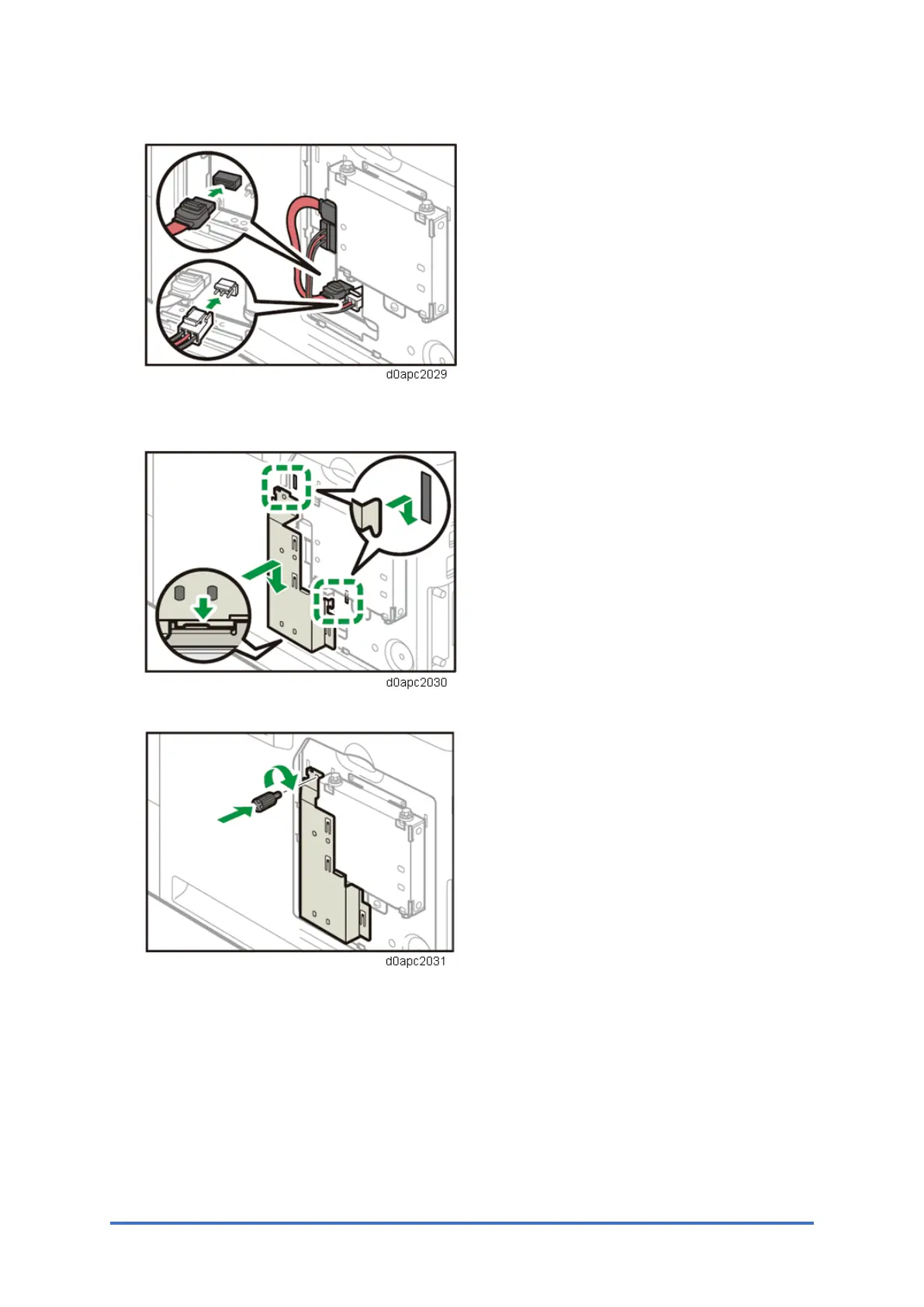
6. Connect the flat cable and power cord to the board of the machine.
7. Insert the two protrusions of the supplied inner cover, and then the lower protrusion, into
the notches on the machine.
8. Tighten the screw.



 To Next Page