FCU Board
SM 15 D0C5/D0C6/D0C4/D0AP FAX UNIT
(D0C5/D0C6
/D0C4/D0AP)
11. Attach the new FCU board to the interface cover.
12. Attach the interface cover to the machine, and then connect the harness.
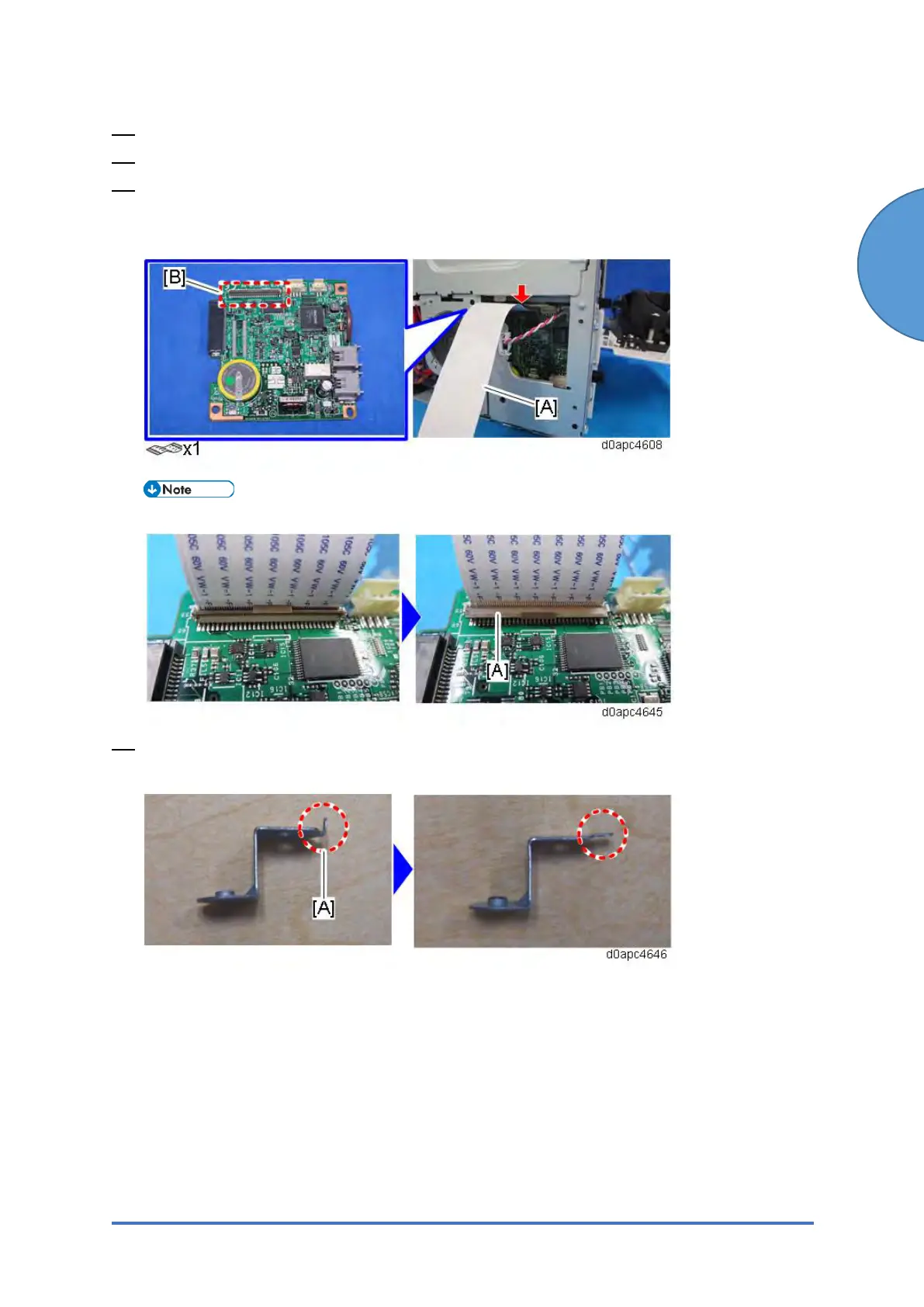
13. Connect one end of the supplied FFC [A] into the CN603 connector [B] on the new FCU
board.
Make sure that the blue tape of the flat cable faces outward.
The FFC connector has a lock lever [A]. Tilt the lever to lock the FFC.
14. Use a pair of radio pliers to flatten the tab [A] against the bracket provided with the new
FCU board.



 To Next Page