NFC Card Reader Type M27 (M502-10)
SM 2-61 D0AP/D0C4/D0C5/D0C6/M0BQ/M0D1
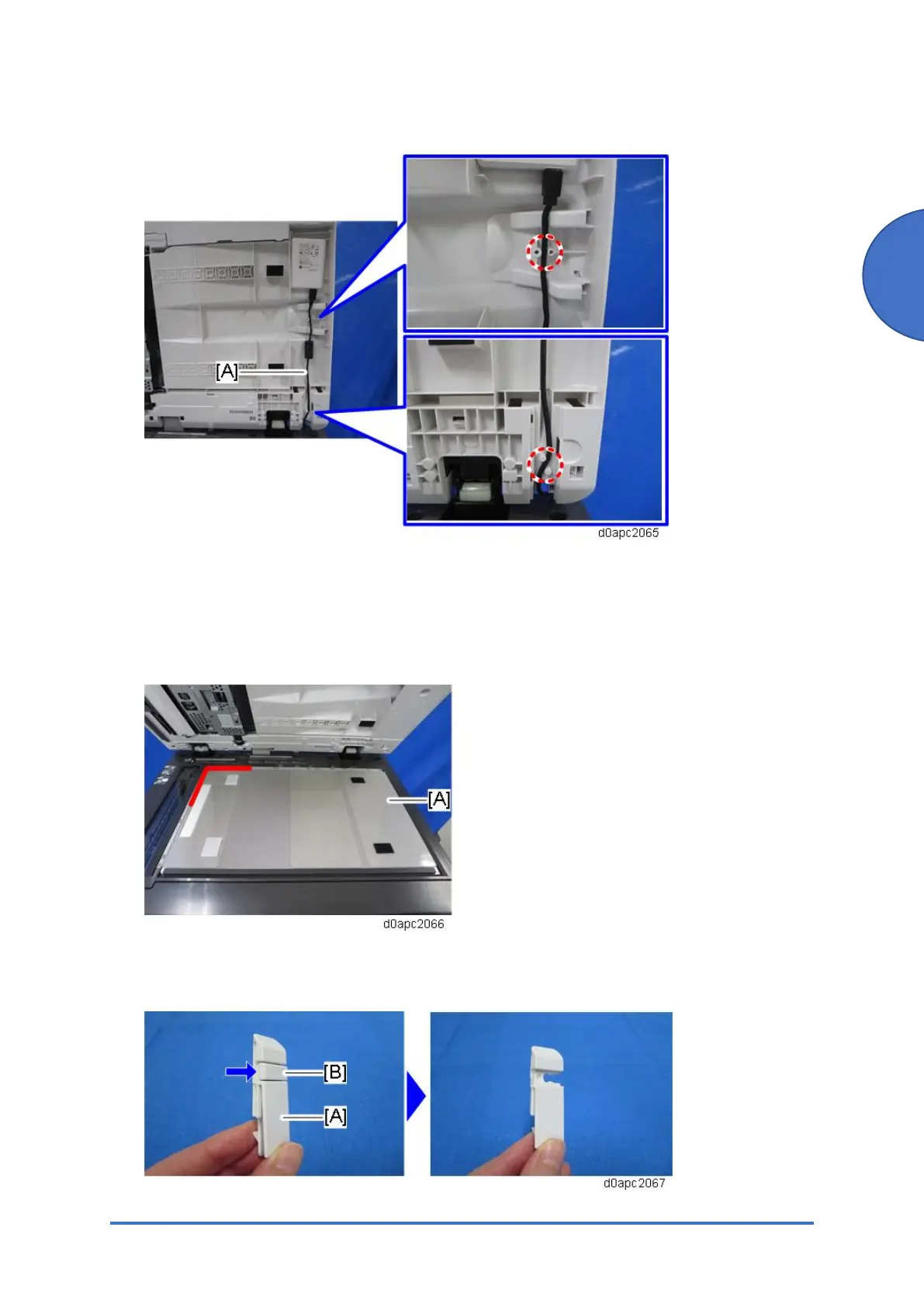
11. Route the USB cable [A] between the tabs as shown below.
12. Attach the SPDF bottom cover to the SPDF.
13. Attach the harness cover to the SPDF.
14. Using the rear, left corner as a reference point set the platen sheet [A] on the exposure
glass.
15. Close the SPDF to attach the platen sheet.
16. From small cover [A] remove knock-out [B] to create a slot.



 To Next Page