Surface
P/N 7010-0628
3-25
Surface File” on page 3-28 for more details.
• Plane Surface Model – defined with a continuous compound
plane in two directions (mainfall and crossfall). See
“Plane
Surface File” on page 3-39 for more details.
• Best-fit Model – a dual-slope plane created to balance the cut/fill
values across the entire area of interest. See
“Best-fit Plane
Surface File” on page 3-40 for more details.
Current File or <none>
Highlights the currently loaded Surface file or if no file has been
selected, <none> is highlighted.
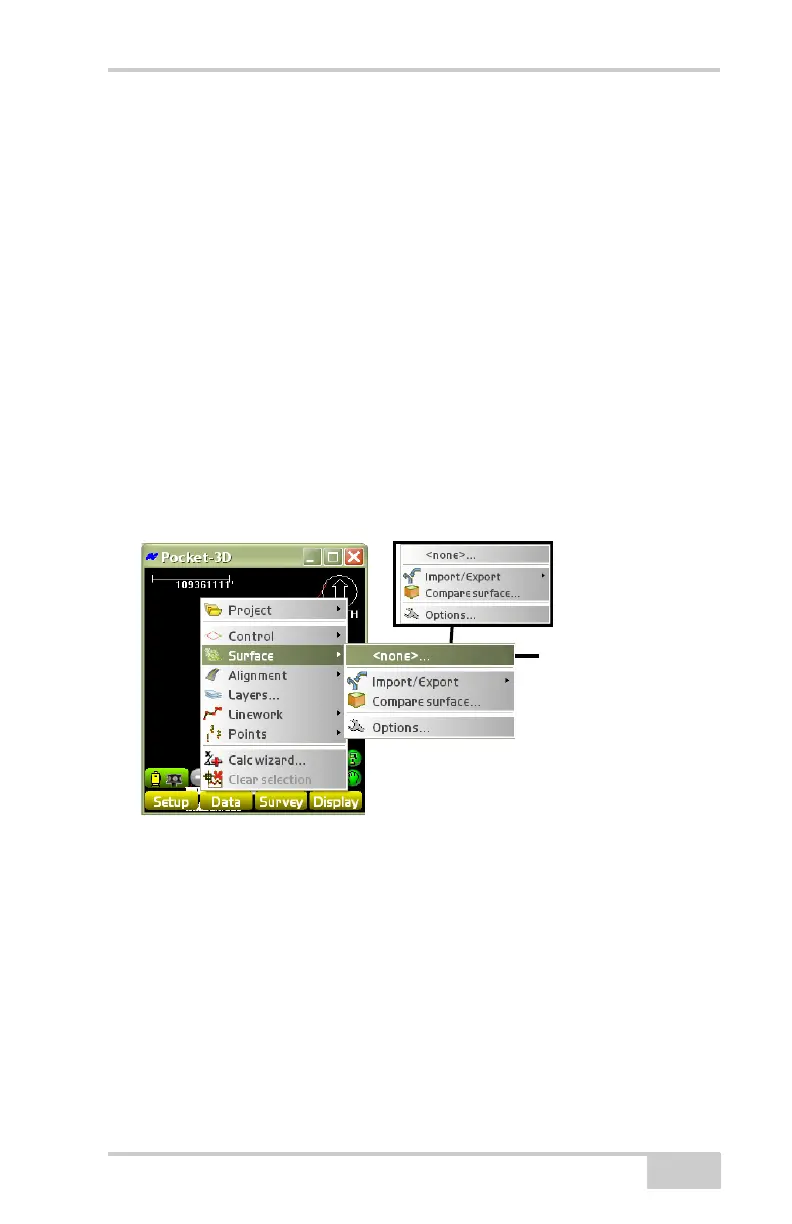
1. To access available Surface files, or to create a new Surface file,
tap Data
Surface[current file] (Figure 3-37).
Figure 3-37. Data Surface None
2. The Surface(s) dialog box displays all surfaces available. To set a
Surface file, select it from the list and press Ok (
Figure 3-38 on
page 3-26). At the verification screen, press Ok to use this
Surface file as the current design surface. Surface Files can be
created, exported, imported, or deleted.
Filename selected
No Filename Selected



 To Next Page