Installing Pocket-3D
Pocket-3D Reference Guide
1-18
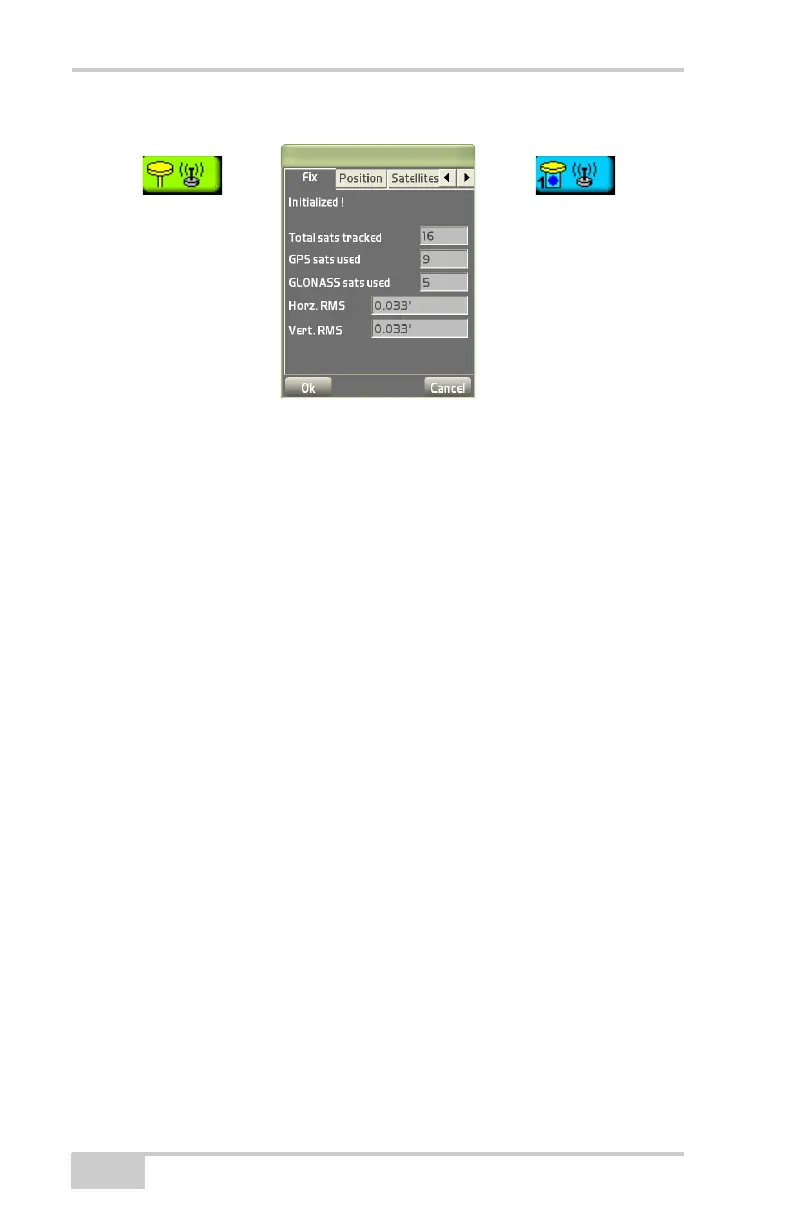
Figure 1-22. GPS/mmGPS Status Button and Dialog Box
Monitor GPS Status Information
To monitor the fix status of the GPS+ receiver, press the GPS status
button. The Fix tab displays the following information (
Figure 1-22):
• The initialization status of the GPS+ and mmGPS system
• Total sats tracked – the total (GPS and GLONASS) number of
satellites being tracked
• GPS sats used and GLONASS sats used – the number of GPS and
GLONASS satellites being used
• Horz. RMS and Vert. RMS – an estimation of the positioning
quality computed from a valid satellite status (RMS = Root Mean
Square)
View the Receiver’s Current Position
To view the current position of the GPS+ receiver, press the GPS
status button, then tap the Position tab on the GPS status dialog box.
The Position tab displays the following information (Figure 1-23 on
page 1-19):
• latitude, longitude, and ellipsoid height of the GPS+ antenna
• northing, easting, and elevation of the GPS+ antenna
• the distance from the receiver to the base station



 To Next Page