Reflectorless Application
P/N 7010-0628
4-67
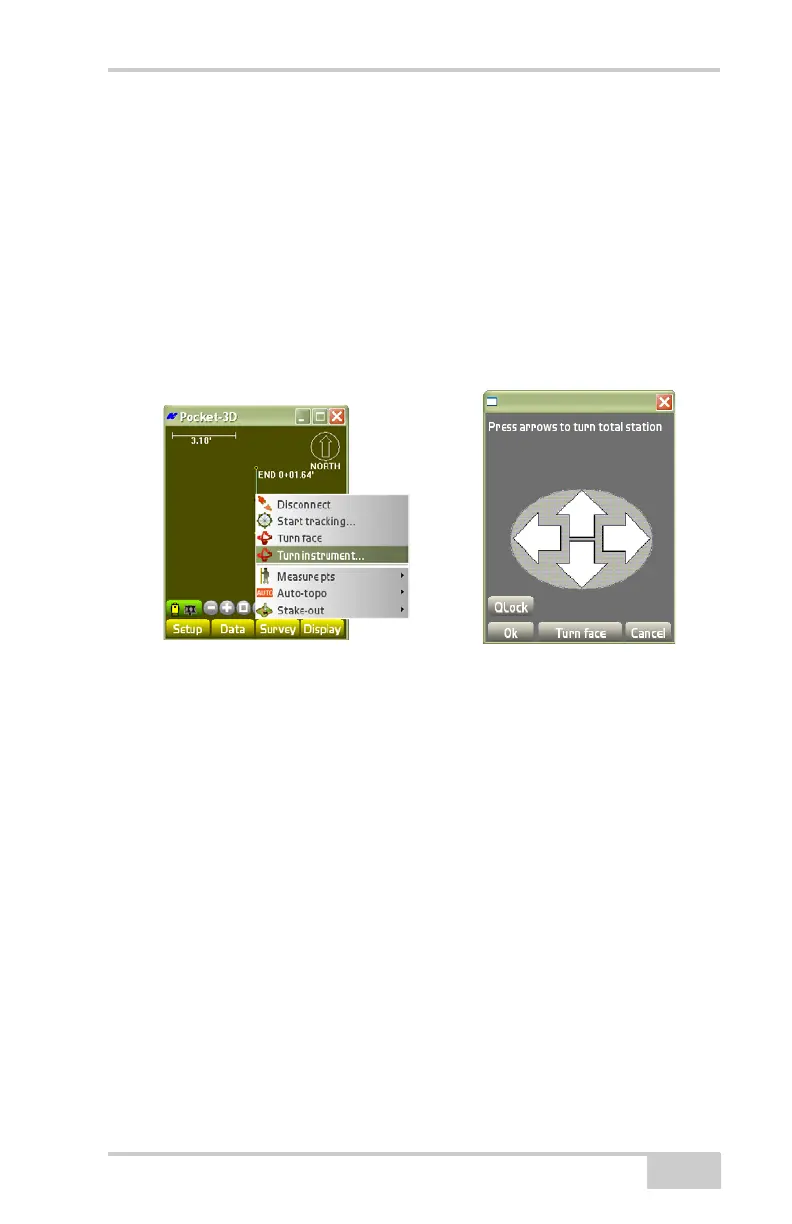
Turn Instrument
To turn an instrument with a total station, tap SurveyConnect, then
press Survey
Turn instrument. The turn total station menu
displays (
Figure 4-97 on page 4-67).
Pressing the Turn face button will turn the total station 180 degrees
while rotating it vertically 180 degrees. This will cause the total
station to show the opposite face of the instrument while pointing in
the previous direction.
Figure 4-97. Turn Total Station
Reflectorless Application
To enable/disable the use of a reflectorless total station, tap
Survey
Reflectorless (Figure 4-98 on page 4-68).
A check mark indicates that a reflectorless total station is being used.
In this mode, the Auto-topo menu options are unavailable.



 To Next Page