Installing Pocket-3D
Pocket-3D Reference Guide
1-22
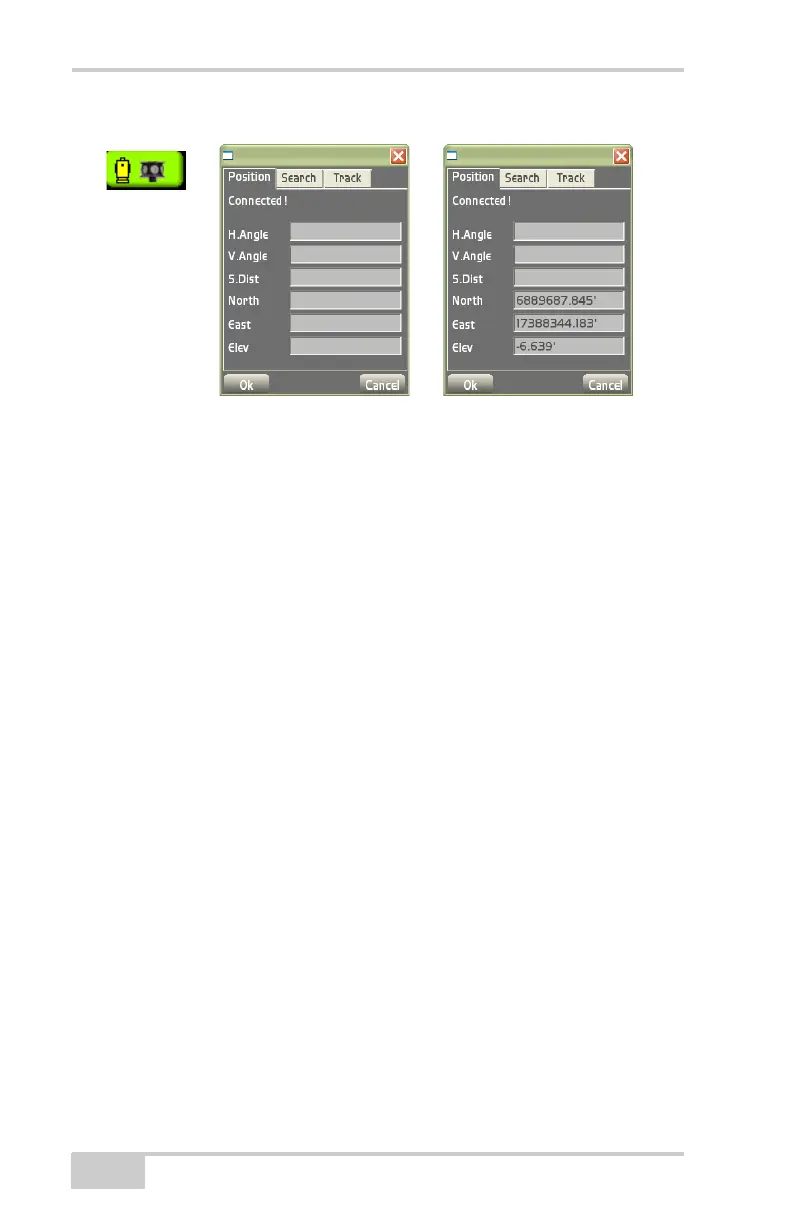
Figure 1-26. Total Station Status Button and Dialog Box
Monitor Prism Position Information
To monitor the position status of the prism, press the Total Station
status button. The Position tab displays the following information
(Figure 1-26):
• whether or not the prism is connected and tracks the total station
• horizontal/vertical angles and slope distance to the prism
• northing, easting, and elevation of the prism
Set Total Station Search Parameters
To set total station search parameters, press the Total Station status
button, then tap the Search tab on the total station status dialog box
(
Figure 1-27 on page 1-23).
Depending on the total station used and the sensor type, enter or
select the following information (
Figure 1-27 on page 1-23) and press
Ok:
• Search wait (secs) – sets the wait time in seconds until the total
station starts to search for the prism (robotic total stations only).
• Pattern – selects the pattern for tracking the prism.
• Search area left and right of prism – when enabled, sets the search
area at the total station for tracking the prism.
Total Station
Status Icon



 To Next Page