Auto-topo/Stop Auto-topo
P/N 7010-0628
4-17
By Distance
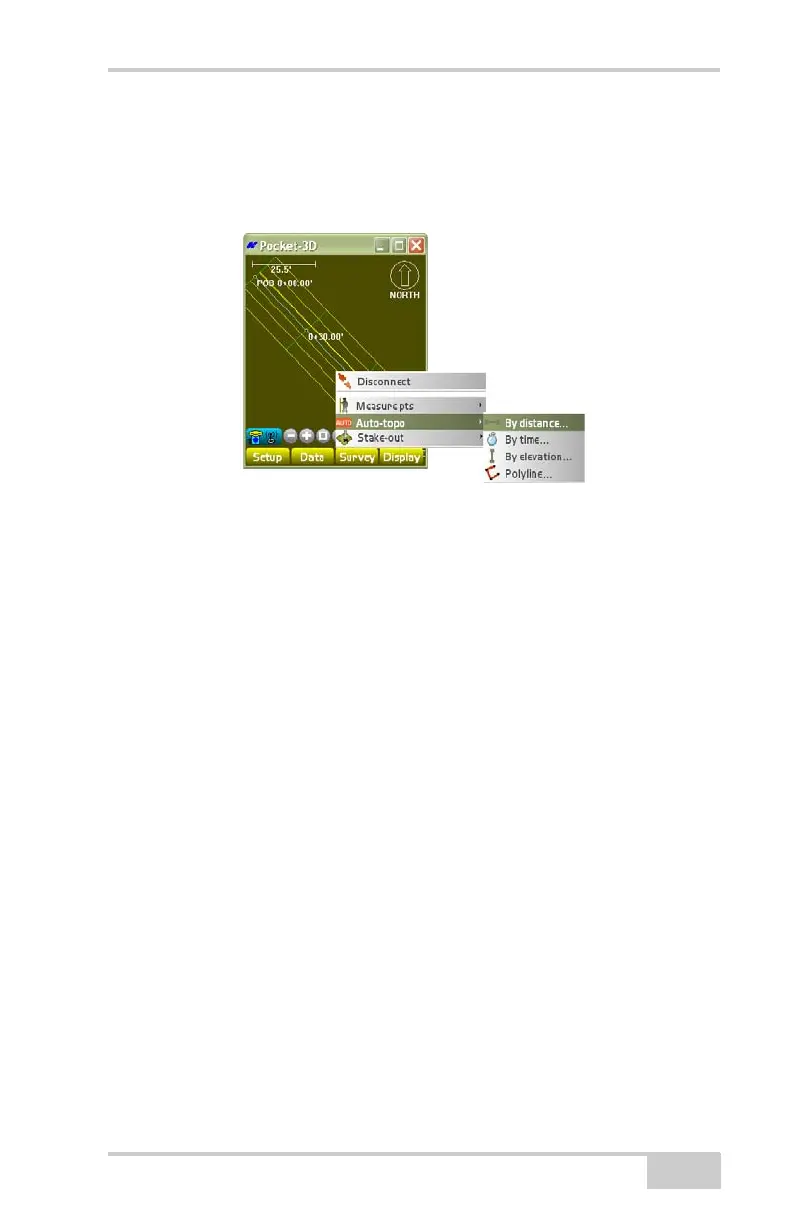
To measure points at a set distance, tap SurveyAuto-topoBy
distance (
Figure 4-26).
Figure 4-26. SurveyAuto-topoBy distance
On the by distance dialog box, select the desired parameters, then
press Ok (
Figure 4-27 on page 4-18).
• Min. distance – enter the minimum distance by which to log
points.
• Check dist to last point – enable to make sure the desired
elevation is traveled before the next measurement is taken. With
this option enabled, measurements can be less than or greater
than the desired distance.
• Check dist to all points – enable to make sure that no
measurements within the jobsite are closer to each other than the
desired elevation.
• Add to layer – stores measured points to the selected layer.
• Assign pt. numbers – enable to assign point numbers to measured
points.
• Starting from – enter the starting point number for the auto-topo
points.



 To Next Page