Robotic Survey Applications
P/N 7010-0628
4-65
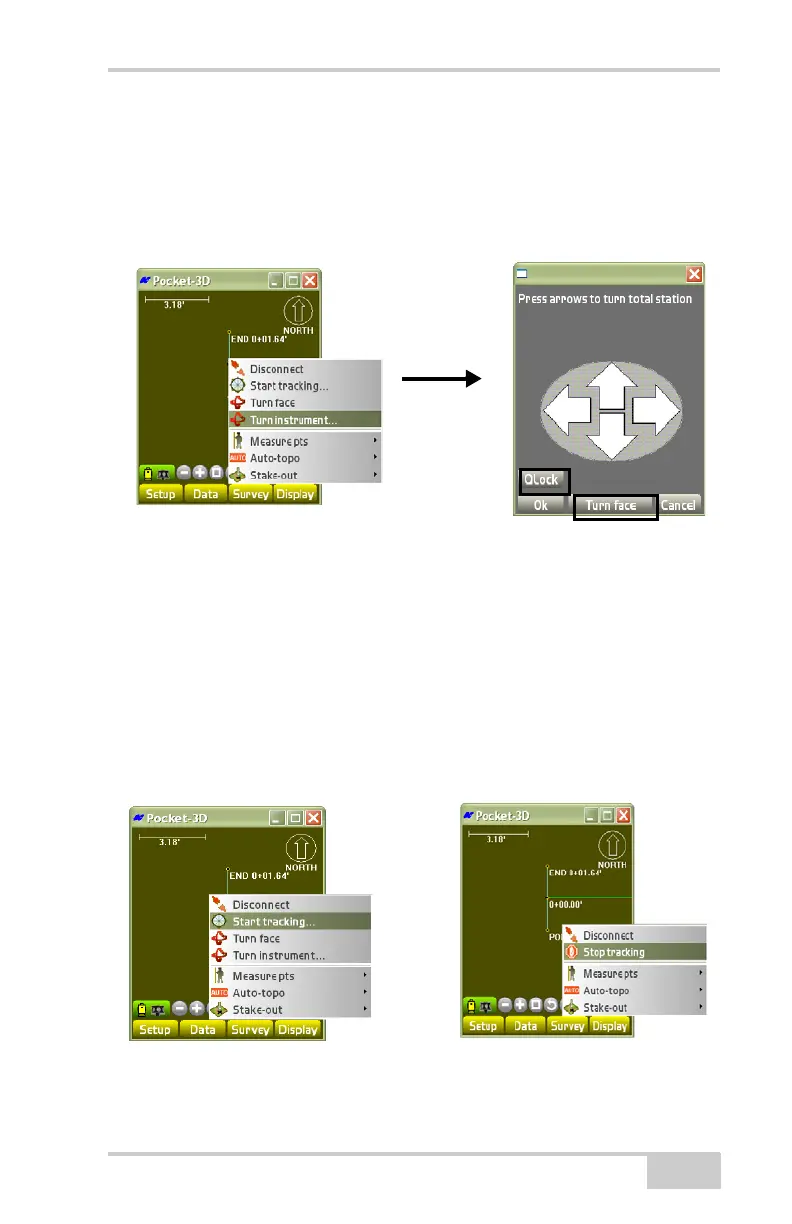
The turn total station menu displays (Figure 4-93).
Do the following to turn the total station:
1. Press Qlock to call the instrument through the RC3 (Figure 4-93).
2. Press Turn face to turn the total station (Figure 4-93).
Figure 4-93. Turn the Total Station
For more information on the Survey menu robotic applications, i.e.,
the Measure points, Auto-topo, and Stake-out, see
“Total Station
Survey Applications” on page 4-58.
Start/Stop Tracking
To start or stop tracking a total station, tap SurveyStart/Stop
tracking (
Figure 4-94).
Figure 4-94. Start/Stop Tracking of Total Station



 To Next Page