Orientation
P/N 7010-0628
5-5
Orientation
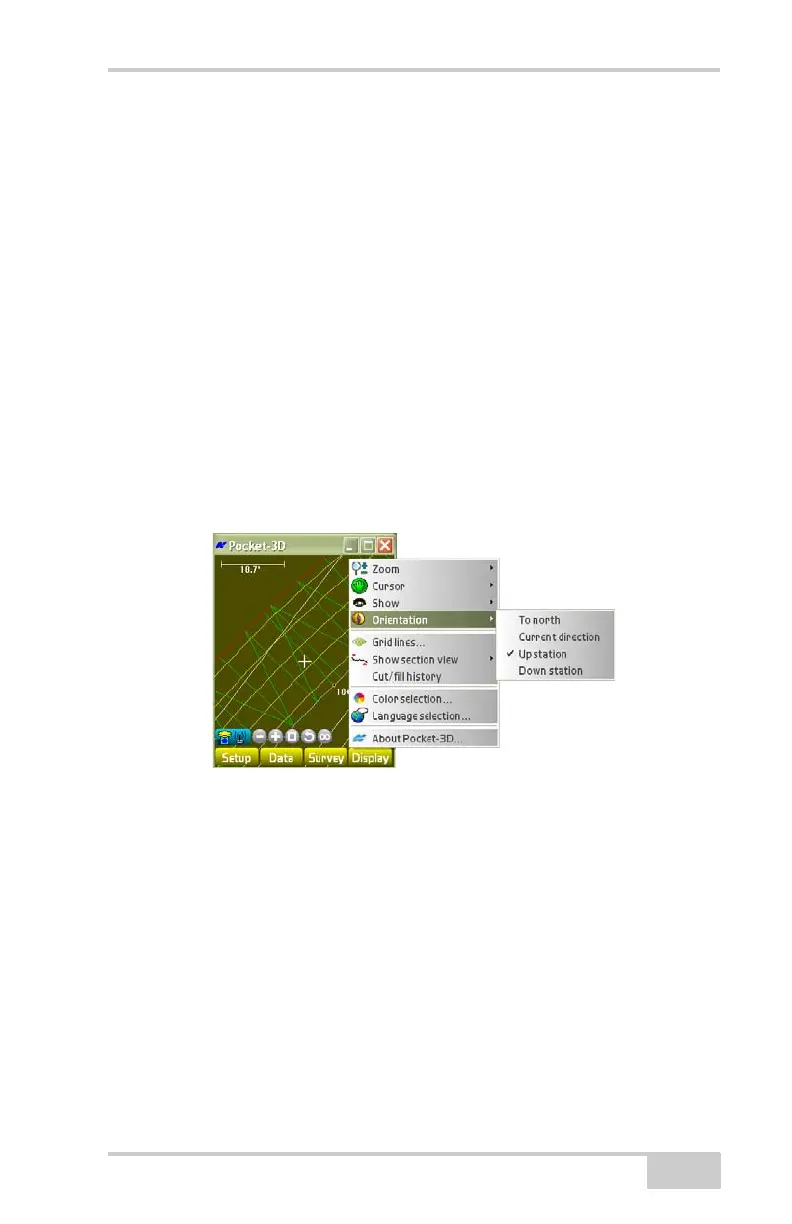
To change the orientation of the arrow while in stake-out mode, tap
Display
Orientation (Figure 5-5).
• To north – orients the arrow to point north.
• Current direction – orients the arrow to point in the direction of
travel.
• Up station – orients the arrow to point up a station along the
alignment.
• Down station – orients the arrow to point down a station along the
alignment.
Some menu options depend on the type of file open and the jobsite
application.
Figure 5-5. Orientation Options



 To Next Page