Control
P/N 7010-0628
3-21
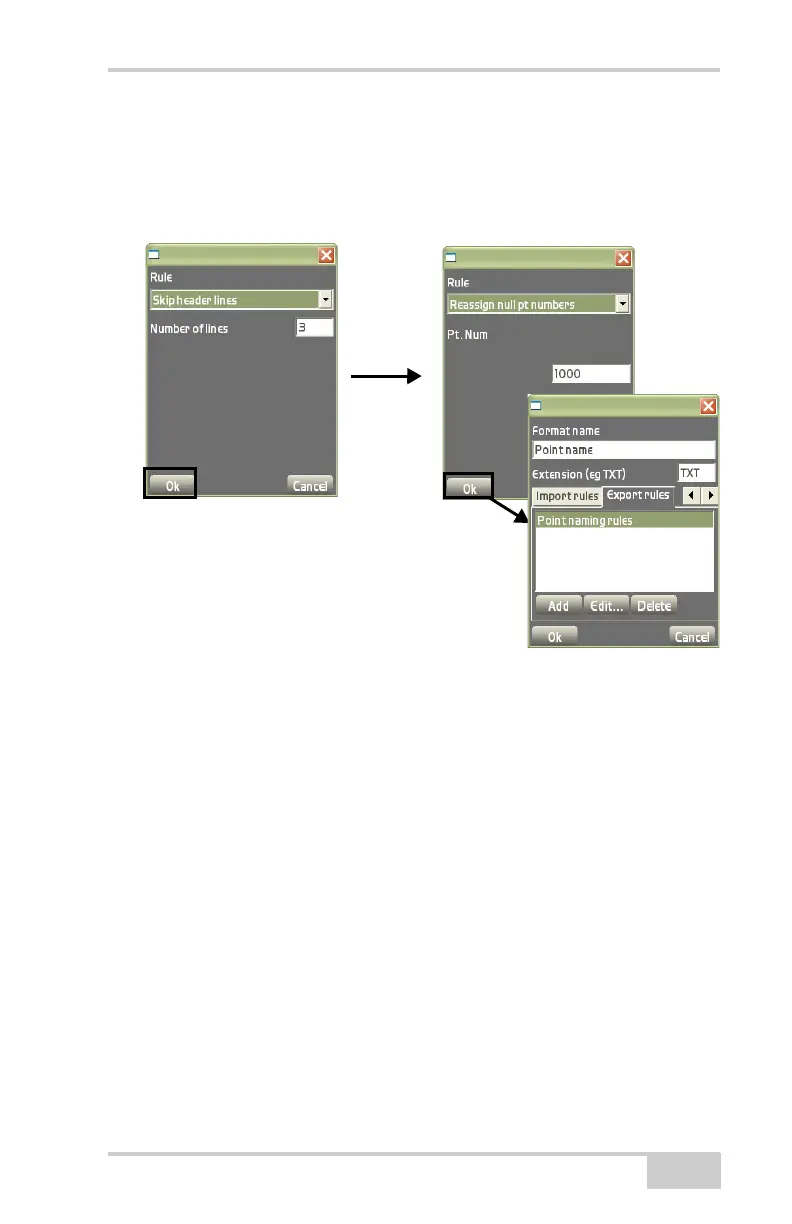
information (Figure 3-32).
– Rule: select Reassign null pt numbers.
– Assign pts with NO number starting at: enter the starting
number to assign to the points with no point numbers.
Figure 3-32. Add Export Rule
• Edit – on the Export rules tab, press Edit to edit the selected
export rule. See the “Add” bullet above and
Figure 3-32 for
details on editing the export rule.
• Delete – on the Export rules tab, press Delete to delete the
selected export rule (
Figure 3-32).
Control Point Options
The control options dialog box displays coordinate selection, projec-
tion location, and displays or hides control points, control point
names and control point descriptions (
Figure 3-33 on page 3-22).
Click DataControlOptions to display the control options dialog
box.
The Coords tab on the control options dialog box displays
(
Figure 3-33) the type of coordinates system to use for jobsite control,



 To Next Page